
Building Bronze Layer: Using COPY INTO in Databricks
Ready to transform your data strategy with cutting-edge solutions?
- Master the bronze layer foundation of medallion architecture with COPY INTO - the command that handles incremental ingestion and schema evolution automatically. No more duplicate data, no more broken pipelines when new columns arrive. Your complete guide to production-ready raw data ingestion
The Challenge
John, a Junior Data Engineer at the GlobalMart Data Engineering team, started his day with a new task from his lead: “Build the bronze layer to store raw customer data in Delta tables.”
Every day, new CSV files containing customer data land in a folder structure like this:
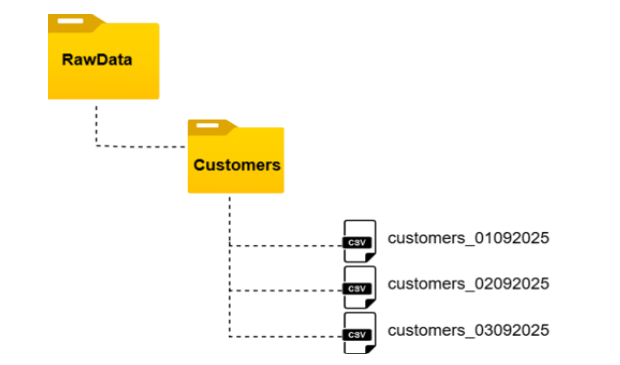
Since the bronze layer is meant to hold raw, untransformed data, John’s responsibility was ensuring all incoming files were ingested as-is into a Customers Delta table. But as he started thinking about the task, two critical concerns came to mind:
Key Challenges
- Incremental Ingestion → How do we ensure that only new files are processed daily without reloading files already ingested?
- Schema Evolution → What if tomorrow’s file arrives with additional columns? How can the pipeline automatically merge the new schema with the existing table without breaking?
John realized that while the task sounds simple, the solution needs to be scalable, reliable, and future-proof.
Why Traditional Approaches Fall Short
Excited but nervous, John searched the internet and found two common techniques: INSERT INTO and INSERT OVERWRITE. But both came with serious limitations:
INSERT INTO Problems
- Simply appends data without preventing duplicates
- If the same files are processed again, duplicates will accumulate
- Requires manual tracking to avoid reloading old files
- Inefficient for incremental loads
INSERT OVERWRITE Problems
- Replaces the entire table every time
- Causes unnecessary data loss or reprocessing
- No flexibility to update only new records
- Poor performance when working with large datasets
John realized that relying on either approach could cause major issues for GlobalMart’s growing data volumes.
Discovering COPY INTO: The Game Changer
Still searching for a better approach, John discovered COPY INTO, a command built exactly for scenarios like his. It addressed his two key concerns: incremental ingestion and schema evolution.
Setting Up the Proof of Concept
To get started with his proof of concept, John prepared smaller chunks of the customer dataset and uploaded them to the data lake. The data lake now contained two initial files: customers_01092025.csv and customers_02092025.csv.
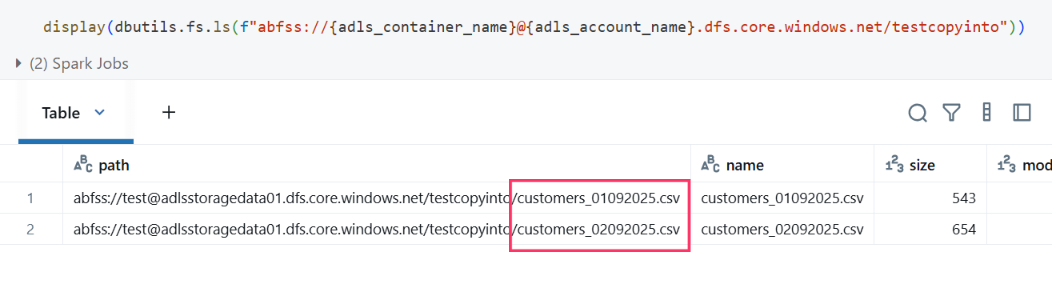
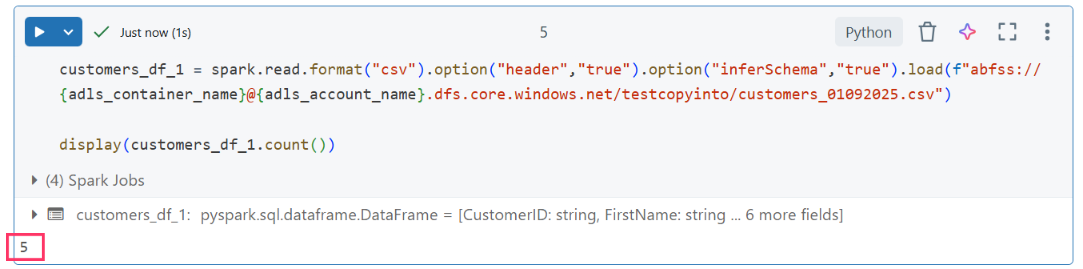
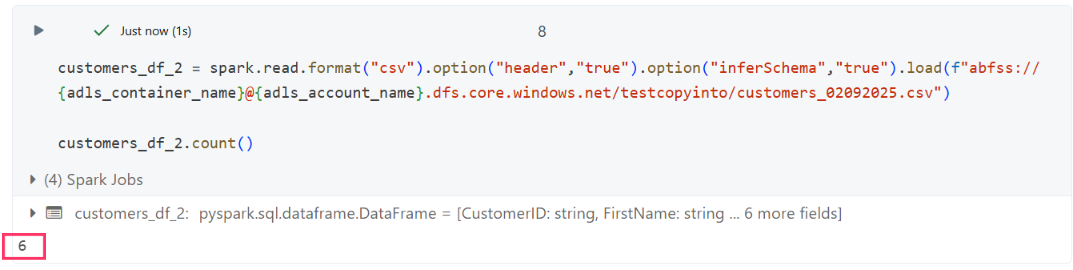
Before using COPY INTO, he wanted to validate the data by loading each CSV file individually and checking the record counts.
Initial File Validation
- customers_01092025.csv: 5 records
- customers_02092025.csv: 6 records
First COPY INTO Attempt
With the files verified, John was ready to test the ingestion. He used the COPY INTO command to load data from the raw zone into a Delta table in the bronze layer:
%sql
COPY INTO gbmart.bronze.customerscopyintotest
FROM '/mnt/mskltestgbmart/copyintotest'
FILEFORMAT = CSV
FORMAT_OPTIONS ('header'='true','inferSchema'='true')
COPY_OPTIONS ('mergeSchema'='true')
Command Breakdown
%sql→ Runs the cell in SQL mode inside DatabricksCOPY INTO gbmart.bronze.customerscopyintotest→ Loads data into the Delta table named customerscopyintotest in the bronze schema of the gbmart databaseFROM '/mnt/mskltestgbmart/copyintotest'→ Points to the source folder in the data lake where all raw CSV files landFILEFORMAT = CSV→ Defines that input files are in CSV format-
FORMAT_OPTIONS ('header'='true','inferSchema'='true'): -
header = true→ First row contains column names inferSchema = true→ Databricks automatically detects data types (string, int, date, etc.)COPY_OPTIONS ('mergeSchema'='true')→ Ensures schema evolution - if a new file arrives with extra columns, the Delta table automatically adds those columns instead of failing
In simple terms: This command tells Databricks to take all CSV files from the raw folder, read them with headers, automatically detect and merge schema changes, and load only new files into the bronze Delta table.
Resolving the Initial Error
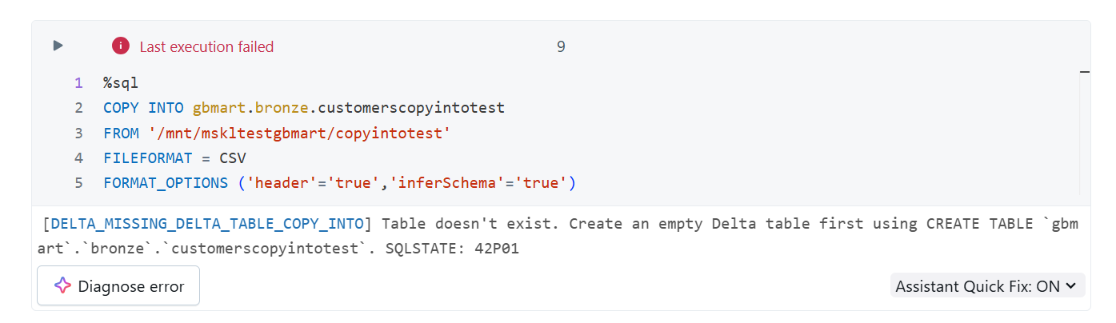
When John first executed the COPY INTO command, he encountered this error: Why this happened: COPY INTO requires the destination Delta table to exist beforehand - either with a defined schema or as an empty Delta table.
The Fix
John created the table first:
%sql

CREATE TABLE IF NOT EXISTS gbmart.bronze.customerscopyintotest;
Then re-ran the COPY INTO command:
%sql

COPY INTO gbmart.bronze.customerscopyintotest
FROM 'abfss://test@adlsstoragedata01.dfs.core.windows.net/testcopyinto'
FILEFORMAT = CSV
FORMAT_OPTIONS ('header'='true','inferSchema'='true')
COPY_OPTIONS ('mergeSchema'='true')
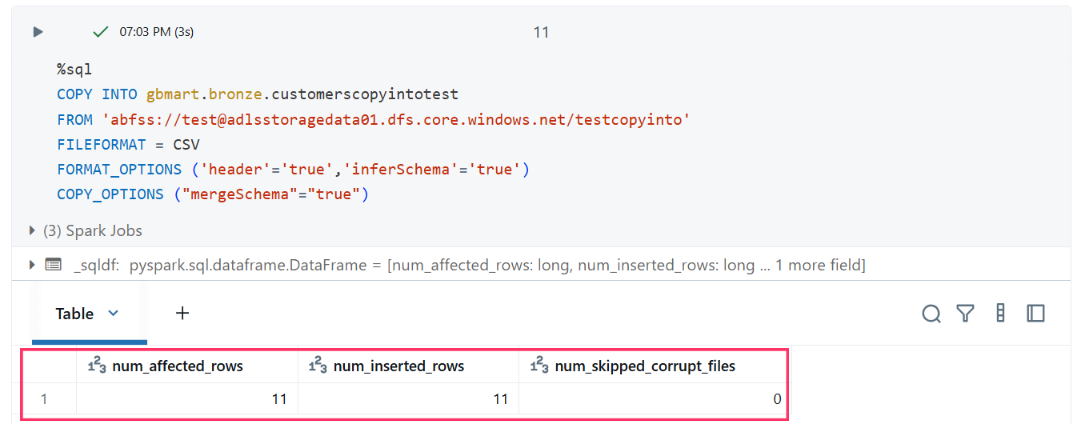
Result: Success! The output showed 11 records ingested (5 + 6), confirming that both initial files were loaded into the bronze table.
How COPY INTO Works: The Magic Behind the Scenes
Step 1: Directory Scanning
When John runs COPY INTO on a folder path, Databricks automatically scans the directory in the data lake (Azure Data Lake, S3, or ADLS) to discover all files matching the specified format (CSV in this case).
Step 2: File Tracking
COPY INTO maintains an internal record of which files have already been processed. This means if customers_01092025.csv was loaded yesterday, it won’t be reloaded today, preventing duplicates.
Step 3: Incremental Load
When new files like customers_02092025.csv or customers_03092025.csv land in the same folder, COPY INTO automatically picks up only those new files and appends them to the Delta table.
Step 4: Schema Evolution
If tomorrow’s file includes additional columns (like phone_number), the command seamlessly merges that new schema into the Delta table without breaking the pipeline.
Testing Incremental Ingestion
After successfully ingesting the first two files, John uploaded a new file (customers_03092025.csv) to verify incremental behavior.
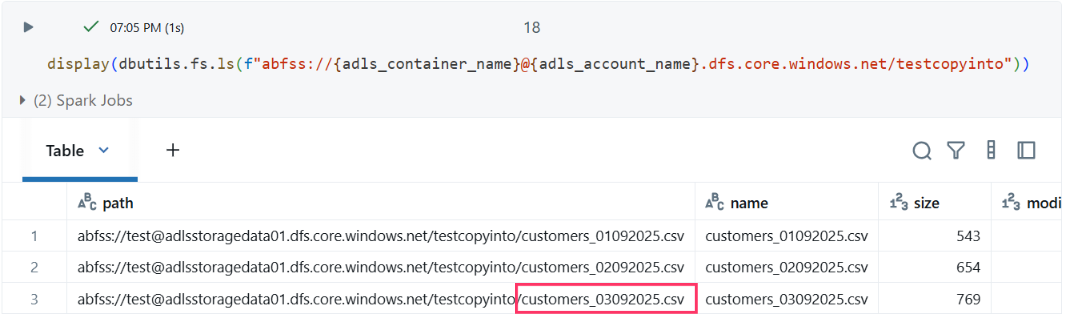
New File Validation
- customers_03092025.csv: 5 records
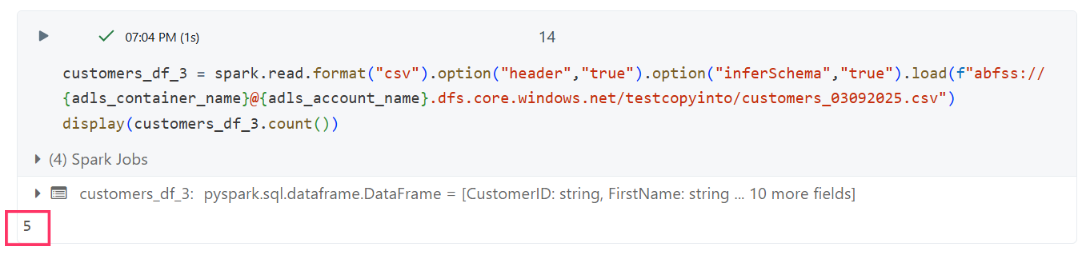
When he re-ran the same COPY INTO command:
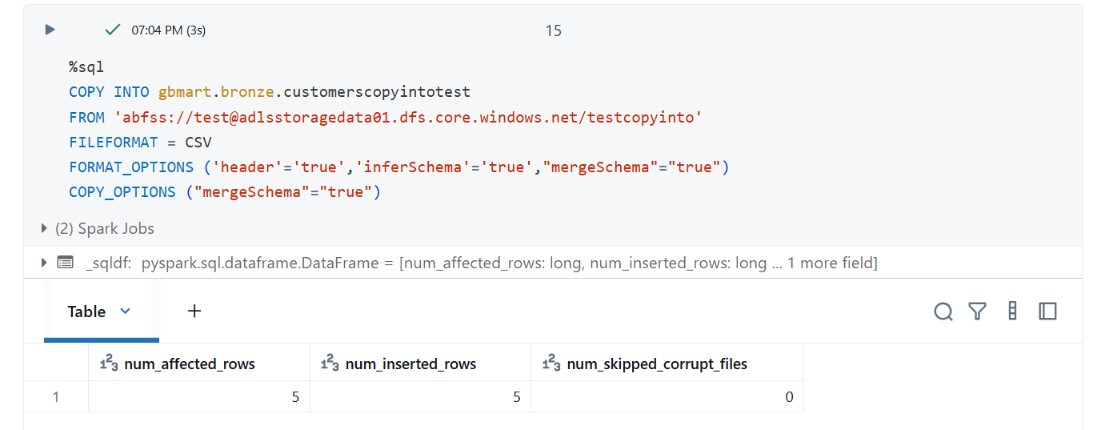
Results:
- Previously ingested files were skipped
- Only the new file with 5 records was picked up
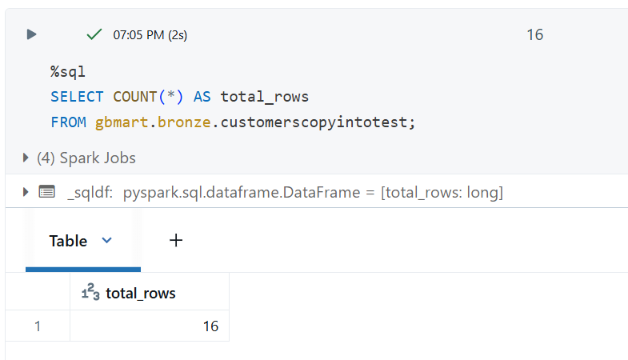
This confirmed that COPY INTO uses directory listing to scan the folder, identify new files, and load only those while ignoring previously processed files.
Testing Schema Evolution
Next, John tested a real-world scenario: schema evolution. In practice, incoming files might have additional columns. To simulate this, he added a fourth file (customers_04092025.csv) with additional columns to test how COPY INTO handles schema changes.
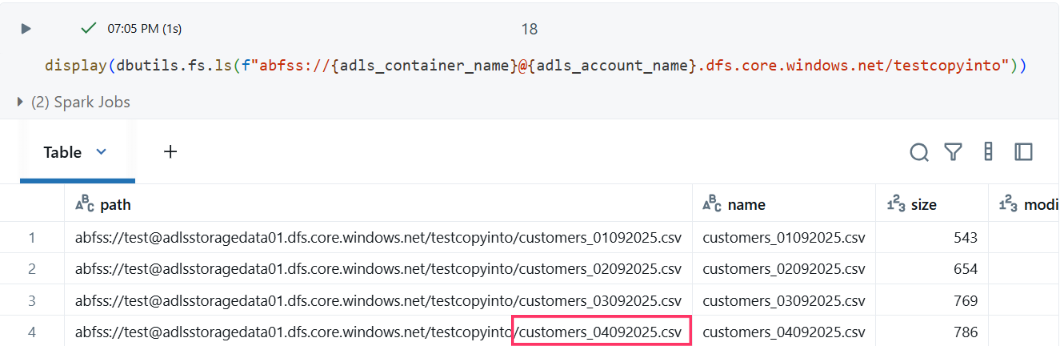
The data lake now contained four files, with the latest one having an expanded schema:
Fourth File Validation
- customers_04092025.csv: 5 records
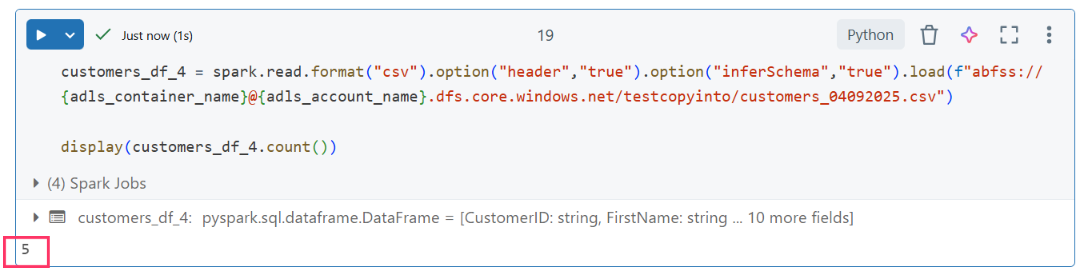
- New Schema (customers_04092025.csv)
The file contained 5 records with these additional fields:
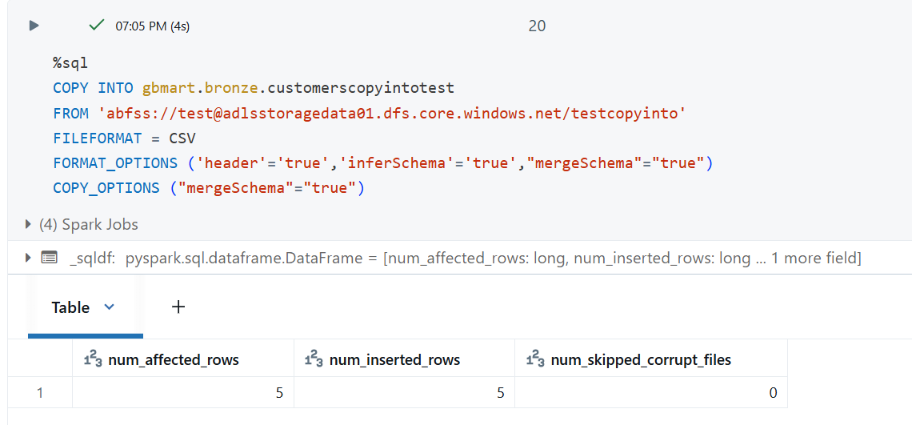
CustomerID: string
FirstName: string
LastName: string
Email: string
PhoneNumber: double
DateOfBirth: date
RegistrationDate: date
PreferredPaymentMethodID: string
third_party_data_sharing: string
marketing_communication: string
cookies_tracking: string
consent_timestamp: string
- Previous Schema
The original files only had:
CustomerID: string
FirstName: string
LastName: string
Email: string
PhoneNumber: double
DateOfBirth: date
RegistrationDate: date
PreferredPaymentMethodID: string
Schema Evolution in Action
When John ingested the fourth file using the same command (with mergeSchema=true) in FORMAT_OPTIONS, the new columns were successfully merged into the Delta table without errors.
FORMAT_OPTIONS ('mergeSchema'='true')handles schema conflicts during file readingCOPY_OPTIONS ('mergeSchema'='true')handles schema evolution during table writing
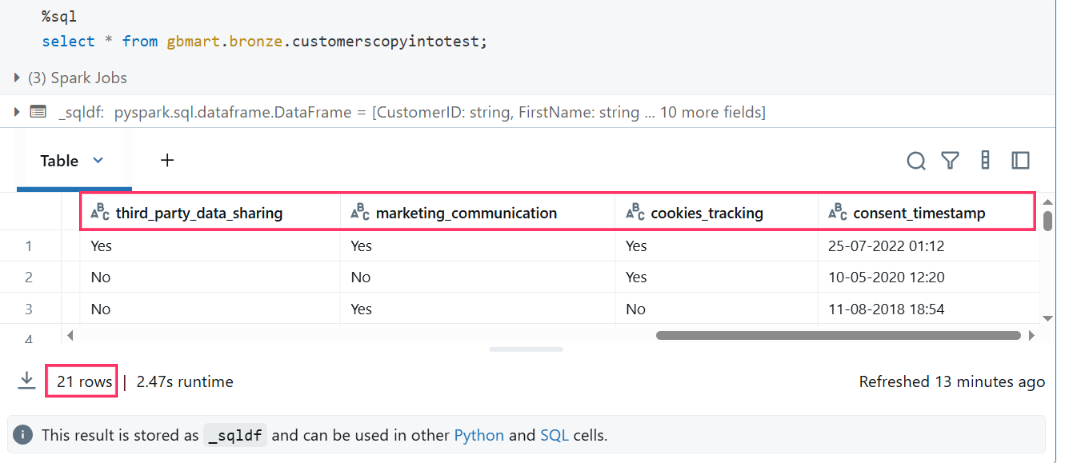
Final Result: The table now contained 21 rows with the evolved schema, demonstrating COPY INTO’s ability to handle schema changes automatically.
Key Insights and Best Practices
By the end of his proof of concept, John learned important lessons about COPY INTO:
1. Idempotency at File Level, Not Record Level
- COPY INTO tracks file names, not the data inside files
- If the same file is reprocessed, it will be skipped - even if the contents have changed
- This is acceptable for the bronze layer since its purpose is to preserve raw files exactly as they arrive
2. File Name Uniqueness Matters
- If a file with the same name but different content is placed in the folder, the newer version will be ignored
- To ensure all data is captured, each file should have a unique name when landing in the data lake
- Consider using timestamps or sequence numbers in file names
3. Performance Benefits
- Only processes new files, reducing compute costs
- No need for complex file tracking mechanisms
- Built-in deduplication at the file level
4. Error Handling
- Always create the target table before running COPY INTO
- Use
mergeSchema=truefor dynamic schema handling - Monitor for corrupt or malformed files that might cause failures
Production Recommendations
Based on John’s findings, here are recommendations for production implementation:
- File Naming Convention: Use patterns like
tablename_YYYYMMDD_HHMMSS.csvto ensure uniqueness - Monitoring: Set up alerts for failed COPY INTO operations
- Schema Validation: Consider adding data quality checks after ingestion
- Partitioning: For large datasets, consider partitioning the Delta table by date or other relevant columns
- Retention Policy: Implement lifecycle management for both raw files and Delta table versions
Conclusion
COPY INTO proved to be the ideal solution for John’s bronze layer requirements, providing:
- Automatic incremental ingestion without duplicates
- Schema evolution support for changing data structures
- Simplified operations with minimal maintenance overhead
- Cost efficiency by processing only new files
This approach enables GlobalMart to build a robust, scalable data lake foundation that can adapt to changing business requirements while maintaining data integrity and operational efficiency.
You Might Also Like
Learn to build governed RAG pipelines on Databricks using Agent Bricks and Unity Catalog. Discover the Knowledge Assistant, its 70% quality boost, and key limits.

Storage account keys and mount points give every user in a Databricks workspace the same shared access to ADLS, with no audit trail. Here's why teams are moving to Storage Credentials and External Locations instead.
89% of enterprise AI pilots never reach production. Data integration, governance gaps, and silos are why. See how Snowflake Cortex AI fixes the root cause.
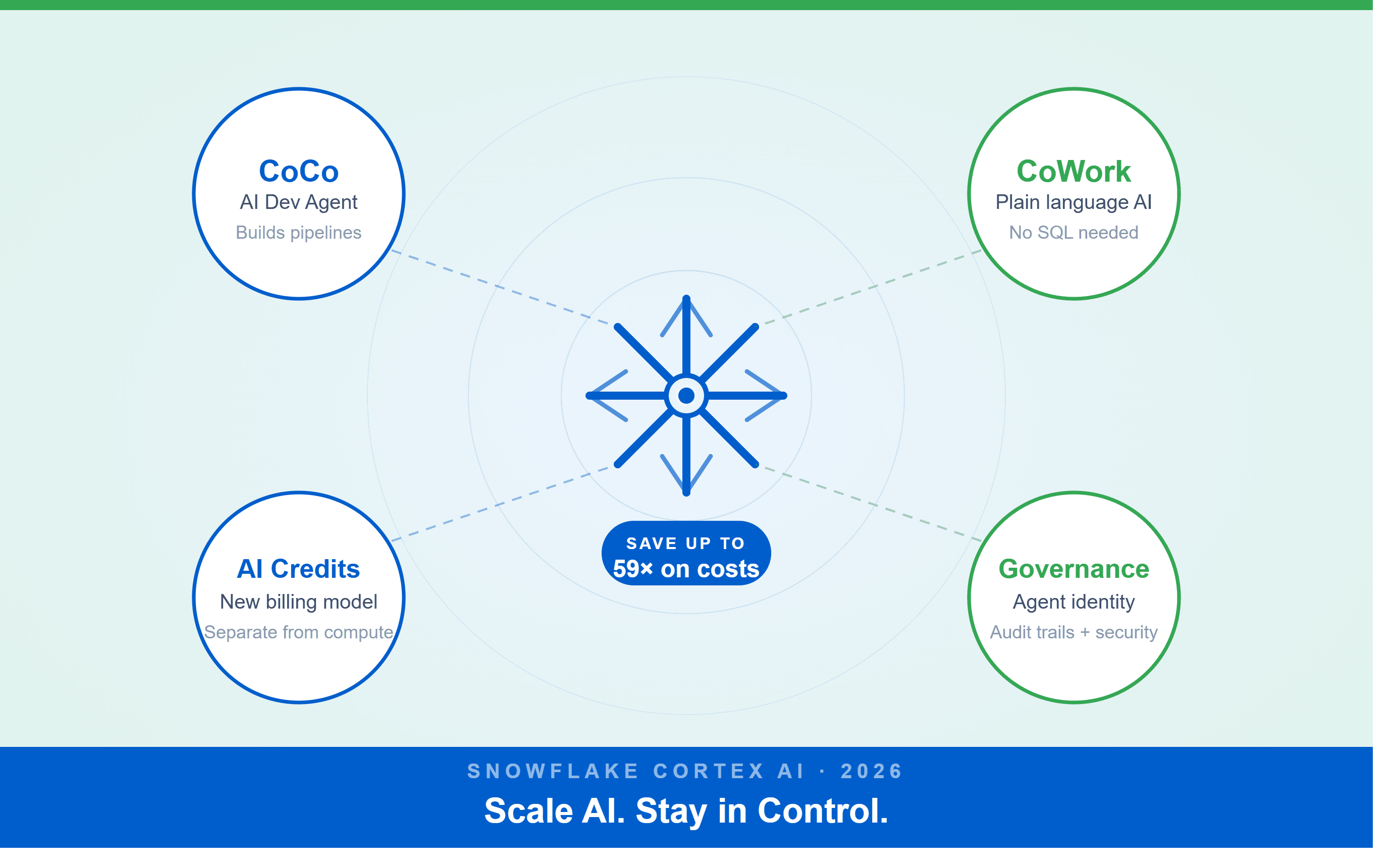
A Snowflake Summit 2026 benchmark revealed a 59x cost gap — open-source models at 440 credits vs. frontier models at 26,000 credits for identical workloads. Learn how CoCo, CoWork, AI Credits, and Cortex Training change enterprise AI strategy.
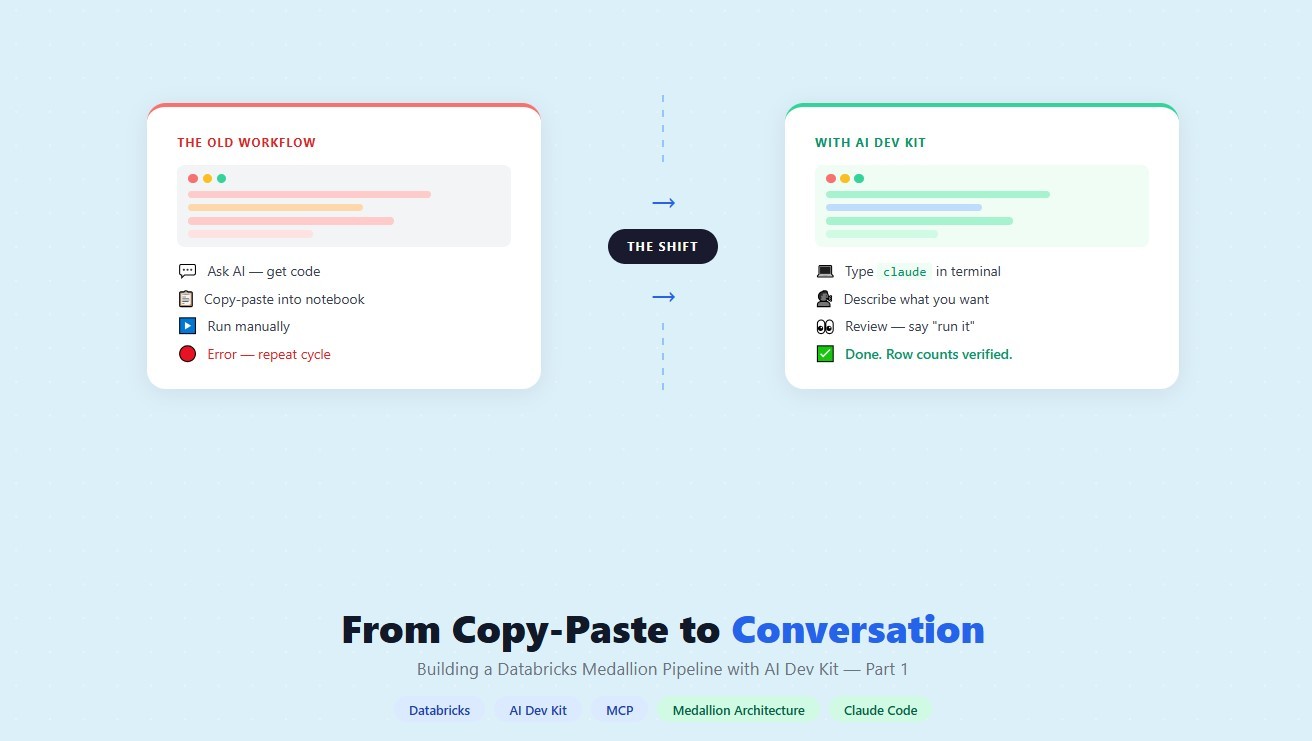
How a data engineering team replaced manual pipeline work with natural language prompts, using Claude Code and the Databricks AI Dev Kit.
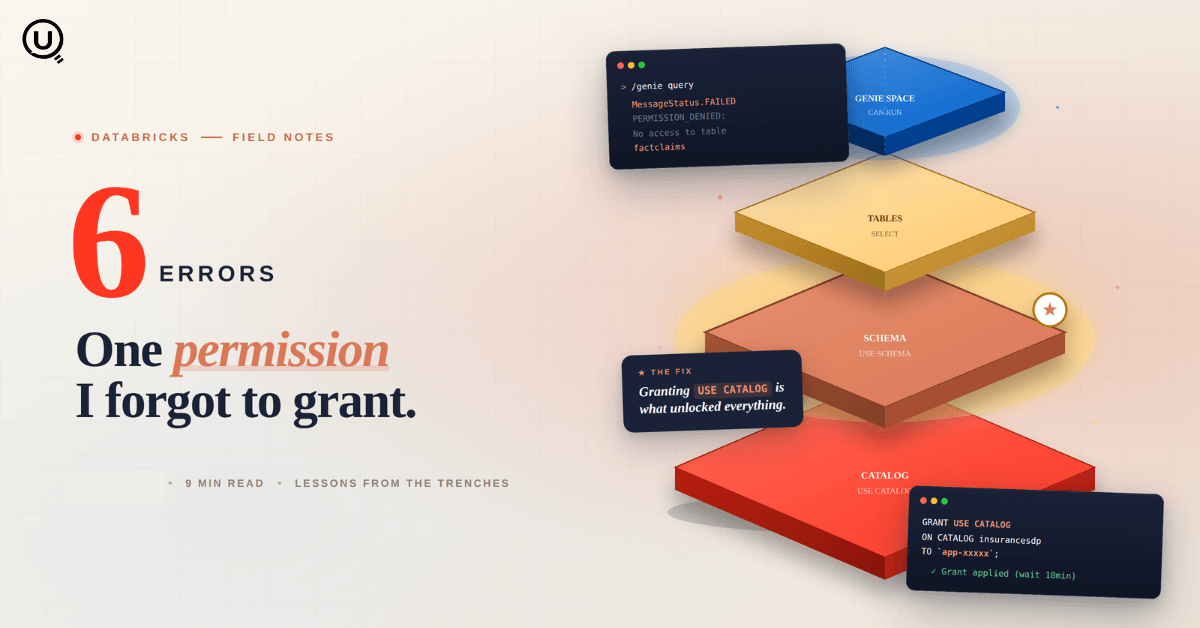
Six errors, 6 hours of debugging, and the permission checklist that finally made Databricks Apps + Genie work. The full lessons-learned guide.
Your Claude Code session isn't lost. It's on disk, in a folder /resume isn't scanning. Here's how to find any session in 30 seconds, with the exact commands.
Scenario based learning replaces tutorials with realistic operational scenarios where engineers develop the hands on judgment classroom instruction cannot produce. How it works and why it matters.
The 2026 data engineering roadmap. SQL, Python, cloud, Airflow, dbt, streaming. What companies actually hire for and how to build a portfolio that gets shortlisted.
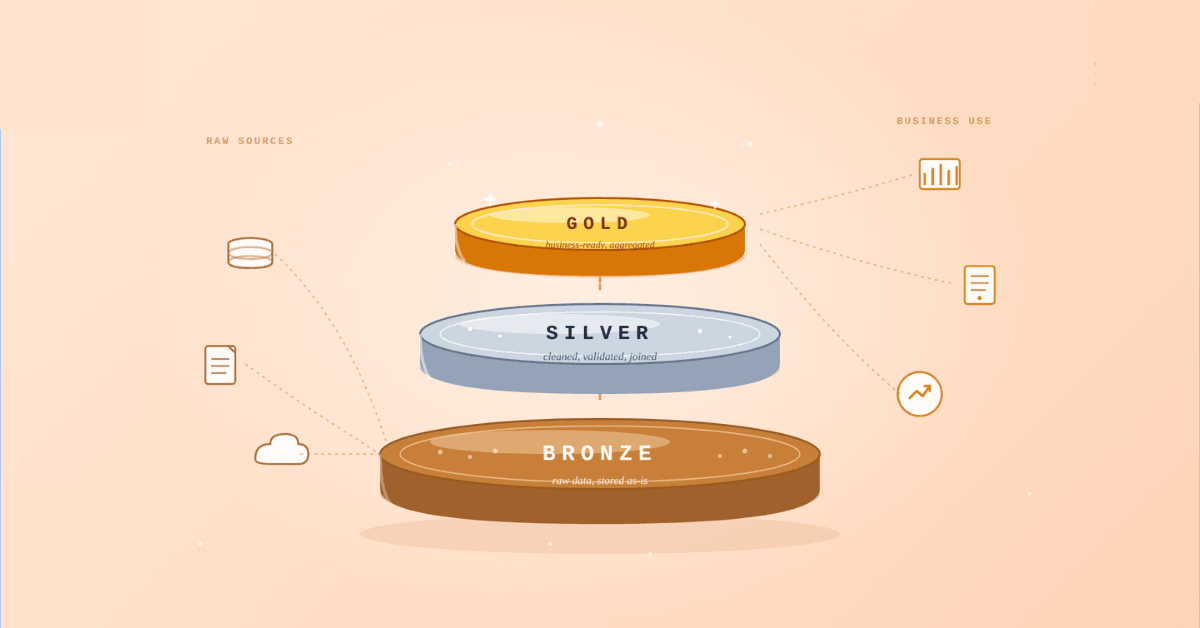
Medallion Architecture splits your data pipeline into Bronze, Silver, and Gold layers so a small business change never forces a full rebuild. Here's why it works.

I was working on a large content repository on Windows, and I needed to version some new work — campaign assets, workshop content, LinkedIn job descriptions, and some file deletions. Simple enough, right? What followed was a two-day journey through some of Git's more obscure corners.
New engineers shouldn't learn Docker like they're defusing a bomb. Here's how we created a fear-free learning environment—and cut training time in half." (165 characters)

A complete beginner’s guide to data quality, covering key challenges, real-world examples, and best practices for building trustworthy data.
Explore the power of Databricks Lakehouse, Delta tables, and modern data engineering practices to build reliable, scalable, and high-quality data pipelines."
A real-world Terraform war story where a “simple” Azure SQL deployment spirals into seven hard-earned lessons, covering deprecated providers, breaking changes, hidden Azure policies, and why cloud tutorials age fast. A practical, honest read for anyone learning Infrastructure as Code the hard way.

Data doesn’t wait - and neither should your insights. This blog breaks down streaming vs batch processing and shows, step by step, how to process real-time data using Azure Databricks.

This blog talks about Databricks’ Unity Catalog upgrades -like Governed Tags, Automated Data Classification, and ABAC which make data governance smarter, faster, and more automated.

Tired of boring images? Meet the 'Jai & Veeru' of AI! See how combining Claude and Nano Banana Pro creates mind-blowing results for comics, diagrams, and more.

What I thought would be a simple RBAC implementation turned into a comprehensive lesson in Kubernetes deployment. Part 1: Fixing three critical deployment errors. Part 2: Implementing namespace-scoped RBAC security. Real terminal outputs and lessons learned included
This blog walks you through how Databricks Connect completely transforms PySpark development workflow by letting us run Databricks-backed Spark code directly from your local IDE. From setup to debugging to best practices this Blog covers it all.
A simple ETL job broke into a 5-hour Kubernetes DNS nightmare. This blog walks through the symptoms, the chase, and the surprisingly simple fix.

This blog talks about the Power Law statistical distribution and how it explains content virality

This blog explains how Apache Airflow orchestrates tasks like a conductor leading an orchestra, ensuring smooth and efficient workflow management. Using a fun Romeo and Juliet analogy, it shows how Airflow handles timing, dependencies, and errors.
The blog contains the journey of ChatGPT, and what are the limitations of ChatGPT, due to which Langchain came into the picture to overcome the limitations and help us to create applications that can solve our real-time queries

An account of experience gained by Enqurious team as a result of guiding our key clients in achieving a 100% success rate at certifications

This blog delves into the capabilities of Calendar Events Automation using App Script.
Dive into the fundamental concepts and phases of ETL, learning how to extract valuable data, transform it into actionable insights, and load it seamlessly into your systems.