
Data Doesn’t Wait Anymore: A Guide to Streaming with Azure Databricks
Ready to transform your data strategy with cutting-edge solutions?
- Data doesn’t wait - and neither should your insights. This blog breaks down streaming vs batch processing and shows, step by step, how to process real-time data using Azure Databricks.
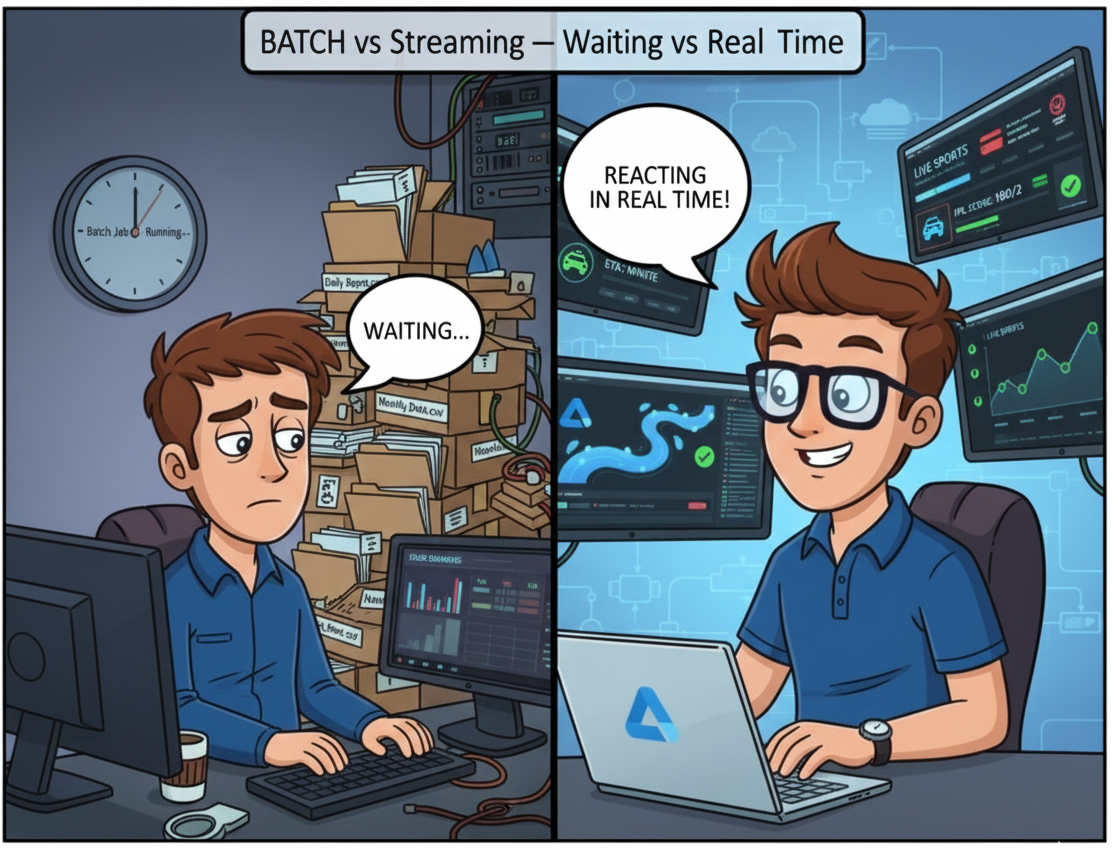
Every action we take today creates data - booking a cab, checking an IPL score, scanning a QR code, scrolling a reel, or refreshing an app.
And this data doesn’t arrive once a day or once an hour. It arrives every second, and in massive volumes.
While you’re reading this paragraph, companies across the world are receiving millions of events from mobile apps, websites, sensors, payment systems, and devices. And the faster this data arrives, the faster businesses are expected to react.
Think about your everyday experience:
- Your cab’s ETA updates live
- IPL scores refresh ball by ball
- UPI payments succeed or fail in milliseconds
- Food delivery apps track riders in real time
- OTT platforms recommend content as you watch
Now imagine trying to power all of this using batch processing - where data is processed only after everything has fully arrived.
It simply doesn’t work.
A cab ETA calculated 20 minutes late is useless.
A fraud detection model that runs at midnight is too late.
A “live” dashboard refreshed hourly is not live at all.
Batch processing still has its place - but today, it’s no longer enough on its own.
This is where streaming becomes essential.
Not because it’s a buzzword.
Not because everyone is talking about it.
But because modern systems demand immediate insights.
And the good news?
Streaming doesn’t have to be complex.
In this blog, we’ll break down how streaming really works, when data is actually considered streaming, and how Azure Databricks helps you process streaming data in a simple, scalable, production-ready way.
but..What Is Batch Data ?
Before we talk about streaming, let’s clear a common confusion.
Batch vs streaming is not about tools.
It’s about latency - how often data arrives and how soon you process it.
Let’s use a very practical example with Azure Data Lake Storage (ADLS).
These are batch scenarios:
- You receive data yearly in ADLS → you process it in Databricks → batch
- You receive data monthly in ADLS → you process it in Databricks → batch
- You receive data daily or hourly in ADLS → you process it later → still batch
Even hourly data is batch, because:
- The data waits
- Processing happens after arrival
- Insights are delayed
Batch works well when:
- Latency is acceptable
- Decisions don’t need to be instant
- Data value doesn’t decay quickly
Examples:
- Financial reports
- Historical trend analysis
- Monthly KPIs
So..When Does Data Become Streaming?
Streaming starts when latency becomes critical.
- Data arrives every few seconds or minutes
- Data is processed as it arrives
- Insights lose value if delayed
A simple rule of thumb:
- 1-5 minutes latency → streaming
- More than ~10 minutes → starts behaving like batch again
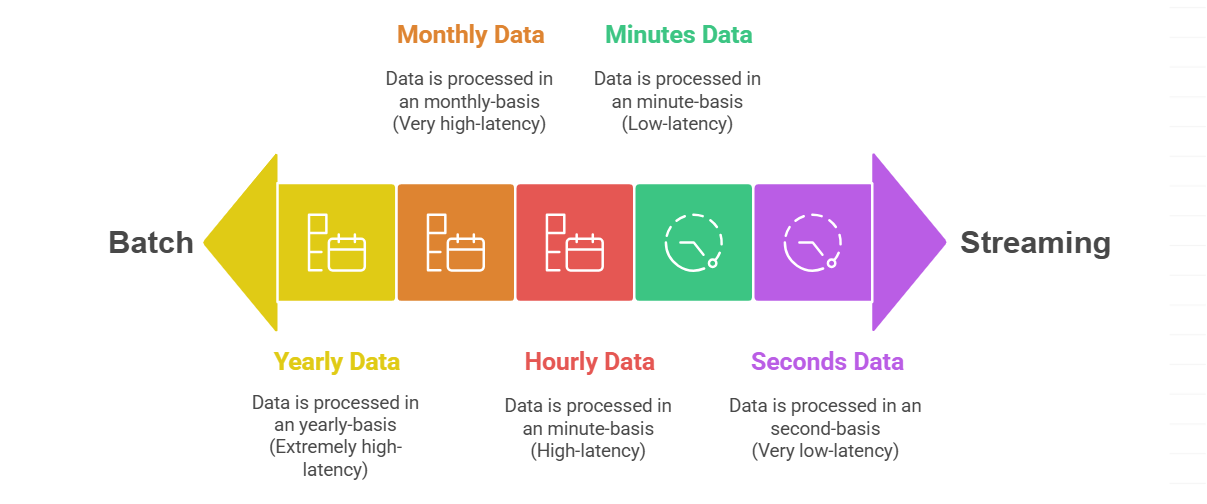
Streaming is about continuous flow, not fixed intervals.
This is why:
- Cab ETAs update continuously
- Fraud is detected during the transaction
- Stock prices refresh instantly
Waiting even a few minutes can mean lost value.
Why Batch Is No Longer Enough
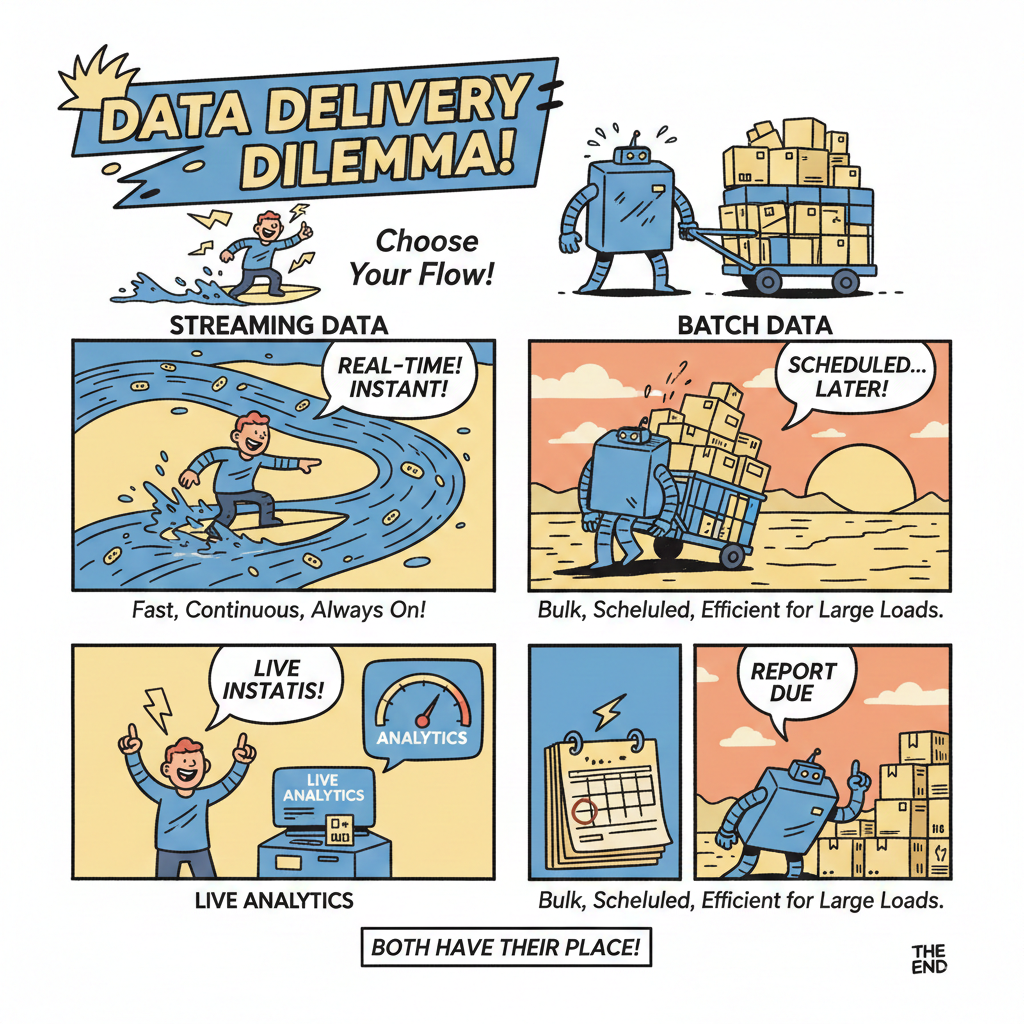
Let’s compare the old world vs the new world:
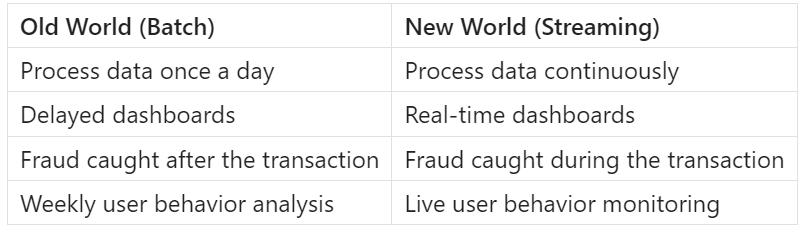
Companies today need to:
- Adjust prices dynamically
- Monitor systems continuously
- Trigger alerts instantly
- Personalize experiences live
Batch pipelines simply can’t meet these demands alone.
but..Streaming Sounds Complex… Is It?
Traditionally, yes.
Streaming used to mean:
- Complex infrastructure
- Multiple systems to manage
- Hard-to-debug pipelines
- Specialized skills
But Azure Databricks changes that.
Databricks allows you to:
- Use the same Spark APIs
- Write simple, readable code
- Handle batch and streaming almost identically
- Scale without managing infrastructure
You don’t need to “think streaming first”.
You just need to understand the components.
Components of a Streaming Pipeline
At its core, every real-time pipeline has just four building blocks.
Every streaming pipeline has four simple components:
- Producer - This is where data is generated.
Examples:
- Mobile apps
- Websites
- Receiver - This component receives incoming events and buffers data safely
Common examples:
- Event Hubs
- Kafka
- Optional storage - This is a storage where you can store your stream data before taking it to Databricks for processing.
Examples:
- ADLS
- S3 bucket
- Databricks - processes data in real time
This is where streaming logic lives, transformations happen, aggregations are computed
and outputs are written.
In Databricks:
- Reads streaming data
- Processes it continuously
- Writes results to storage, dashboards, or downstream systems
How These Components Work Together
In a real-time streaming pipeline, data flows in a simple, logical sequence.
First, data is generated by a producer, such as an application, website, or data generator, where events are created continuously.
These events are then sent to a receiver like Azure Event Hubs, which safely collects and buffers the incoming data at scale.
In some cases, the data may be temporarily written to optional storage such as ADLS or S3 - this is useful for durability, replay, or backup, but not mandatory.
Finally, Databricks reads the streaming data (directly from the receiver or from storage), processes it in near real time, applies transformations and aggregations, and writes the results to storage, dashboards, or downstream systems.
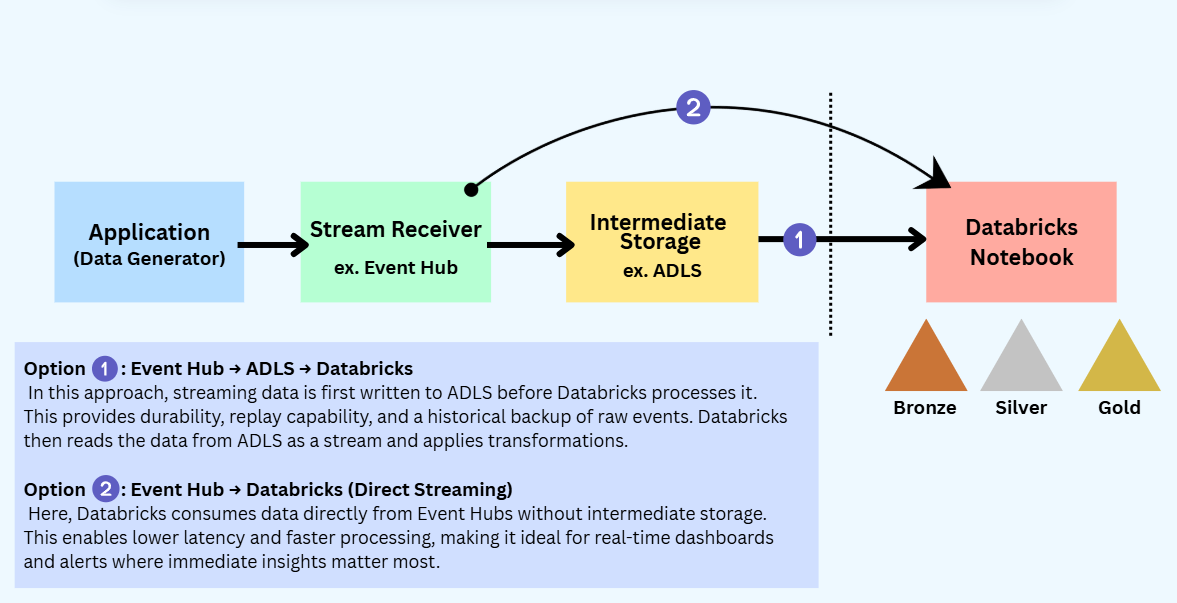
This clear separation of responsibilities is what makes streaming pipelines scalable, reliable, and easier to manage.
Now let’s focus on -
How to process streaming data in Databricks.
Step-by-Step: Processing Streaming Data for GlobalMart Using Azure Databricks
Let’s assume GlobalMart has a customer-facing application that continuously generates data - orders placed, products viewed, payments attempted, delivery status updates, etc.
This data is generated every few seconds and needs to be processed in near real time.
To handle this, we’ll follow a simple, practical flow:
Application → Event Hub → ADLS → Databricks
Step 1: Start with the Data Generator
GlobalMart already has an application that exposes an API endpoint which sends streaming events.
When configuring this API, we select Azure as the cloud provider.
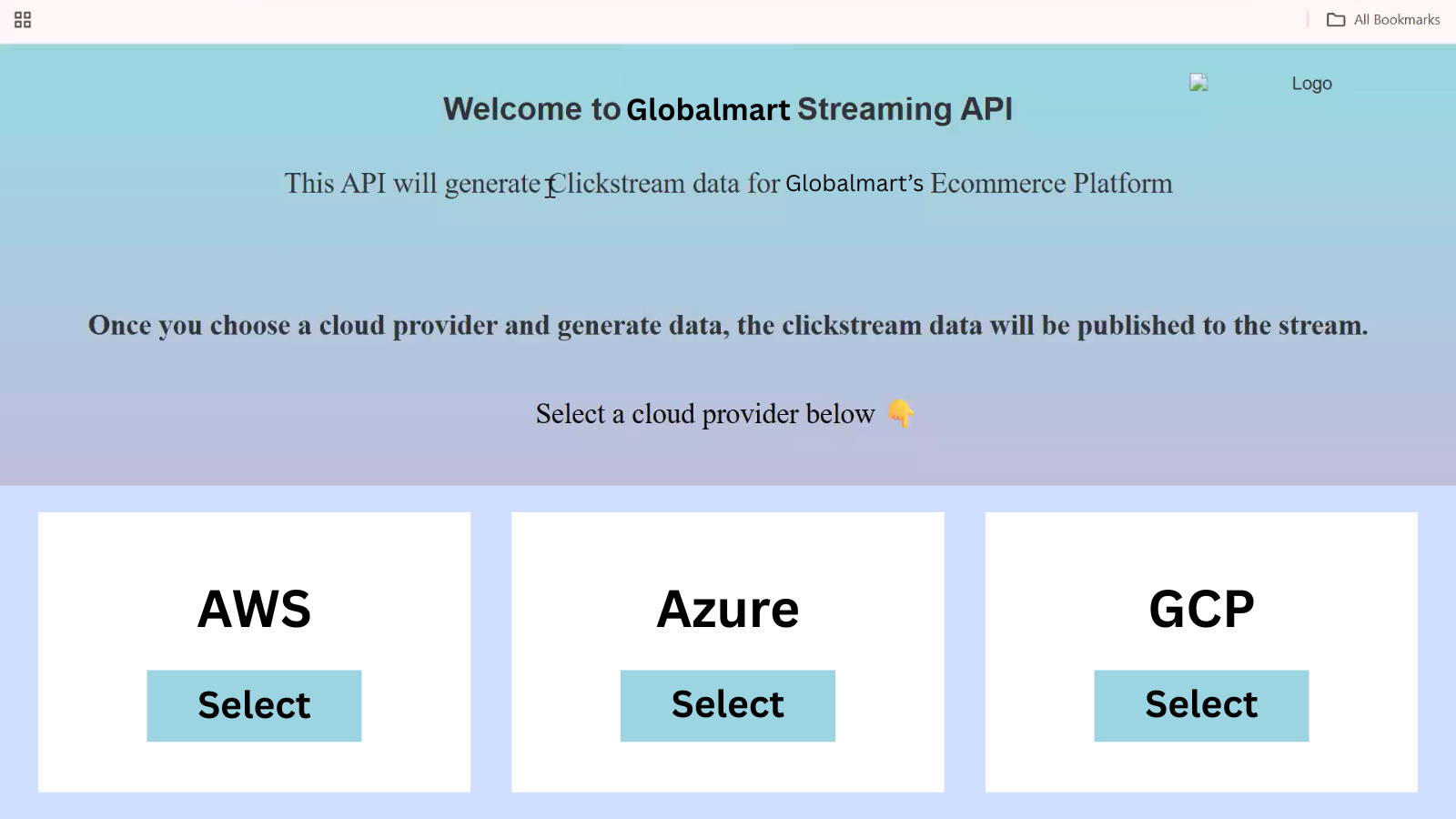
The API setup asks for four fields:
- Endpoint connection string
- Event Hub name
- Access key
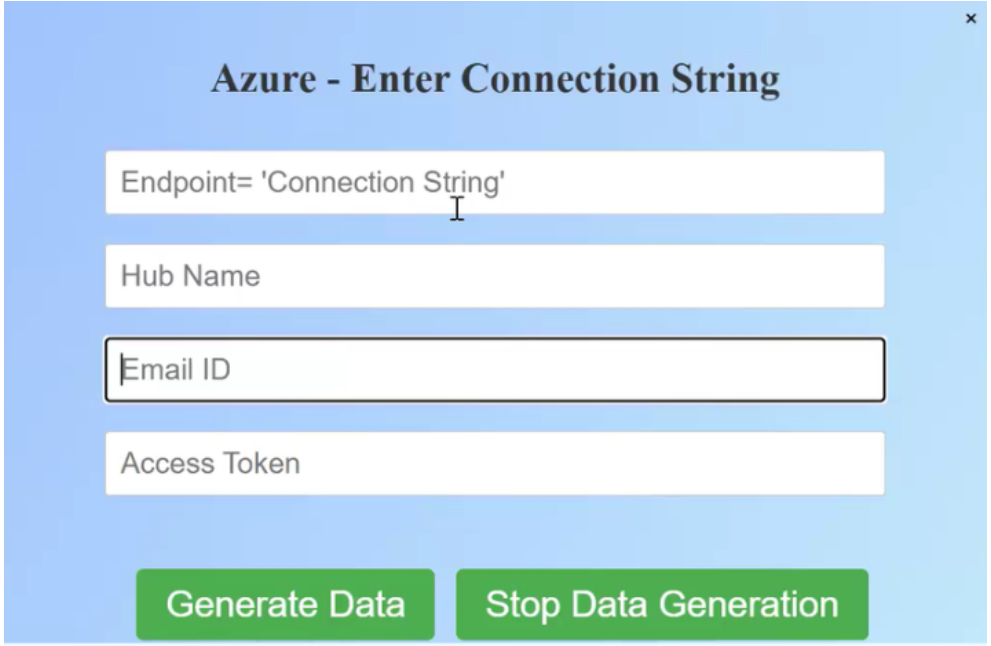
At this point:
- We already have the email and access key
- The Event Hub name and endpoint connection string will be generated next
So we pause here and move to Azure.
Step 2: Create an Event Hub Namespace in Azure
Open the Microsoft Azure Portal and search for Event Hubs.
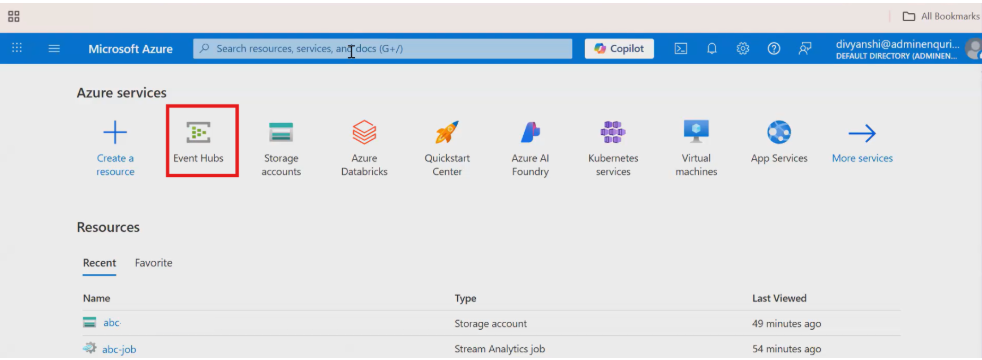
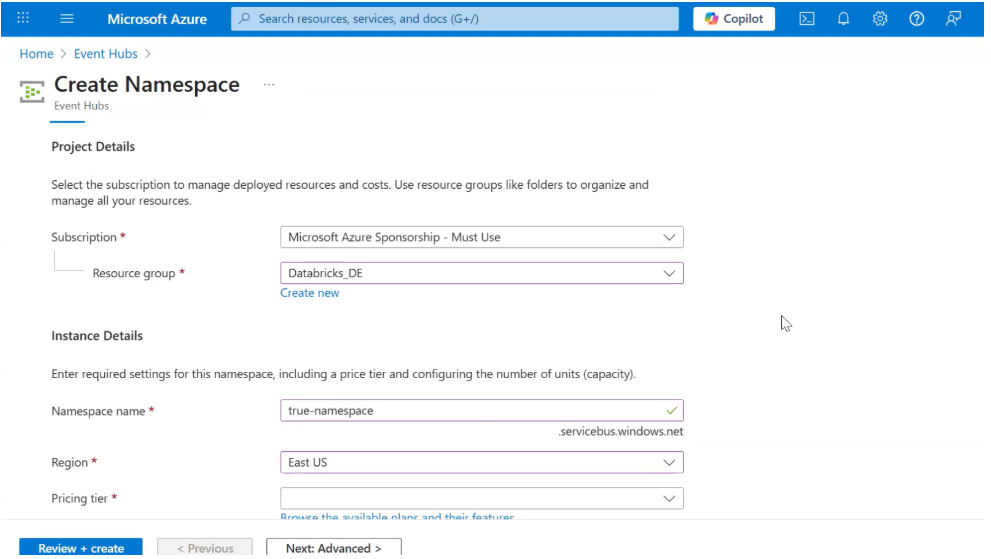
Create a Namespace
- Subscription: Keep default
- Resource Group:
A resource group is simply a logical container to group related Azure resources (Event Hub, storage, Databricks, etc.).
Using one resource group makes management, monitoring, and cleanup easier.
-
Namespace Name: Give a meaningful name (e.g.,
globalmart-streaming-ns) - Region: Select East US
- Click Review + Create → Create
This namespace will act as a container for one or more Event Hubs.
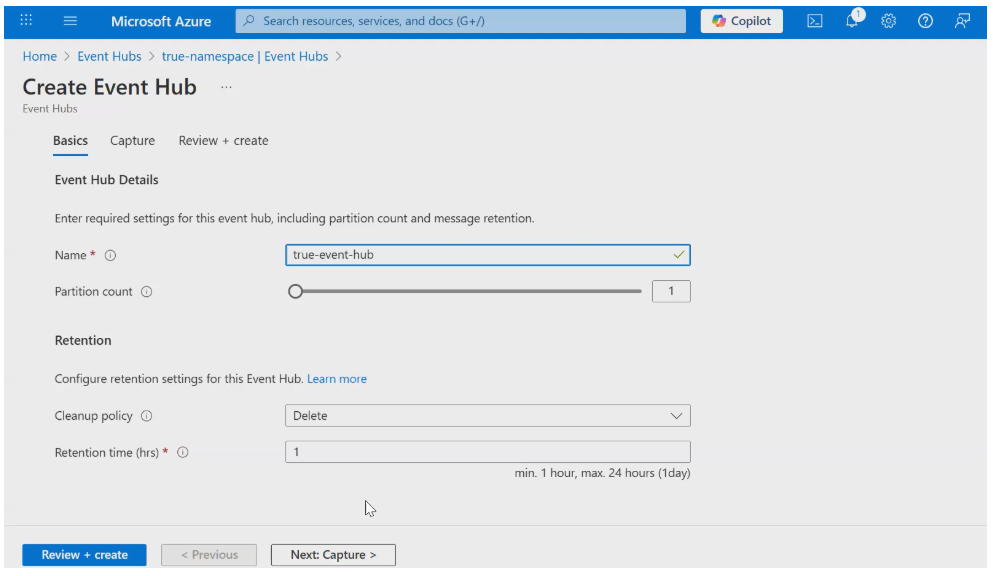
Step 3: Create an Event Hub Inside the Namespace
Once the namespace is created, open it and create a new Event Hub.
Configure the Event Hub
-
Event Hub Name: e.g.,
globalmart-orders - Partition Count:
Partitions allow Event Hubs to scale.
- More partitions = higher parallelism and throughput
-
For learning or low-volume streams,
1is fine - Production systems often use multiple partitions
- Retention Settings:
- Cleanup Policy: Delete
- Retention Time: Defines how long events are stored (e.g., 1-7 days)
Retention is important because it allows:
- Replay of data
- Temporary buffering if consumers are down
Create the Event Hub.
Now we finally have the Event Hub name.
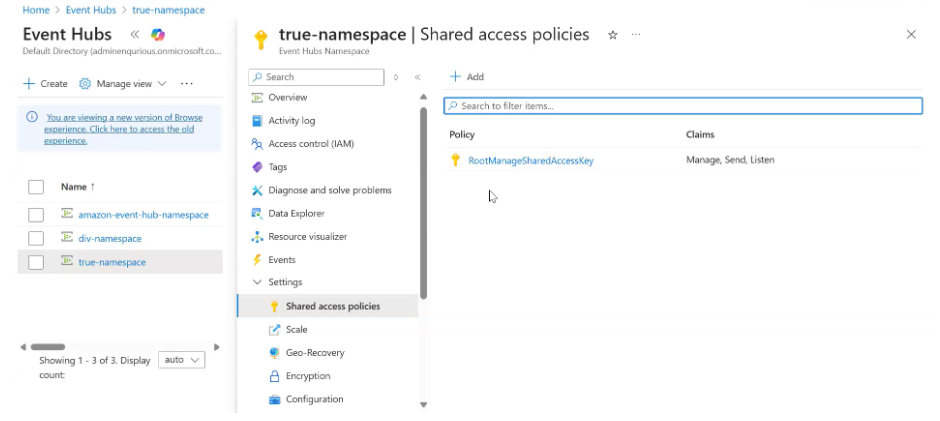
Step 4: Configure Access (Connection String)
Inside the Event Hub:
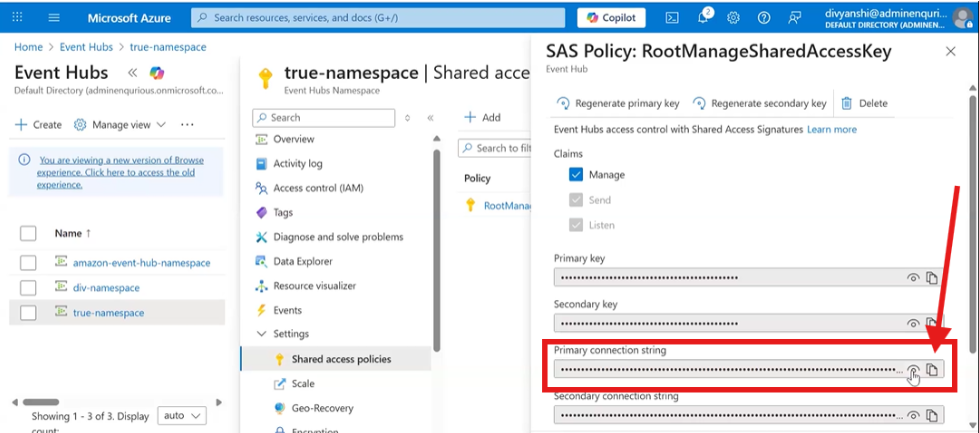
- Go to Settings → Shared Access Policies
- Open RootManageSharedAccessKey
- Copy the Primary Connection String
Now go back to the API configuration and fill in:
- Endpoint connection string →
For the Connection string :
- Go to the Settings of the Namespace you have created.
- Then, Go to Shared Access policies.
- Click on the RootManageSharedAccessKey
- Paste the primary connection string
- Event Hub name → Paste the Event Hub name you created
At this point, the GlobalMart application knows where to send streaming data.
Step 5: Enable Real-Time Processing & Store Data in ADLS
Inside the Event Hub:
- Go to Process Data
- Enable Real-Time Insights from Events
- Click Start
This opens a Query page where Azure provides a default streaming query:
SELECT *
INTO [OutputAlias]
FROM [event-hub-name]
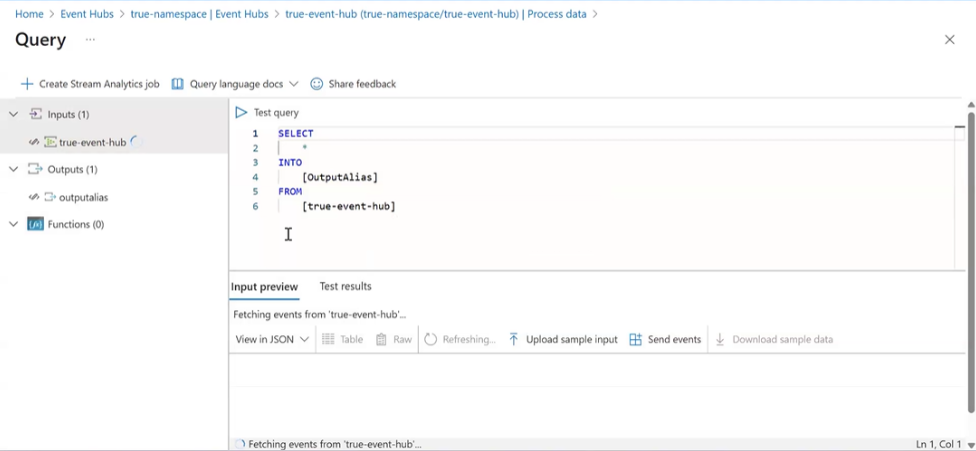
What happens here:
- This query continuously reads streaming data
- Writes it to an output destination
Create an output:
- Choose Azure Data Lake Storage (ADLS)
- Create a container to store the streaming data
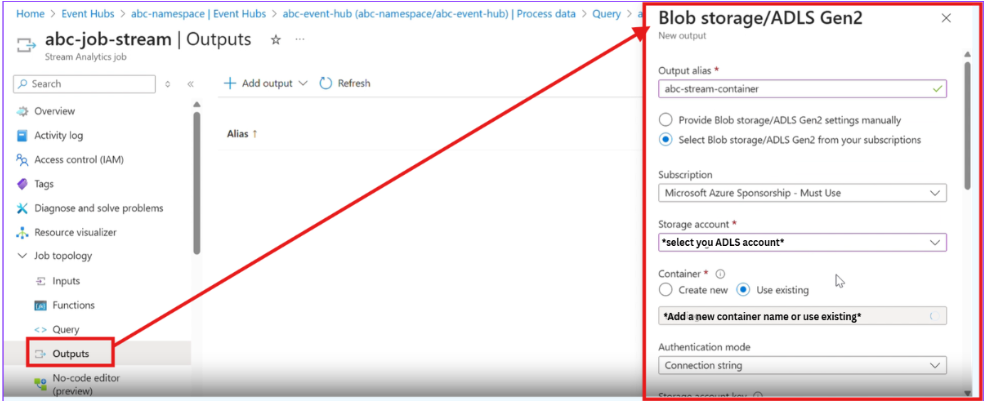
- Once, the output is created
- add the output in the query as shown in the image
- Finally, Test the query to see whether it is working or not.
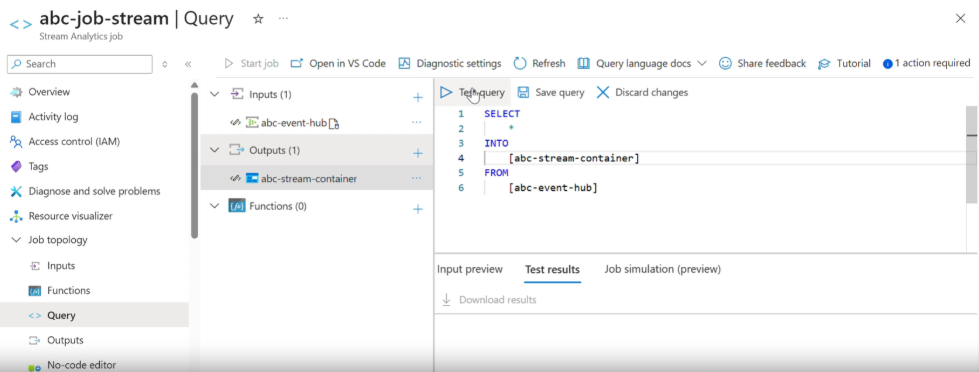
Next, Create a job and run it :
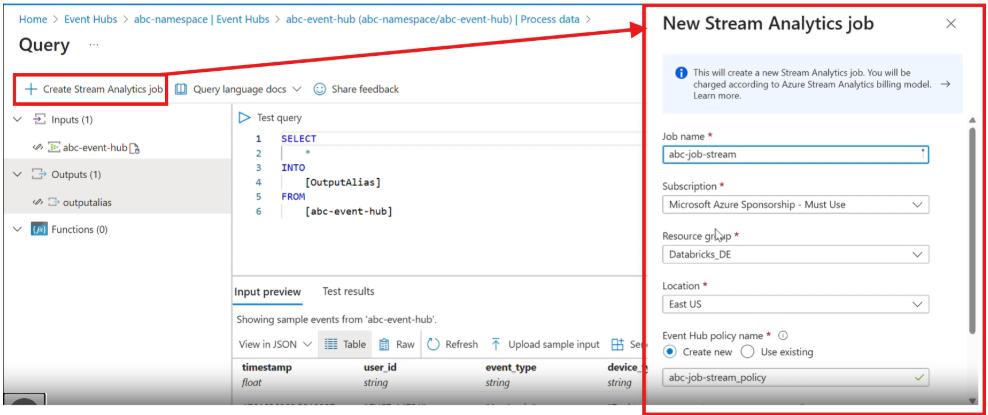
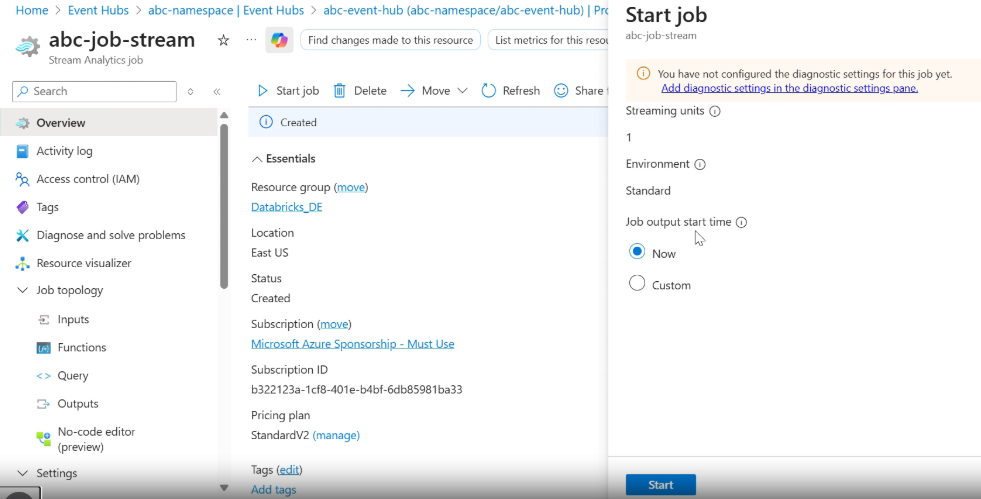
Once the job starts, streaming data from GlobalMart begins flowing into the ADLS container.
Note : Check for the container in your storage account before proceeding to Databricks.
Step 6: Process Streaming Data in Databricks
Now comes Databricks.
- Open Azure Databricks
- Mount the ADLS container to your Databricks workspace
- Read the data using Structured Streaming
- Apply transformations, aggregations, and business logic
- Write results to storage, dashboards, or downstream systems
At this stage:
- Data is arriving continuously
- Databricks processes it incrementally
- Insights are generated in near real time
Final Thoughts: Why Streaming Matters
Streaming isn’t about complex technology - it’s about timing.
In reality, it’s a response to a simple truth:
Data loses value the longer you wait to process it.
When data arrives continuously, waiting to process it means losing its value. Batch processing still works when delays are acceptable, but modern use cases demand insights as events happen, not hours later.
With tools like Event Hubs, ADLS, and Azure Databricks, streaming becomes a practical extension of what you already know - not a replacement, but a complement.
Use batch when waiting is fine.
Use streaming when waiting is costly.
That simple shift is what makes systems truly real-time.
You Might Also Like
Generative AI in data engineering: what Gartner's Data Engineering 2.0 means, how AI agents now write pipeline code, and why data engineers matter more.
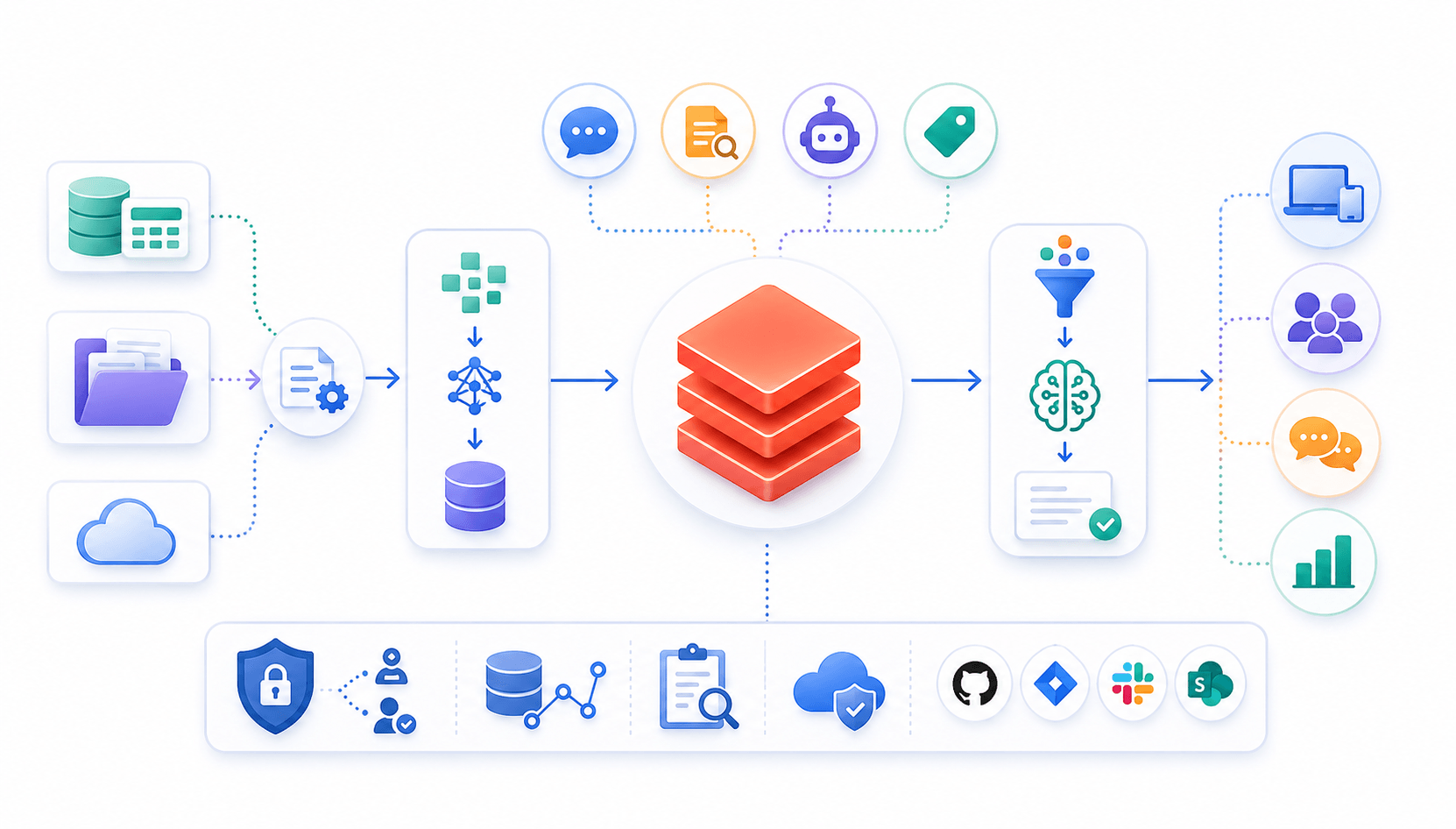
Learn to build governed RAG pipelines on Databricks using Agent Bricks and Unity Catalog. Discover the Knowledge Assistant, its 70% quality boost, and key limits.

Storage account keys and mount points give every user in a Databricks workspace the same shared access to ADLS, with no audit trail. Here's why teams are moving to Storage Credentials and External Locations instead.
89% of enterprise AI pilots never reach production. Data integration, governance gaps, and silos are why. See how Snowflake Cortex AI fixes the root cause.
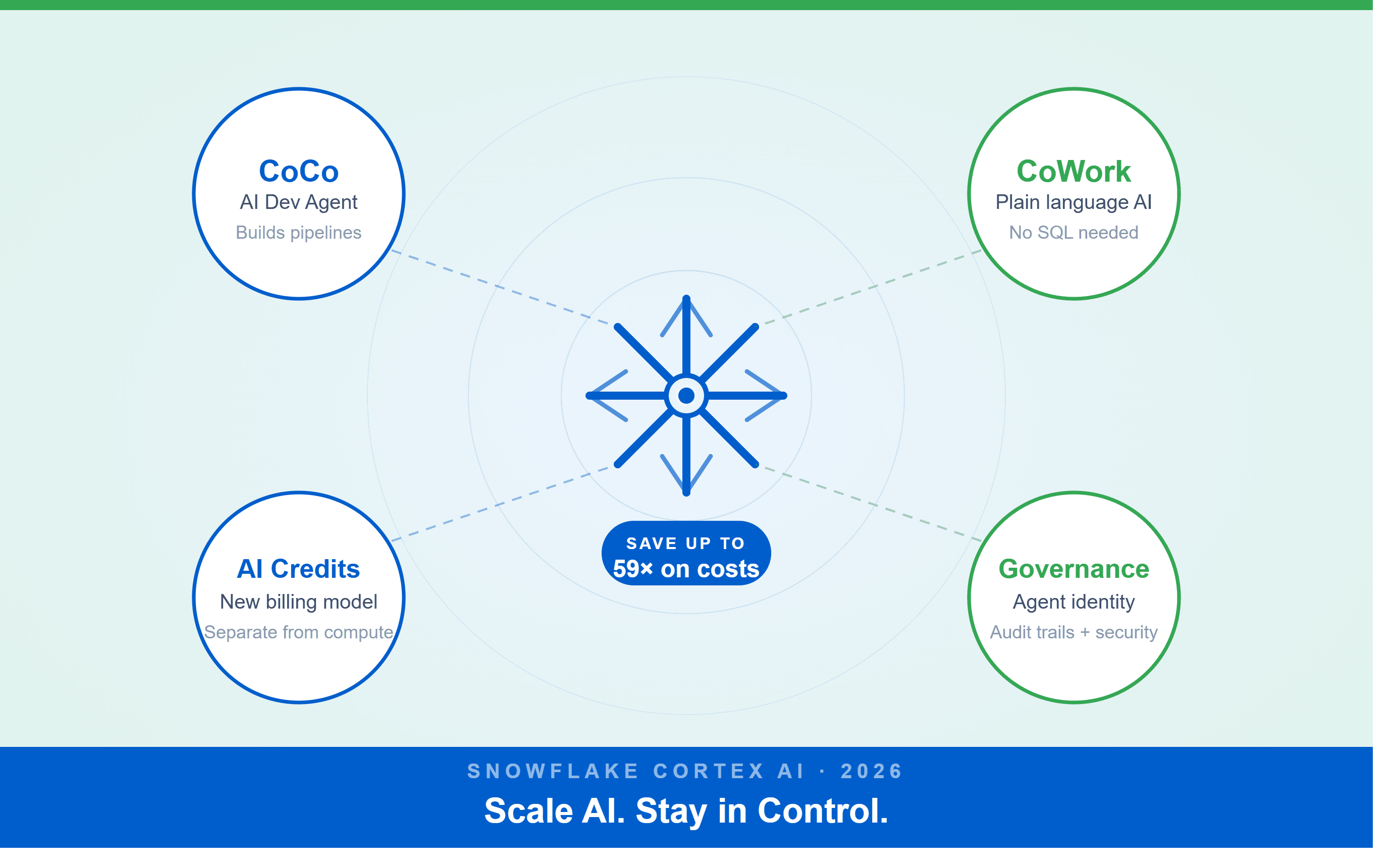
A Snowflake Summit 2026 benchmark revealed a 59x cost gap — open-source models at 440 credits vs. frontier models at 26,000 credits for identical workloads. Learn how CoCo, CoWork, AI Credits, and Cortex Training change enterprise AI strategy.
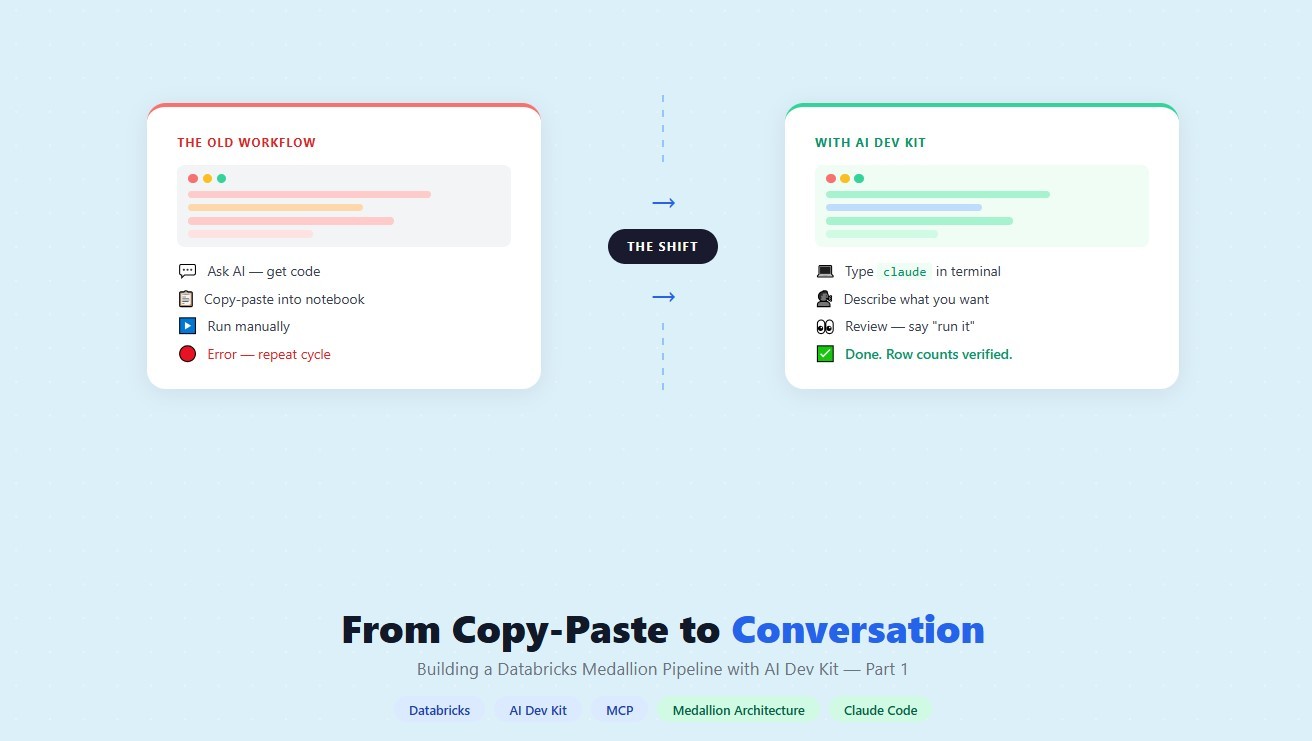
How a data engineering team replaced manual pipeline work with natural language prompts, using Claude Code and the Databricks AI Dev Kit.
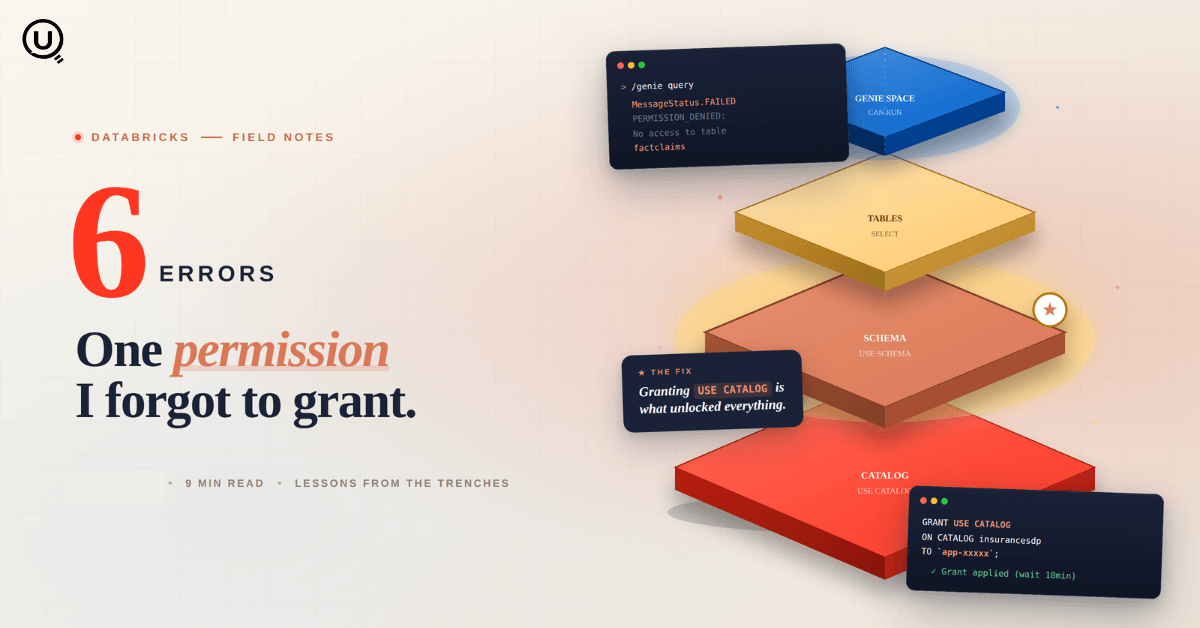
Six errors, 6 hours of debugging, and the permission checklist that finally made Databricks Apps + Genie work. The full lessons-learned guide.
Your Claude Code session isn't lost. It's on disk, in a folder /resume isn't scanning. Here's how to find any session in 30 seconds, with the exact commands.
Scenario based learning replaces tutorials with realistic operational scenarios where engineers develop the hands on judgment classroom instruction cannot produce. How it works and why it matters.
The 2026 data engineering roadmap. SQL, Python, cloud, Airflow, dbt, streaming. What companies actually hire for and how to build a portfolio that gets shortlisted.
Medallion Architecture splits your data pipeline into Bronze, Silver, and Gold layers so a small business change never forces a full rebuild. Here's why it works.

I was working on a large content repository on Windows, and I needed to version some new work — campaign assets, workshop content, LinkedIn job descriptions, and some file deletions. Simple enough, right? What followed was a two-day journey through some of Git's more obscure corners.
New engineers shouldn't learn Docker like they're defusing a bomb. Here's how we created a fear-free learning environment—and cut training time in half." (165 characters)

A complete beginner’s guide to data quality, covering key challenges, real-world examples, and best practices for building trustworthy data.
Explore the power of Databricks Lakehouse, Delta tables, and modern data engineering practices to build reliable, scalable, and high-quality data pipelines."
A real-world Terraform war story where a “simple” Azure SQL deployment spirals into seven hard-earned lessons, covering deprecated providers, breaking changes, hidden Azure policies, and why cloud tutorials age fast. A practical, honest read for anyone learning Infrastructure as Code the hard way.
This blog talks about Databricks’ Unity Catalog upgrades -like Governed Tags, Automated Data Classification, and ABAC which make data governance smarter, faster, and more automated.

Tired of boring images? Meet the 'Jai & Veeru' of AI! See how combining Claude and Nano Banana Pro creates mind-blowing results for comics, diagrams, and more.
What I thought would be a simple RBAC implementation turned into a comprehensive lesson in Kubernetes deployment. Part 1: Fixing three critical deployment errors. Part 2: Implementing namespace-scoped RBAC security. Real terminal outputs and lessons learned included
This blog walks you through how Databricks Connect completely transforms PySpark development workflow by letting us run Databricks-backed Spark code directly from your local IDE. From setup to debugging to best practices this Blog covers it all.
A simple ETL job broke into a 5-hour Kubernetes DNS nightmare. This blog walks through the symptoms, the chase, and the surprisingly simple fix.
Master the bronze layer foundation of medallion architecture with COPY INTO - the command that handles incremental ingestion and schema evolution automatically. No more duplicate data, no more broken pipelines when new columns arrive. Your complete guide to production-ready raw data ingestion

This blog talks about the Power Law statistical distribution and how it explains content virality
This blog explains how Apache Airflow orchestrates tasks like a conductor leading an orchestra, ensuring smooth and efficient workflow management. Using a fun Romeo and Juliet analogy, it shows how Airflow handles timing, dependencies, and errors.
The blog contains the journey of ChatGPT, and what are the limitations of ChatGPT, due to which Langchain came into the picture to overcome the limitations and help us to create applications that can solve our real-time queries

An account of experience gained by Enqurious team as a result of guiding our key clients in achieving a 100% success rate at certifications

This blog delves into the capabilities of Calendar Events Automation using App Script.
Dive into the fundamental concepts and phases of ETL, learning how to extract valuable data, transform it into actionable insights, and load it seamlessly into your systems.