
Processing Only What Changed: My Journey with Change Data Feed (CDF)

Ready to transform your data strategy with cutting-edge solutions?
- A practical walkthrough of how I reduced heavy batch workloads using Change Data Feed (CDF) in Databricks. This blog shows how CDF helps process only updated records, cutting compute costs and boosting pipeline efficiency.
I’ve been working on building data pipelines in the retail domain for a while now, and I’ve noticed something interesting. Let me paint you a picture.
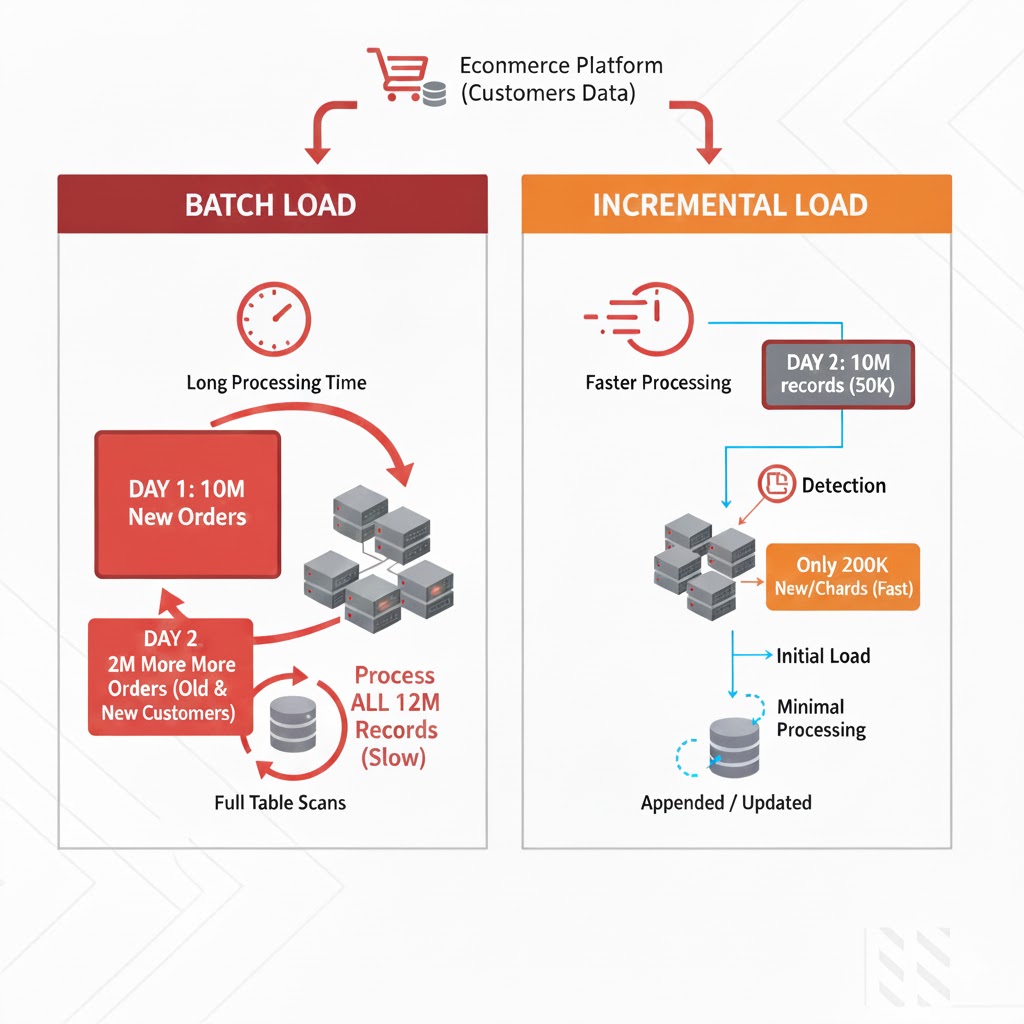
Imagine you’re ingesting customer data from a major e-commerce platform. On Day 1, you receive a batch of 10 million customer records. You process it, load it into your data lake, and everything looks great.
Day 2 arrives. Another batch lands. 10 million records again.
But here’s the catch - are these really 10 million NEW customers? Absolutely not.
Even the biggest e-commerce platforms don’t acquire millions of new customers every single day. What’s actually happening? The same existing customers are placing more orders, updating their profiles, changing addresses, or modifying payment methods. Out of those 10 million records, maybe only 50,000 are genuinely new or updated.
With traditional batch processing, the entire dataset often ends up being read and processed every single day. This leads to rising compute costs, increasing processing time, and a lot of unnecessary work, reprocessing millions of records that haven’t changed at all.
This is when I realized: I don’t need to process the entire dataset. I just need to process what changed.
How to Achieve Incremental Processing in Databricks
After researching different approaches, I found that there are several ways to process only incremental data in Databricks:
- Watermarking - Track a timestamp or ID column and filter records greater than the last processed value.
- Left Anti Join - Compare the current dataset with the previously processed snapshot to identify newly arrived records.
- Change Data Feed (CDF) - A Delta Lake feature that captures inserts, updates, and deletes directly from Delta tables. It allows you to read only the changed rows without implementing custom comparison logic.
In this blog, we’ll explore the third approach, Change Data Feed (CDF), and understand how it helps simplify incremental processing in Databricks.
What is Change Data Feed?
Change Data Feed (CDF) is a Delta Lake feature that maintains a change log of all modifications made to a table. Once enabled, CDF records:
- What data changed
- When it changed (timestamp)
- What type of change occurred (insert, update, delete)
- Which version of the table does the change belong to
The beauty? You can query this change log using standard SQL to retrieve only the data that changed between two points in time - no full table scans needed.
My Experiment with CDF
I decided to test CDF with a simple scenario: ingesting customer data in batches and processing only the new records. Here’s exactly what I did.
Step 1: Initial Data Load
First, I checked what customer data files were available in my cloud storage:
display(dbutils.fs.ls("abfss://test@adlsstoragedata01.dfs.core.windows.net/customersdata/"))
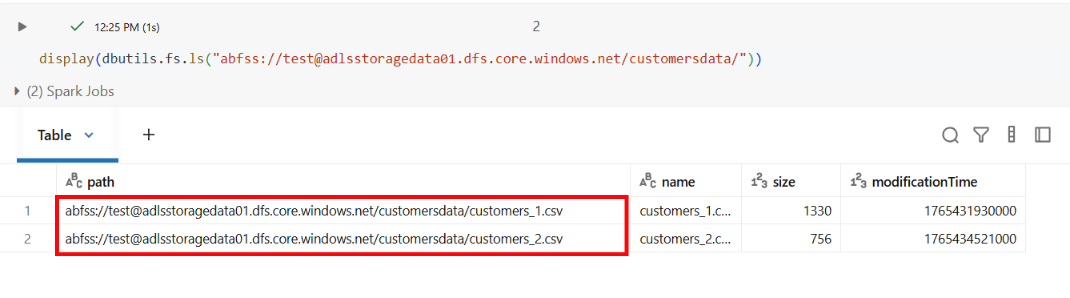
I had two files: customers_1.csv and customers_2.csv.
Step 2: Loading the First Batch
I loaded the first customer file to see what we’re working with:
customers_df_1 = spark.read.format("csv").option("header", "true").load("abfss://test@adlsstoragedata01.dfs.core.windows.net/customersdata/customers_1.csv")
display(customers_df_1)
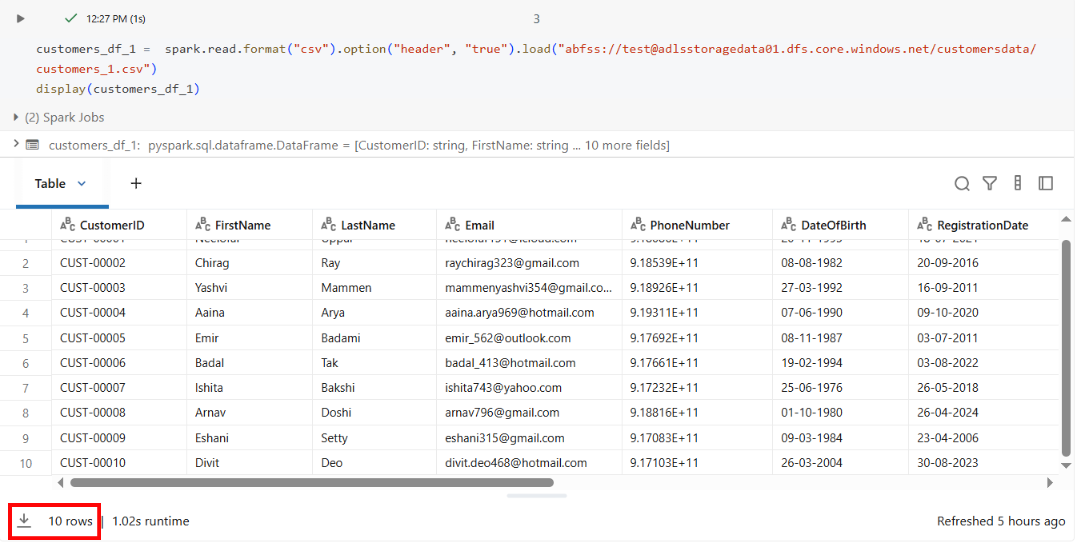
This file contained 10 customer records.
Step 3: Writing to Delta Table
I wrote this data to a Delta table:
customers_df_1.write.mode("append").saveAsTable("gbmart.bronze.customers")
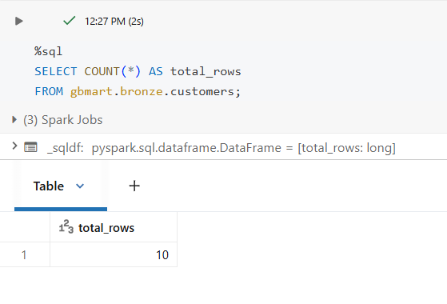
Result: 10 rows loaded.
Step 4: Enabling Change Data Feed
This is the critical step - enabling CDF on the table:
ALTER TABLE gbmart.bronze.customers
SET TBLPROPERTIES
(delta.enableChangeDataFeed = true);
We enable CDF because it allows us to capture only the rows that have changed (inserts, updates, deletes) instead of scanning the entire dataset again.
From this point forward, every change to this table will be tracked automatically. As we proceed, you’ll get a clear understanding of what CDF is, how it works, and why it simplifies incremental processing.
I checked the table history:
DESCRIBE HISTORY gbmart.bronze.customers;
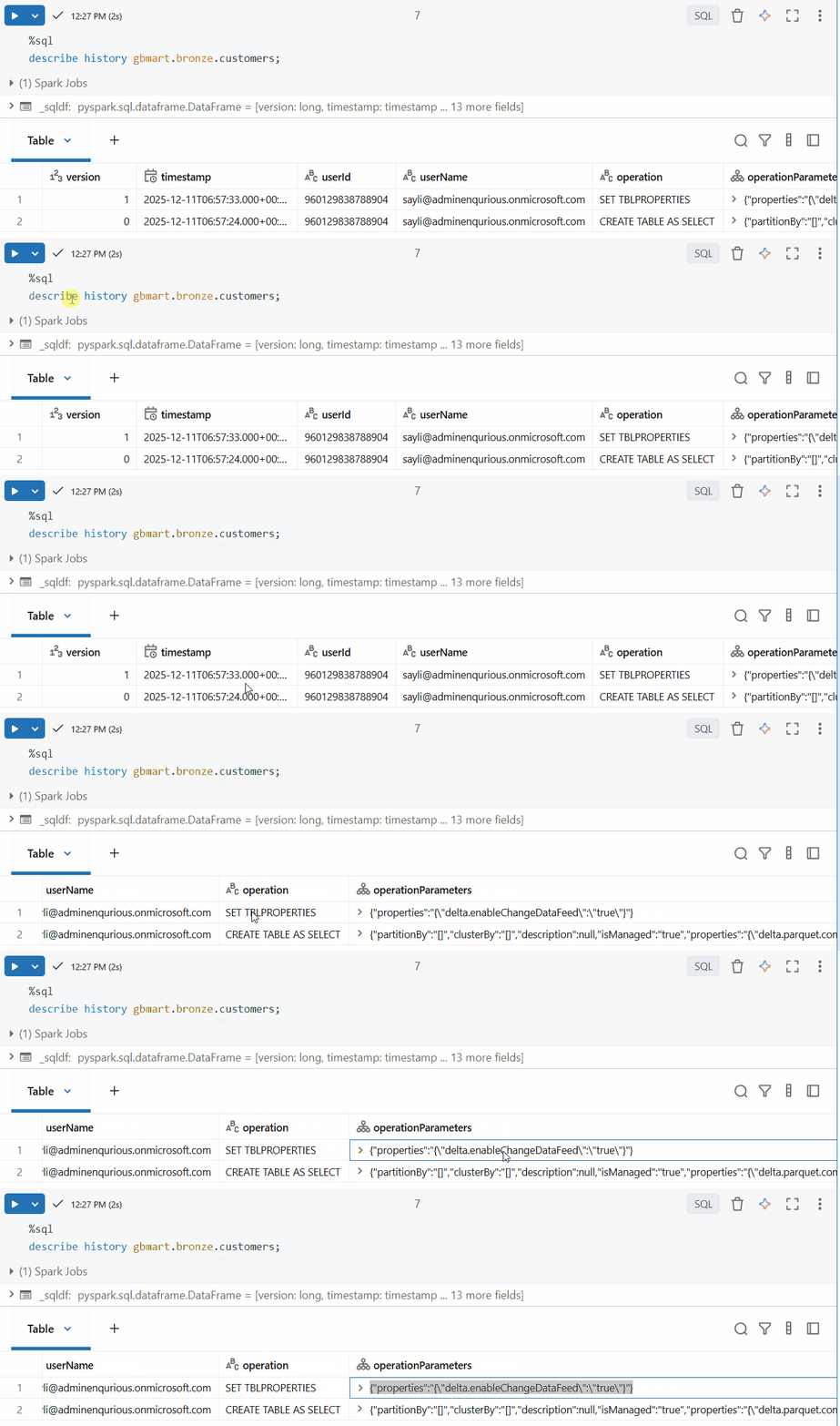
The table now had CDF enabled (you can see this in the operation details).
Step 5: Loading the Second Batch
Now, a new batch of customer data arrived. I loaded the second file:
customers_df_2 = spark.read.format("csv").option("header", "true").load("abfss://test@adlsstoragedata01.dfs.core.windows.net/customersdata/customers_2.csv")

display(customers_df_2)
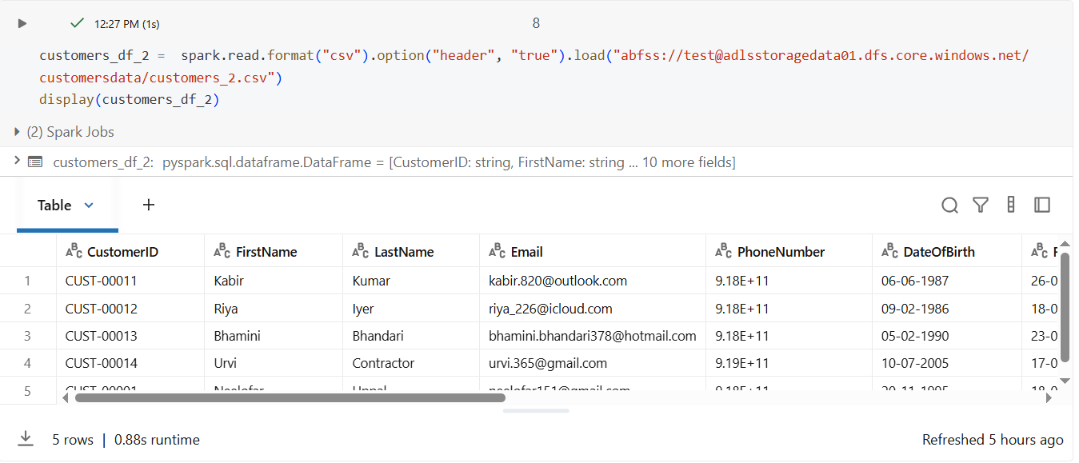
This file contained 5 new customer records.
I appended it to the same table:
customers_df_2.write.mode("append").saveAsTable("gbmart.bronze.customers")
Verified the new count:
SELECT COUNT(*) AS total_rows FROM gbmart.bronze.customers;
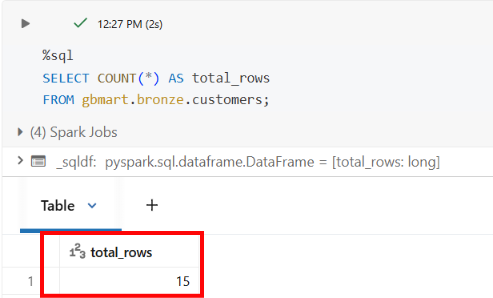
Result: 15 rows total (10 + 5).
Step 6: The CDF Magic - Processing Only New Data
Now here’s the scenario: your downstream pipeline has already processed the first 10 rows, and you don’t want to reprocess them; you only want to process the 5 new rows that just arrived.
The same logic applies at scale: if 10 million rows have already been processed and a new batch of 200,000 rows arrives, you should process only those 200,000 new rows instead of reprocessing the entire dataset.
I checked the table history again:
DESCRIBE HISTORY gbmart.bronze.customers;
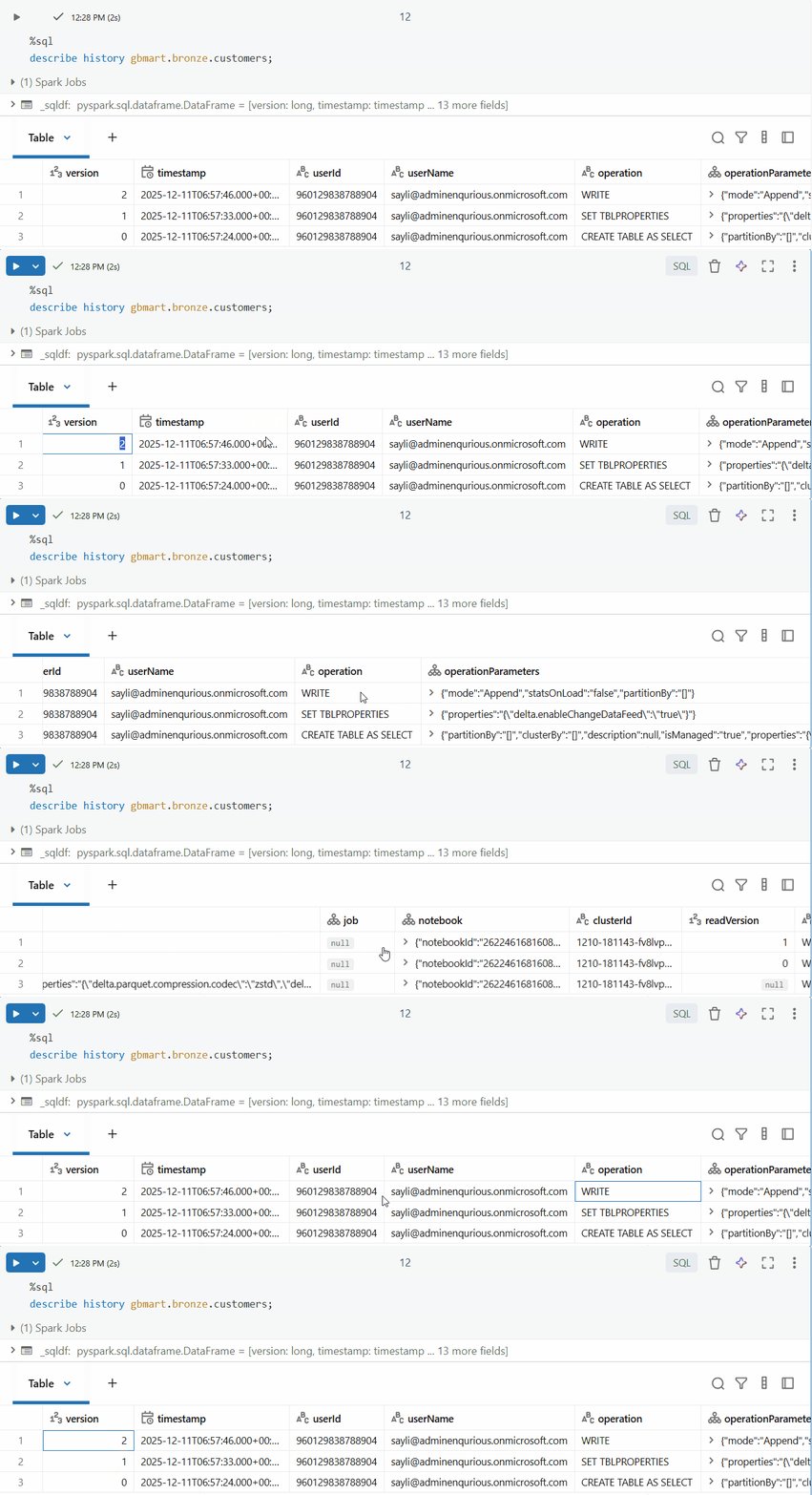
I could see multiple versions (0, 1, 2). Version 2 contained the latest changes.
- Version 0: Initial table creation when the first 10 rows from
customers_1.csvwere loaded - Version 1: When CDF was enabled using the
ALTER TABLE SET TBLPROPERTIEScommand (no data change, just a metadata operation) - Version 2: When the second batch of 5 rows from
customers_2.csvwas appended - this is where our new data lives!
The key query - using CDF to get only the changes since a specific timestamp:
SELECT * FROM table_changes("gbmart.bronze.customers", "2025-12-11T06:57:46.000+00:00")
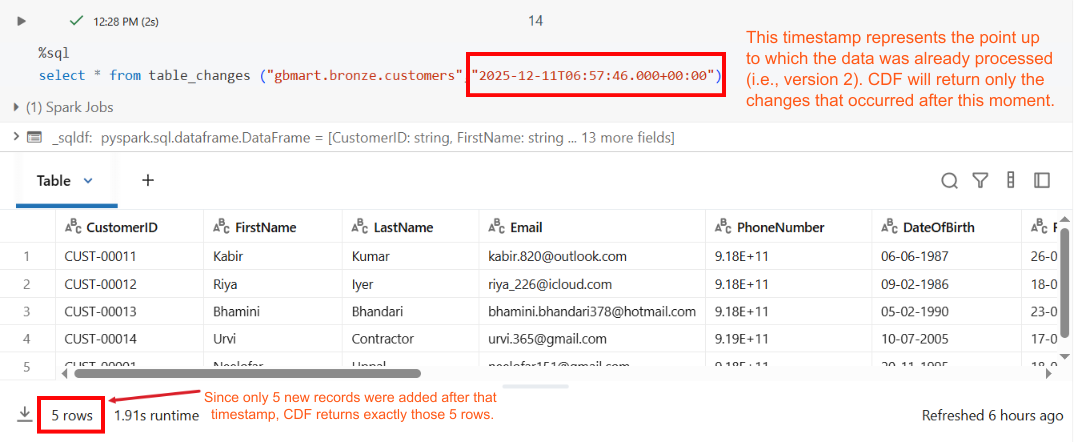
Result: Only 5 rows returned - exactly the new records that were added!
The table_changes function allows you to query only the rows that have changed in a Delta table between specific versions or timestamps. It returns the incremental changes rather than the full dataset.
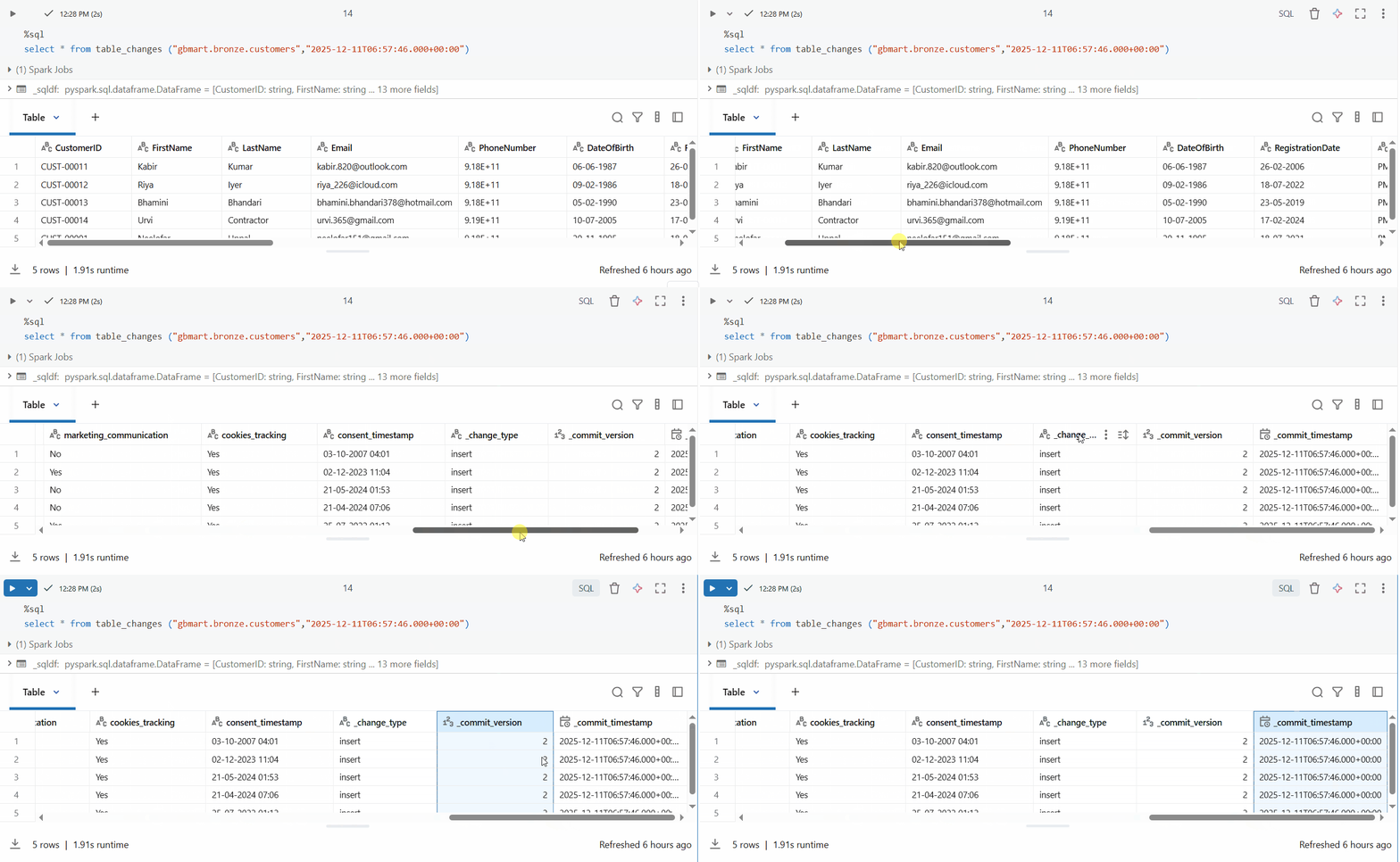
The result includes special CDF columns:
_change_type: Type of change (insert, update_preimage, update_postimage, delete)_commit_version: Delta table version when the change occurred_commit_timestamp: Exact timestamp of the change
For my downstream processing, I loaded this into a Dataframe:
customers_raw_df = spark.sql("""
SELECT * FROM table_changes("gbmart.bronze.customers", "2025-12-11T06:57:46.000+00:00")
""")
And if I wanted just the customer data without CDF metadata:
customers_raw_df.drop("_change_type", "_commit_version", "_commit_timestamp").display()
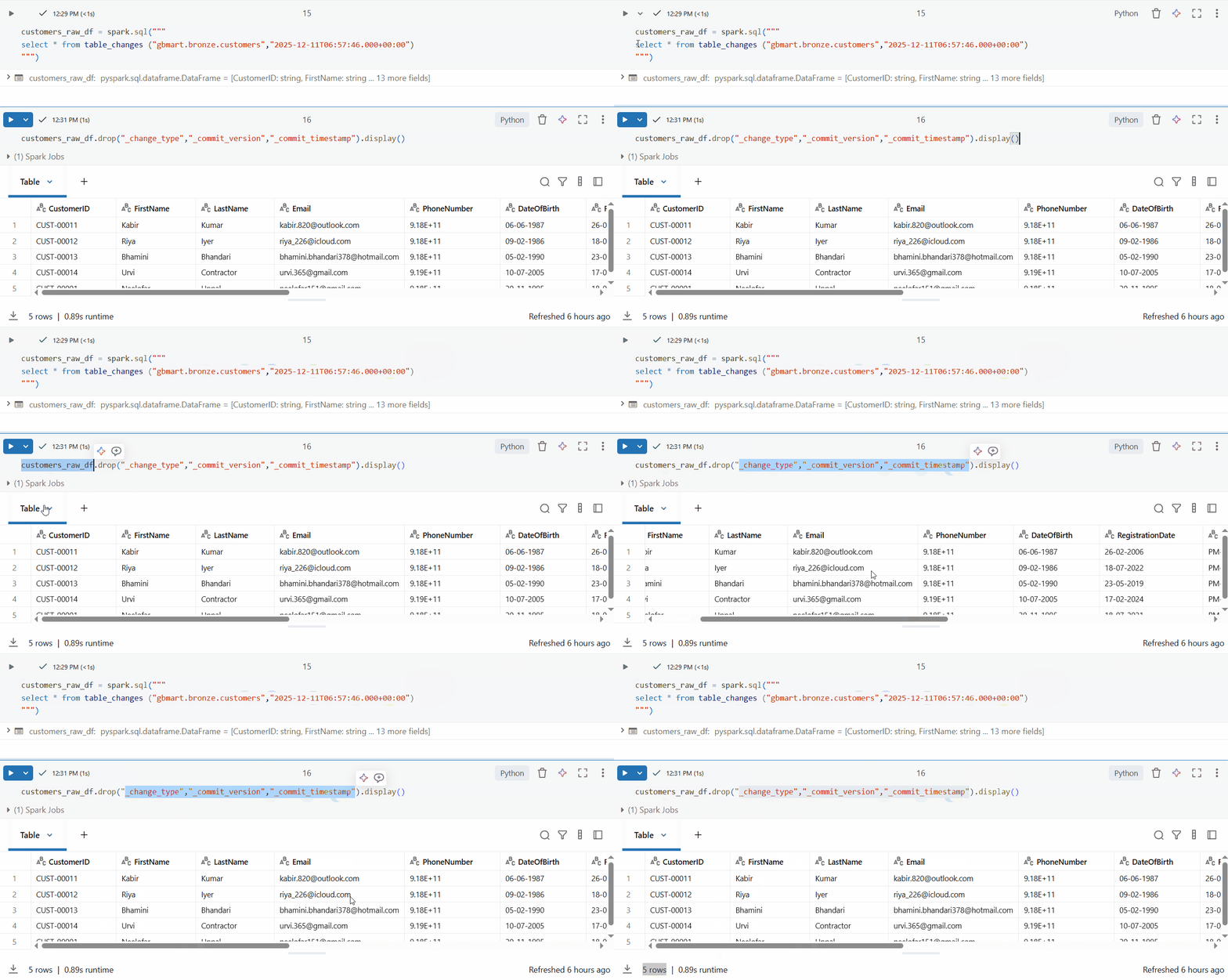
Perfect! I successfully retrieved only the 5 new rows out of 15 total rows.
Now, with Change Data Feed (CDF) enabled in Delta, we can focus on processing only the new or changed records. I tried one approach in execution and the results were impressive.
The Impact
Think about the savings: Instead of processing 10 million records daily, I’m now processing only 50,000 changed records. That’s:
- 99.5% reduction in data scanned
- Massive compute cost savings
- Faster pipeline execution
- Lower cloud storage I/O costs
In a real-world scenario with billions of rows, CDF transforms batch processing pipelines into efficient, incremental processing systems without requiring complex custom logic or application changes.
Key Takeaway
Change Data Feed is a game-changer for incremental data processing in Databricks. With a single line of code to enable it and a simple SQL query to consume changes, you can dramatically reduce processing overhead and costs.
If you’re building data pipelines that process the same tables repeatedly, CDF should be one of the first features you enable.
You Might Also Like
Discover why Claude says "Usage Limit Reached" and how to actually fix it. Learn the difference between rolling session limits, fixed weekly caps, and how >150k context sizes silently drain your allowance.
Discover how Databricks Genie Code replaces reactive coding assistants with autonomous, multi-step data engineering execution. This guide covers Lakeflow pipeline monitoring, strict Unity Catalog governance, and the new 150 free DBU/month tier for data teams.
Skill gaps in data teams rarely show up in surveys or certifications. They show up when someone calls pd.read_csv on a .xlsx file. Three methods to make competence observable, not self-reported.
Spark optimization isn't always complex; some tweaks have a huge impact. Inferring schemas forces Spark to scan your data twice, slowing ingestion and inflating cost. Explicit schemas avoid the extra pass and make pipelines faster and cheaper.
Why DELETE isn’t enough under GDPR, and how Time Travel can make sensitive data reappear unless VACUUM is used correctly.

A complete guide to building a future-ready L&D team in 2025. Explore the roles, skills, structure, and AI-driven strategies that drive real business impact.

Learn how to bridge the digital skills gap with effective upskilling strategies. Discover how to foster a culture of continuous learning, personalize training with AI, and focus on future-ready skills.

Discover 5 key strategies to overcome upskilling and reskilling challenges in the age of AI. Learn how to build a future-ready workforce with personalized learning, cross-functional collaboration, and real-world application.
Explore the key differences between LXP and LMS platforms and learn which is best for your business in 2025. Discover how AI-driven learning systems can boost employee engagement and upskill your workforce for the future.

Discover 6 powerful ways to upskill employees and future-proof your workforce in the age of AI and data. Learn how leading organizations are adapting learning strategies to stay ahead.
Explore the difference between reskilling and upskilling and why it matters for career growth and organizational success. Learn how reskilling helps workers pivot to new roles and how upskilling enhances current skills to stay competitive in today's fast-changing job market.

Explore the 6 core adult learning principles and how they can transform your training programs. Learn how to apply these principles for better engagement, retention, and real-world application, ensuring meaningful learning experiences for adult learners.

Discover the 9 key components of an effective learning experience and how they drive better engagement, retention, and real-world application. Learn how organizations can implement these elements to create impactful learning journeys.

Boost your Business Intelligence skills in 2025 with 25 hands-on exercises that cover data analysis, visualization, SQL, and more. Perfect for professionals looking to sharpen their BI expertise and stay ahead in the competitive job market.

Learn about Learning Management Systems (LMS), their key benefits, and popular examples like Moodle, Google Classroom, and Enqurious. Discover how LMS platforms are revolutionizing education and training for businesses and schools.

Discover how AI is transforming workplace learning and development by personalizing training, delivering real-time feedback, and aligning learning with business goals to drive workforce excellence and growth.

Discover why a Capstone Project is essential in 2025. Explore how it bridges the gap between theory and practice, enhances problem-solving skills, provides industry experience, and prepares students for real-world challenges. Learn how capstone projects are shaping future careers.

In today’s rapidly evolving job market, the value of evidence-based skills has never been more critical. As industries shift and technology transforms how we work, the need for tangible proof of competencies has become paramount.

In today’s rapidly evolving technological landscape, one skill stands out above all others: learnability. Learnability, often described as the ability to continuously acquire new skills and adapt to change, is no longer just an advantage but a necessity.
To build a future-ready workforce, companies need to rethink talent strategies. Start by developing a data-driven talent system to align key roles with best-fit talent. Invest in AI training now to stay ahead, and shift hiring practices to focus on skills, not just job titles.
At Enqurious, we understand the importance of empowering workforces with the right skills to navigate emerging challenges. Enqurious works as a strategic partner to supplement and enhance L&D Teams.

Understanding how variables work together can supercharge your marketing strategy.

Marketing Effectiveness: Strategies, Channels, and ROI Maximization

The transformative journey of the energy sector: from outdated practices to a data-driven revolution.

Enhancing Readability for Effective Learning and Development
This guide helps to understand what elements come together to make or break a visual

Thoughtfully crafted instruction design with drops of ambiguity and room for creative thinking makes the learning experience more enjoyable and “real world”.

Even after putting the best of the content, infrastructure and people, the gap between the intention of organizations to foster a culture of learning and the actual implementation and adoption of learning initiatives by employees keeps on widening.

Understanding why it is so important to nurture self driven learners in a fast paced technology world

Leveraging data to design better and efficient L&D strategy for organization success