
6 Errors I Hit Connecting Databricks Apps to Genie AI
Ready to transform your data strategy with cutting-edge solutions?
- Six errors, 6 hours of debugging, and the permission checklist that finally made Databricks Apps + Genie work. The full lessons-learned guide.
The setup: everything looked perfect
We had just wrapped a successful hackathon. A complete data platform on Databricks:
- Bronze → Silver → Gold medallion architecture
- Data quality enforcement
- Dimensional modelling
- A Gen AI insights layer
Now came the final challenge: build a Databricks App that connects our Gold layer to Genie AI for natural-language querying.
“How hard could it be?” - famous last words.
What followed was six hours of debugging across six different errors, each one teaching me something the documentation didn’t make obvious. Here’s everything I wish someone had told me before I started.
Error 1: “App crashed” on startup
What I saw in the logs:
AttributeError: st.session_state has no attribute "messages"
What I thought: Simple initialisation bug.
What I did: Fixed the session state initialisation, moved st.set_page_config() to the top of app.py, redeployed.
What happened: Still crashed.
The fix
st.set_page_config() must be the first Streamlit command in the script - before any import of session-state-touching modules or any other st.* call. And every key you read from st.session_state must be initialised before first use:
python
import streamlit as st

# This MUST come first
st.set_page_config(page_title="Genie Chat", layout="wide")

# Initialise every session_state key you'll read later
if "messages" not in st.session_state:
    st.session_state.messages = []
Lesson learned: a Streamlit crash on startup is almost always one of these two things. Check both before going deeper.
Error 2: “App not available” after a successful deploy
What I saw:
- Deployment status: ✅ Successful
- App URL: ❌ Currently unavailable
What I learned: Deployment success ≠ app accessibility.
The app deploys as a separate identity - a service principal with a name like app-xxxxx. That service principal is not you, and it has none of your permissions by default. Until you explicitly grant the service principal access to your Genie space, the app can boot but it can’t connect to anything useful.
The fix
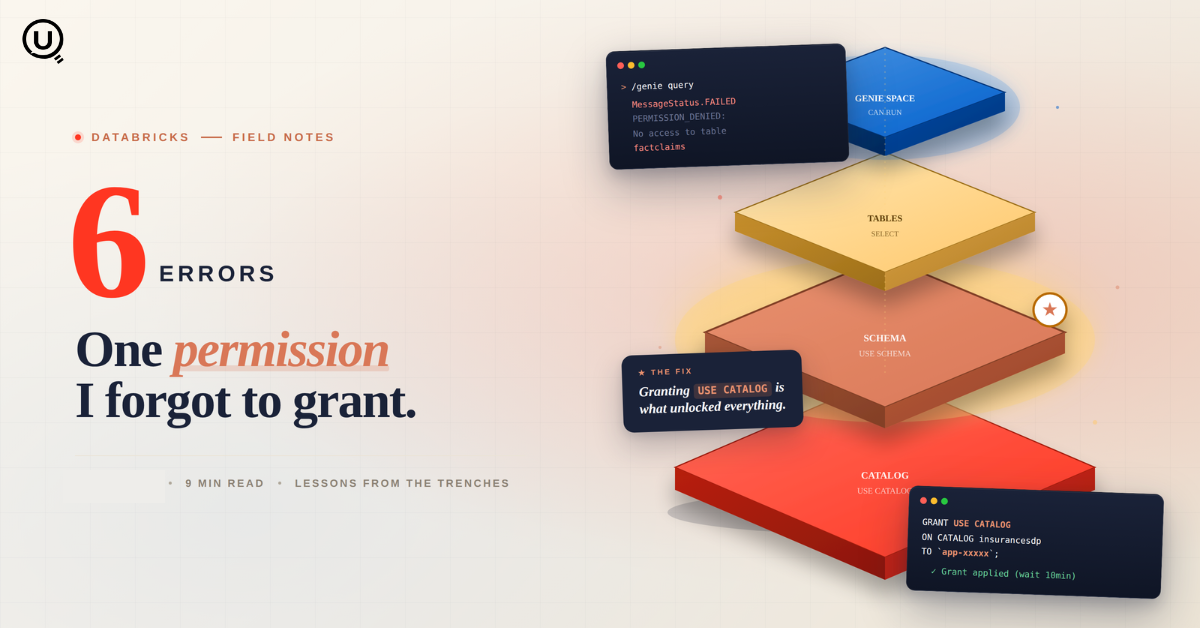
In the Genie space → Share → add the app’s service principal with CAN RUN.
This is the first of many places where the app’s identity needs to be granted access. It will not be the last.
Error 3: MessageStatus.FAILED - the one that haunted me
What I saw:
Error: failed to reach COMPLETED, got MessageStatus.FAILED
The cruel twist: Genie worked perfectly in the UI. Same question, same data, same warehouse. But via the App API? Failed every time.
What I tried:
- Redeployed the app - 5 times
- Cleared browser cache - 3 times
- Rewrote
app.pyend-to-end - 4 versions - Re-checked the Genie space configuration - multiple times
Nothing worked.
This is where I learned the most important debugging rule of the whole project: the Genie UI and the Genie API use different permission paths. Working in the UI tells you nothing about whether the API will work. They run as different identities, with different access checks.
The fix lived inside Error 4.
Error 4: the permission rabbit hole
After hours of guessing, I finally opened Genie Monitoring - and there it was, the real error message that never showed up in my app logs:
PERMISSION_DENIED: Failed to fetch tables for the space.
 — No access to table 'insurancesdp.mansigold.claimsanalysis'
 — No access to table 'insurancesdp.mansigold.claimsbyregion'
 — No access to table 'insurancesdp.mansigold.factclaims'
Wait - I had already granted SELECT permissions! Here’s what I had done:
sql
GRANT SELECT ON TABLE insurancesdp.mansigold.claimsanalysis
TO `5a59870a-e666-4c16-985f-eaa011cca1b4`;
Here’s what I was missing:
sql
GRANT USE CATALOG ON CATALOG insurancesdp
TO `5a59870a-e666-4c16-985f-eaa011cca1b4`;

GRANT USE SCHEMA ON SCHEMA insurancesdp.mansigold
TO `5a59870a-e666-4c16-985f-eaa011cca1b4`;
Unity Catalog is hierarchical. SELECT on a table is not enough - the service principal also needs USE CATALOG on the parent catalog and USE SCHEMA on the parent schema. Without those, the table grant is invisible.
The complete permission checklist (save this)
Everything the app service principal needs, in one place:
| Level | Permission | Object | Where to grant |
|---|---|---|---|
| Catalog | USE CATALOG |
insurancesdp |
Catalog → Permissions |
| Schema | USE SCHEMA |
insurancesdp.mansigold |
Schema → Permissions |
| Table | SELECT |
claimsanalysis |
Table → Permissions |
| Table | SELECT |
claimsbyregion |
Table → Permissions |
| Table | SELECT |
factclaims |
Table → Permissions |
| Warehouse | CAN USE |
test-sql |
SQL Warehouse → Permissions |
| Genie | CAN RUN |
Genie Space | Genie → Share |
Miss any one of these and you’ll see a different error somewhere. Grant all of them, and you’ve eliminated 90% of the failure surface.
Error 5: “SQL warehouse stopped”
After fixing the permissions, I tried again. Still failing.
What I saw: The SQL warehouse status was Stopped.
The lesson: You can have every permission in the universe. If the warehouse isn’t running, nothing works. Genie needs a warehouse to execute the SQL it generates, and the app needs that warehouse to be CAN USE-able by the service principal and actually running.
The fix
- Start the warehouse manually before testing
- Or enable serverless / auto-start so it spins up on demand
- And confirm the app’s service principal has
CAN USEon that specific warehouse
Error 6: the silent killer - permission propagation delay
What I learned the hard way: Unity Catalog permissions don’t apply instantly. They take 5 to 15 minutes to propagate across services.
What I had been doing in a loop:
- Grant permissions
- Test immediately
- Fail
- Assume the grant was wrong
- Grant again
- Test
- Fail
- Lose another hour
What I should have been doing:
- Grant permissions
- Wait 10 minutes
- Test
- Works
This single rule, on its own, would have saved me hours.
The full solution that finally worked
After everything, here’s the exact sequence that fixed it:
1. Grant every permission level
sql
-- Catalog level
GRANT USE CATALOG ON CATALOG insurancesdp
TO `5a59870a-e666-4c16-985f-eaa011cca1b4`;

-- Schema level
GRANT USE SCHEMA ON SCHEMA insurancesdp.mansigold
TO `5a59870a-e666-4c16-985f-eaa011cca1b4`;

-- Table level (for each table)
GRANT SELECT ON TABLE insurancesdp.mansigold.claimsanalysis
TO `5a59870a-e666-4c16-985f-eaa011cca1b4`;

GRANT SELECT ON TABLE insurancesdp.mansigold.claimsbyregion
TO `5a59870a-e666-4c16-985f-eaa011cca1b4`;

GRANT SELECT ON TABLE insurancesdp.mansigold.factclaims
TO `5a59870a-e666-4c16-985f-eaa011cca1b4`;
Then via the UI:
- SQL Warehouses →
test-sql→ Permissions → Add app →Can Use - Genie → Space → Share → Add app →
Can Run
2. Wait 10 to 15 minutes
Seriously. Wait. Don’t test immediately.
3. Use this app.yaml
yaml
command: ["streamlit", "run", "app.py"]
env:
  - name: GENIE_SPACE_ID
    valueFrom: genie-space
runtime: python-3.10
The command matters. ["streamlit", "run", "app.py"] is correct. ["python", "app.py"] will boot a Python process that immediately exits because Streamlit was never started.
4. Clear everything and test
- Clear the chat in the app
- Hard refresh the browser (Cmd + Shift + R / Ctrl + Shift + R)
- Try a simple query first (“How many rows are in the claims table?”) before complex ones
7 things I wish someone had told me on day one
- Genie UI working ≠ Genie API working. They use different permission paths. Test both.
USE CATALOGis mandatory. You cannot read a table, even withSELECT, without it.- Permissions take time. Don’t test for 10 minutes after granting.
- Check Genie Monitoring. This is where the real error messages live - not in your app logs.
- The app service principal is not you. It’s a separate identity that needs its own permissions everywhere.
- The warehouse must be running. Sounds obvious. Easy to miss.
app.yamlcommand matters. Use["streamlit", "run", "app.py"], not["python", "app.py"].
Quick-reference: error to fix
| Problem | Most likely cause | Where to look |
|---|---|---|
| App crashes on startup | st.set_page_config() not first, or session state read before init |
App logs |
| App not available after successful deploy | Service principal missing Genie space access | Genie → Share |
MessageStatus.FAILED |
Missing USE CATALOG / USE SCHEMA / table SELECT |
Genie Monitoring |
| Genie works in UI but not via API | API uses service principal, needs its own grants | Genie Monitoring + Unity Catalog |
| Warehouse errors | Warehouse stopped, or no CAN USE |
SQL Warehouse → Permissions |
app.yaml errors |
Wrong command syntax | App config |
The real talk
Building on Databricks is powerful. The platform is genuinely production-grade once you get there. But the permission model is layered, and the error messages don’t always tell you the real problem.
MessageStatus.FAILED alone could mean any of:
- Missing table permissions
- Missing catalog or schema permissions
- A stopped warehouse
- A misconfigured Genie space
- Permission propagation delay
- The app service principal not added to the Genie space
Good luck figuring out which one - unless you check Genie Monitoring first.
Once it works, though? It’s magic. Natural-language queries running on a Gold-layer dimensional model, with Gen AI insights on top, all behind a clean Streamlit app. That’s the payoff.
The pain is real. The payoff is worth it.
FAQs
Why does my Databricks App show “Currently unavailable” after a successful deploy? Deployment success means the app started; it does not mean the app’s service principal can reach the resources it needs. The most common cause is missing access to the Genie space. Grant the app’s service principal CAN RUN on the Genie space via Genie → Share.
Why does Genie work in the UI but fail with MessageStatus.FAILED from my app? The Genie UI runs as you. The Genie API, when called from a Databricks App, runs as the app’s service principal. They have different permissions. Open Genie Monitoring to see the real error - it’s almost always a Unity Catalog permission the service principal is missing.
What permissions does a Databricks App service principal need to query Gold layer tables through Genie? Six things, in order: USE CATALOG on the catalog, USE SCHEMA on the schema, SELECT on each table, CAN USE on the SQL warehouse, and CAN RUN on the Genie space. Miss any one and you’ll see a different error.
Why isn’t my GRANT SELECT working on the table? Unity Catalog is hierarchical. SELECT on a table requires USE CATALOG on the parent catalog and USE SCHEMA on the parent schema. Without those, the table grant is effectively invisible.
How long do Unity Catalog permission grants take to apply? Typically 5 to 15 minutes. Test only after waiting. Granting the same permission twice does not speed it up.
Should my app.yaml use python or streamlit? For a Streamlit app, use command: ["streamlit", "run", "app.py"]. Using ["python", "app.py"] will start a Python process that exits immediately because the Streamlit server is never launched.
Resources that would have saved me hours
- Databricks Apps Documentation
- Unity Catalog Permissions Guide
- Genie Spaces API Reference
- Streamlit on Databricks Apps
Have you hit similar permission nightmares on Databricks? Drop a note - I’m building a running list of edge cases that aren’t obvious from the docs.
Built with Databricks, Streamlit, Genie AI, and a lot of coffee.
You Might Also Like
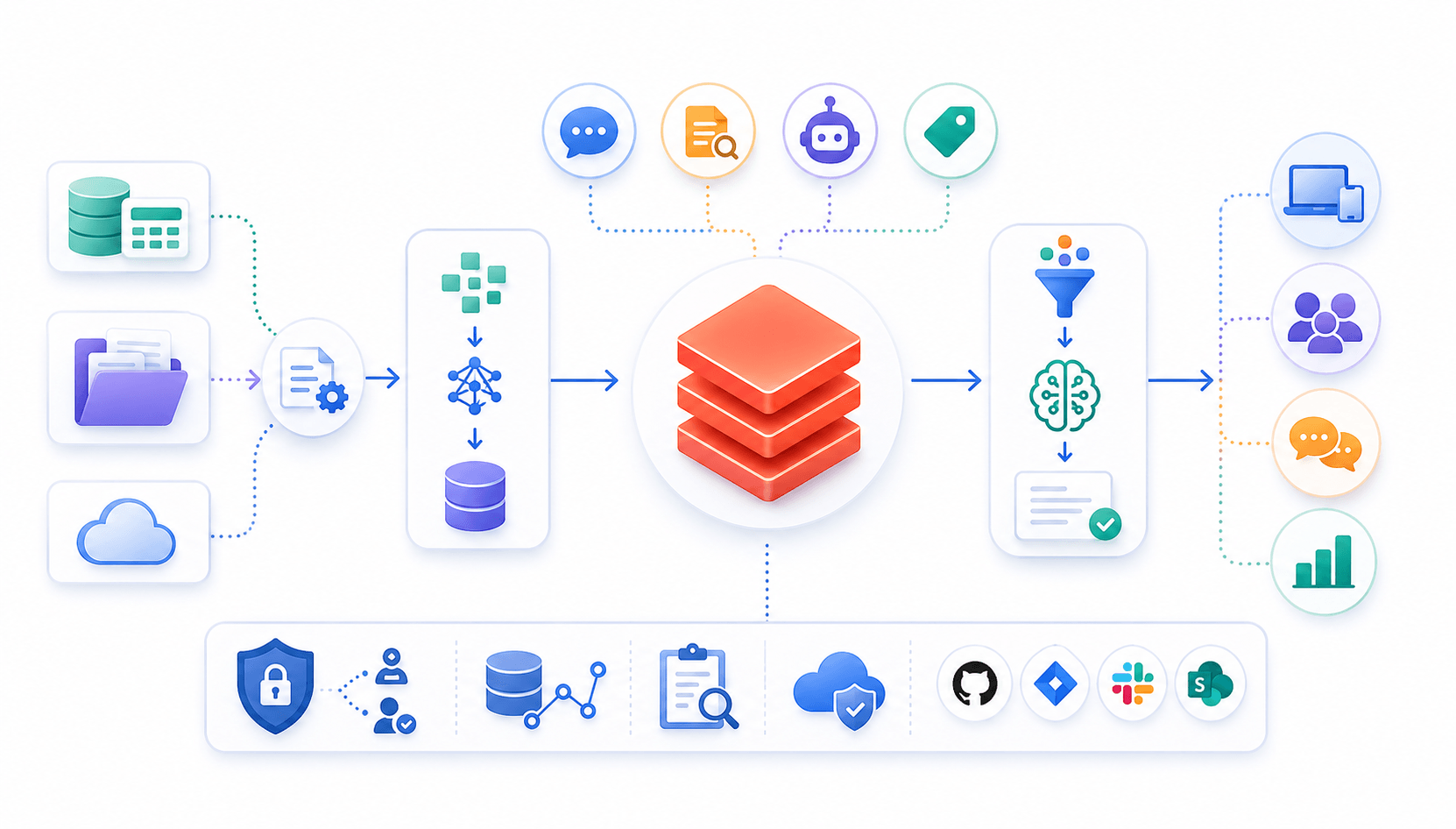
Learn to build governed RAG pipelines on Databricks using Agent Bricks and Unity Catalog. Discover the Knowledge Assistant, its 70% quality boost, and key limits.

Storage account keys and mount points give every user in a Databricks workspace the same shared access to ADLS, with no audit trail. Here's why teams are moving to Storage Credentials and External Locations instead.
89% of enterprise AI pilots never reach production. Data integration, governance gaps, and silos are why. See how Snowflake Cortex AI fixes the root cause.
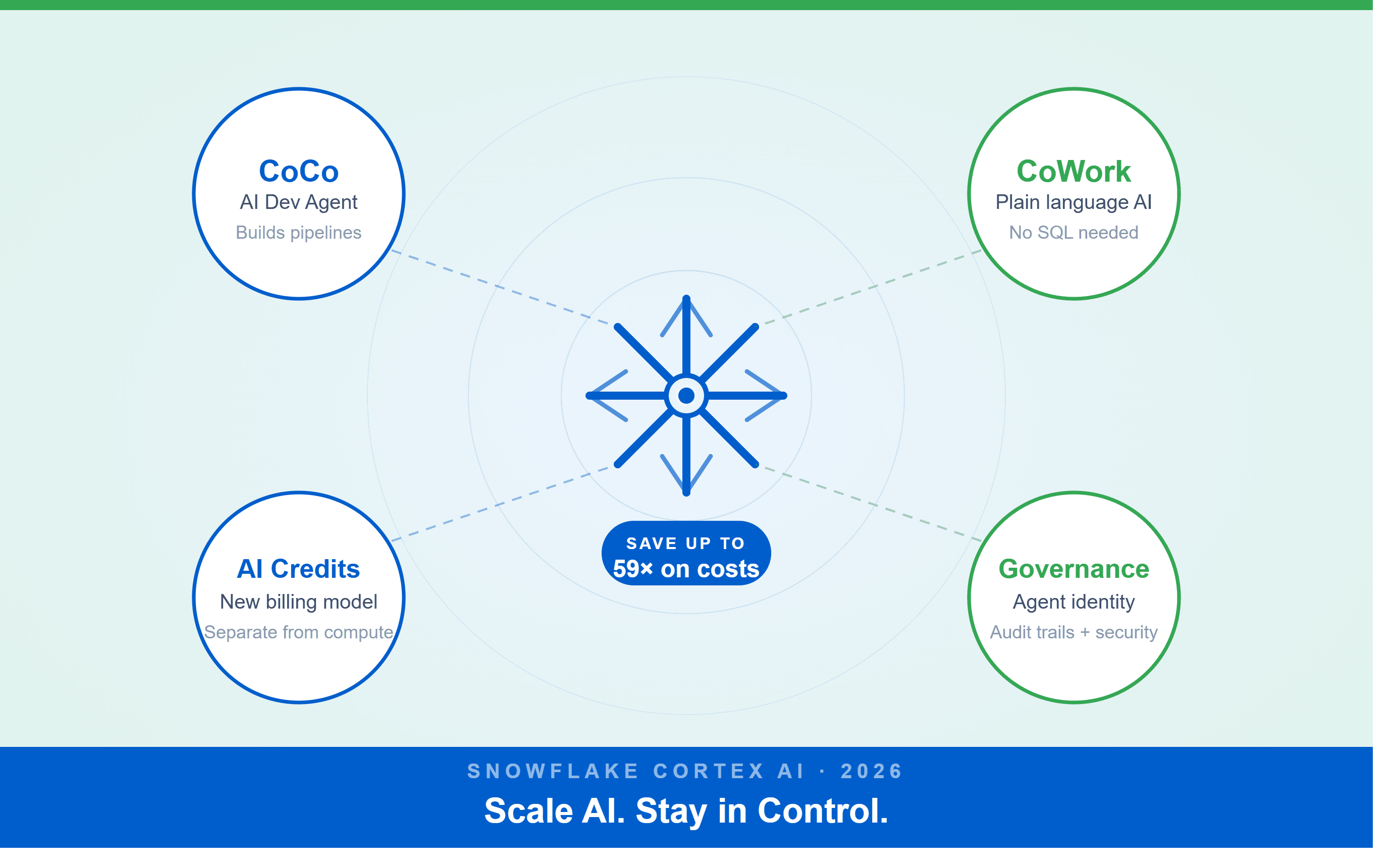
A Snowflake Summit 2026 benchmark revealed a 59x cost gap — open-source models at 440 credits vs. frontier models at 26,000 credits for identical workloads. Learn how CoCo, CoWork, AI Credits, and Cortex Training change enterprise AI strategy.
How a data engineering team replaced manual pipeline work with natural language prompts, using Claude Code and the Databricks AI Dev Kit.
Your Claude Code session isn't lost. It's on disk, in a folder /resume isn't scanning. Here's how to find any session in 30 seconds, with the exact commands.
Scenario based learning replaces tutorials with realistic operational scenarios where engineers develop the hands on judgment classroom instruction cannot produce. How it works and why it matters.
The 2026 data engineering roadmap. SQL, Python, cloud, Airflow, dbt, streaming. What companies actually hire for and how to build a portfolio that gets shortlisted.

Medallion Architecture splits your data pipeline into Bronze, Silver, and Gold layers so a small business change never forces a full rebuild. Here's why it works.

I was working on a large content repository on Windows, and I needed to version some new work — campaign assets, workshop content, LinkedIn job descriptions, and some file deletions. Simple enough, right? What followed was a two-day journey through some of Git's more obscure corners.

New engineers shouldn't learn Docker like they're defusing a bomb. Here's how we created a fear-free learning environment—and cut training time in half." (165 characters)

A complete beginner’s guide to data quality, covering key challenges, real-world examples, and best practices for building trustworthy data.
Explore the power of Databricks Lakehouse, Delta tables, and modern data engineering practices to build reliable, scalable, and high-quality data pipelines."
A real-world Terraform war story where a “simple” Azure SQL deployment spirals into seven hard-earned lessons, covering deprecated providers, breaking changes, hidden Azure policies, and why cloud tutorials age fast. A practical, honest read for anyone learning Infrastructure as Code the hard way.

Data doesn’t wait - and neither should your insights. This blog breaks down streaming vs batch processing and shows, step by step, how to process real-time data using Azure Databricks.

This blog talks about Databricks’ Unity Catalog upgrades -like Governed Tags, Automated Data Classification, and ABAC which make data governance smarter, faster, and more automated.

Tired of boring images? Meet the 'Jai & Veeru' of AI! See how combining Claude and Nano Banana Pro creates mind-blowing results for comics, diagrams, and more.

What I thought would be a simple RBAC implementation turned into a comprehensive lesson in Kubernetes deployment. Part 1: Fixing three critical deployment errors. Part 2: Implementing namespace-scoped RBAC security. Real terminal outputs and lessons learned included
This blog walks you through how Databricks Connect completely transforms PySpark development workflow by letting us run Databricks-backed Spark code directly from your local IDE. From setup to debugging to best practices this Blog covers it all.

A simple ETL job broke into a 5-hour Kubernetes DNS nightmare. This blog walks through the symptoms, the chase, and the surprisingly simple fix.
Master the bronze layer foundation of medallion architecture with COPY INTO - the command that handles incremental ingestion and schema evolution automatically. No more duplicate data, no more broken pipelines when new columns arrive. Your complete guide to production-ready raw data ingestion

This blog talks about the Power Law statistical distribution and how it explains content virality

This blog explains how Apache Airflow orchestrates tasks like a conductor leading an orchestra, ensuring smooth and efficient workflow management. Using a fun Romeo and Juliet analogy, it shows how Airflow handles timing, dependencies, and errors.
The blog contains the journey of ChatGPT, and what are the limitations of ChatGPT, due to which Langchain came into the picture to overcome the limitations and help us to create applications that can solve our real-time queries

An account of experience gained by Enqurious team as a result of guiding our key clients in achieving a 100% success rate at certifications

This blog delves into the capabilities of Calendar Events Automation using App Script.

Dive into the fundamental concepts and phases of ETL, learning how to extract valuable data, transform it into actionable insights, and load it seamlessly into your systems.