
What Happens When Claude Meets Databricks?
Ready to transform your data strategy with cutting-edge solutions?
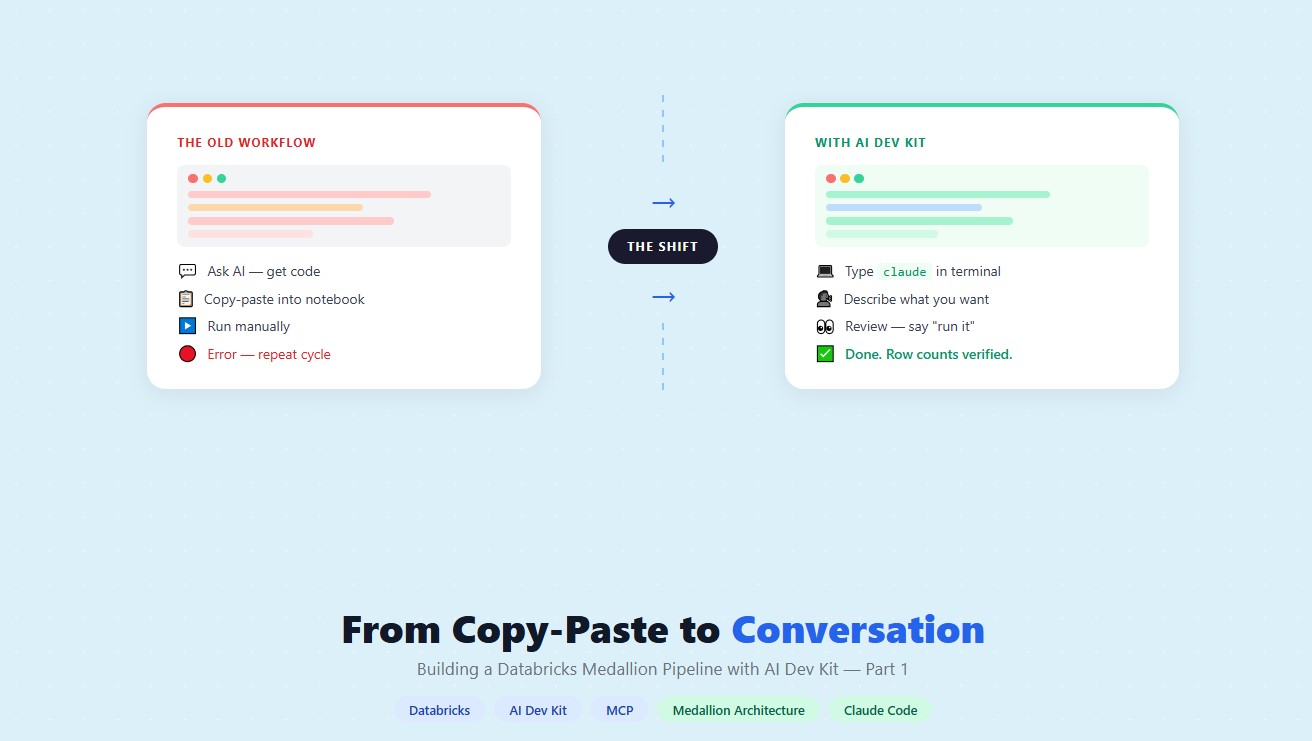
- How a data engineering team replaced manual pipeline work with natural language prompts, using Claude Code and the Databricks AI Dev Kit.
The Problem
Meet the data engineering team at GlobalMart, a mid-size e-commerce company running its entire analytics platform on Databricks. They build and maintain a medallion architecture: raw CSV files land in a volume, get ingested into Bronze Delta tables, cleaned in Silver, and aggregated into Gold for the business team to query.
The pipeline works. But building it is slow. Every sprint looks like this:
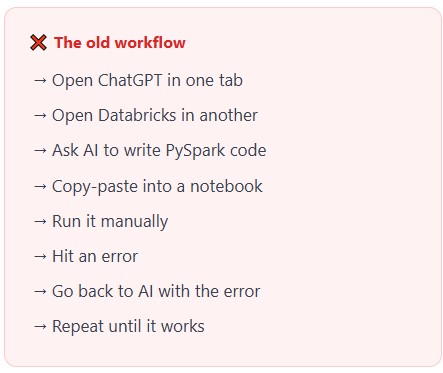
The Databricks Field Engineering team recently introduced the AI Dev Kit, an open-source toolkit that connects Claude Code, Gemini, Cursor, etc., directly to your Databricks workspace. GlobalMart’s team decided to try it for their next pipeline sprint. This is what they learned.
Prerequisites
Before installing AI Dev Kit, make sure the following are in place:
- Python 3.10+ -
python --version - Databricks CLI v0.200+ - used once for initial workspace configuration
- Claude Code (latest) - the CLI that runs AI Dev Kit. Requires a Claude Pro subscription.
- Git - to clone the AI Dev Kit repository
- Databricks workspace - with Unity Catalog and Serverless compute enabled
- Databricks PAT token - Settings → Developer → Access Tokens → Generate New Token
Databricks CLI - one-time use only.
You only need it to run databricks configure --profile DEFAULT.
databricks configure --profile DEFAULT
This saves your workspace URL and token to ~/.databrickscfg. After that, the MCP server reads this file automatically, and you never need the CLI again.
Installing AI Dev Kit
AI Dev Kit is open source and maintained by Databricks Field Engineering. The full documentation and installation guide is available on GitHub:
https://github.com/databricks-solutions/ai-dev-kit
Step-by-step setup guide used in this post:
https://github.com/mentorskool-org/databricks-ai-dev-kit-workshops/blob/main/00_SETUP_GUIDE.md
Installation Steps
- Step 1 - Run the installer
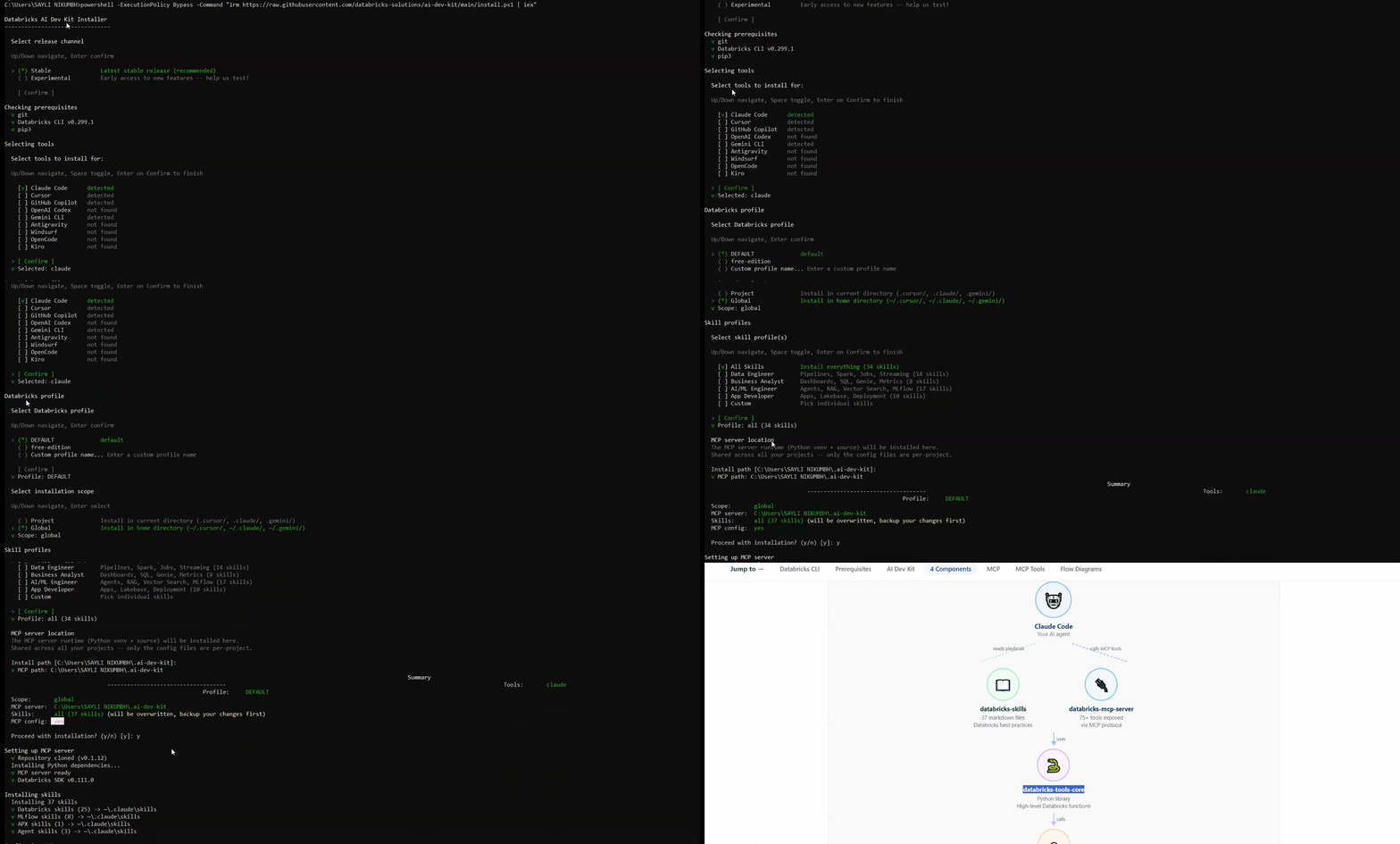
On Windows, open PowerShell and run this single command:
powershell powershell -ExecutionPolicy Bypass -Command "irm https://raw.githubusercontent.com/databricks-solutions/ai-dev-kit/main/install.ps1 | iex"
This one command does everything automatically:
- Creates a Python virtual environment at
~/.ai-dev-kit/.venv/and installs all dependencies - Copies the 37 skill files into
~/.claude/skills/ - Creates
~/.claude/mcp.jsonand registers the Databricks MCP server in it
Screen recording of running the PowerShell install command. Show the full terminal output cloning, installing dependencies, copying skills, and writing mcp.json until the installer completes successfully.
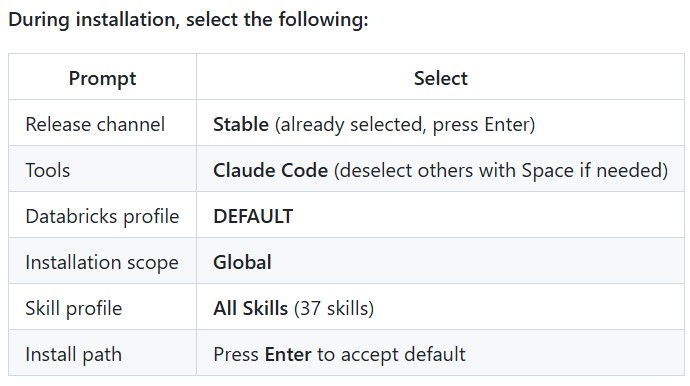
After installation, two folders are created on your machine:
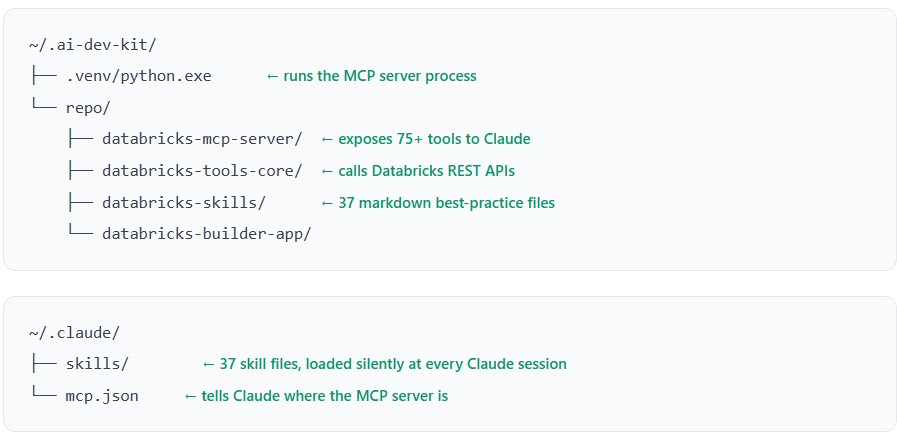
What is inside mcp.json?
The setup script creates ~/.claude/mcp.json and writes the Databricks server registration into it. Here is what the file contains:
{
  "mcpServers": {
    "databricks": {
      "command": "~/.ai-dev-kit/.venv/python",
      "args": ["~/.ai-dev-kit/repo/databricks-mcp-server/run_server.py"]
    }
  }
}
This file has one job: tell Claude how to start the MCP server. When you type claude Claude reads this file and executes:
~/.ai-dev-kit/.venv/python run_server.py
That starts the MCP server as a background process. The key "databricks" is the name of the server; it is how Claude identifies which server to route Databricks tool calls to. If you ever needed to add a second MCP server (for a different tool), you would add another key alongside "databricks" in this same file.
You never edit mcp.json manually. The setup script writes it for you. The only reason to look at it is to understand how Claude knows where the MCP server lives, or to troubleshoot if the MCP connection stops working.
How It Works - The 4 Components
AI Dev Kit has four components that work together every time you type a prompt in Claude Code:
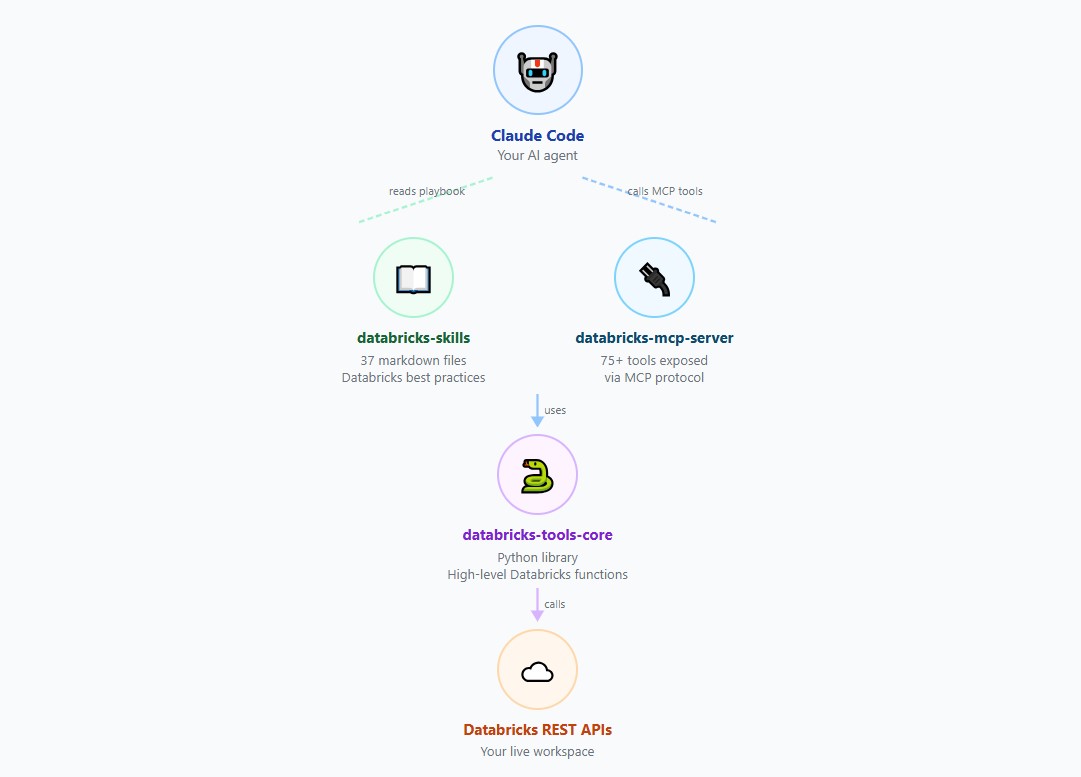
- databricks-skills - 37 markdown files loaded into Claude’s memory at startup. They teach Claude which tools to use, when to use them, and Databricks best practices.
- databricks-mcp-server - A Python server running in the background on your machine. Receives tool call requests from Claude and routes them to tools-core.
- databricks-tools-core - The Python library that contains the actual functions. It uses the Databricks SDK and your saved token to call Databricks REST APIs.
- databricks-builder-app - A React + FastAPI app for building Databricks Apps. Not covered in this post.
What is MCP?
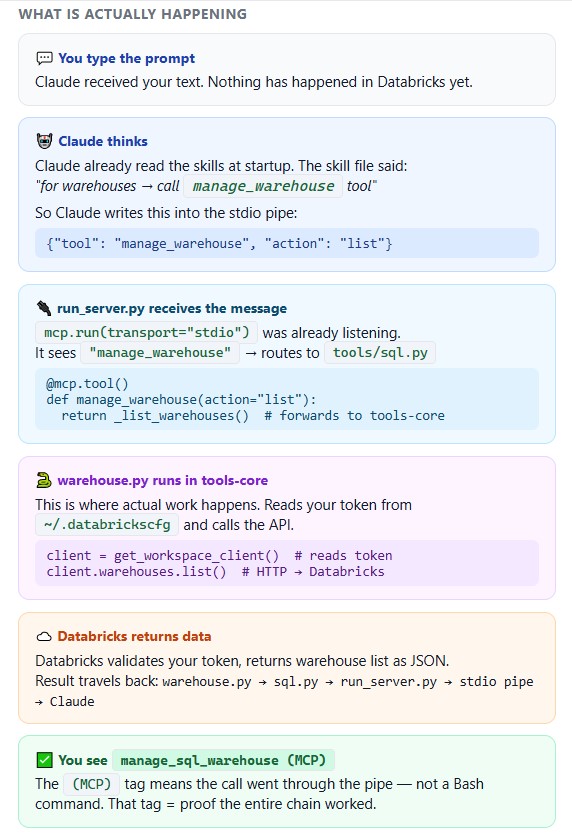
MCP stands for Model Context Protocol - an open standard created by Anthropic. It is the communication format that allows Claude to call external tools running on your machine.
Think of it as a pipe between two processes on your laptop:
Claude Code process  ←──── stdio pipe ────→  MCP Server process

  (your terminal)         JSON messages       (run_server.py)
When Claude wants to do something in Databricks, it sends a JSON message through this pipe. The MCP server receives it, calls the right Python function, and sends the result back.
How do you know MCP is working?
When you see manage_sql_warehouse (MCP) In Claude’s output, the full chain is connected. If you see a Bash command like databricks warehouses list Instead, MCP is not running.
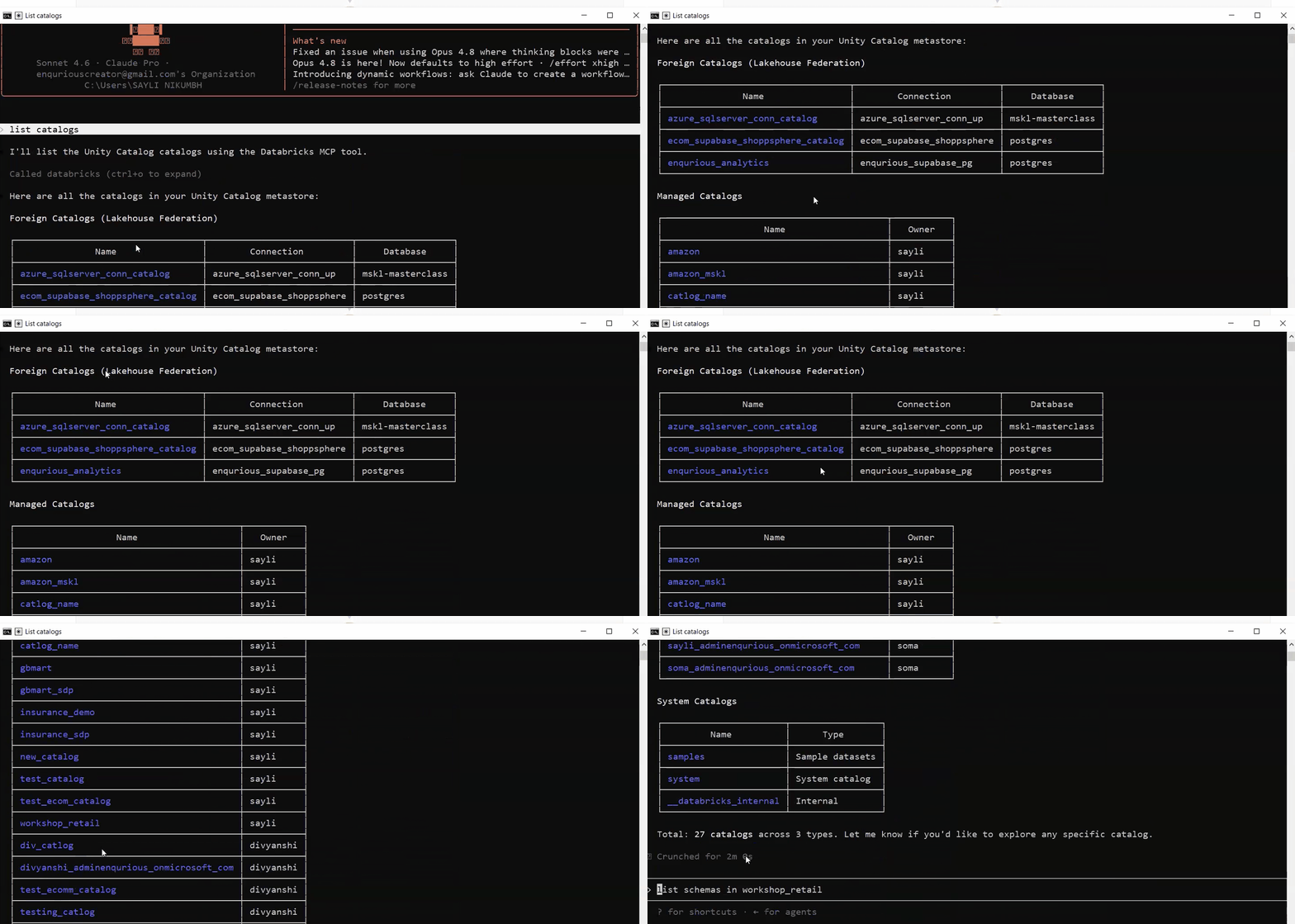
List catalogs went through MCP. No copy-paste, no manual execution. Claude called Databricks directly from the terminal, authenticated with your saved token.
Coming in Part 2
Now that the stack is set up and the connection is verified, it’s time to build. In Part 2, GlobalMart’s team uses AI Dev Kit to build their full Bronze → Silver → Gold pipeline:
- Why Claude hallucinates without context - and how to fix it
- Building Bronze, Silver, and Gold layers with natural language prompts
- How to prevent Claude from accidentally dropping your tables
- Generating column metadata using AI
You Might Also Like
Learn to build governed RAG pipelines on Databricks using Agent Bricks and Unity Catalog. Discover the Knowledge Assistant, its 70% quality boost, and key limits.

Storage account keys and mount points give every user in a Databricks workspace the same shared access to ADLS, with no audit trail. Here's why teams are moving to Storage Credentials and External Locations instead.
89% of enterprise AI pilots never reach production. Data integration, governance gaps, and silos are why. See how Snowflake Cortex AI fixes the root cause.
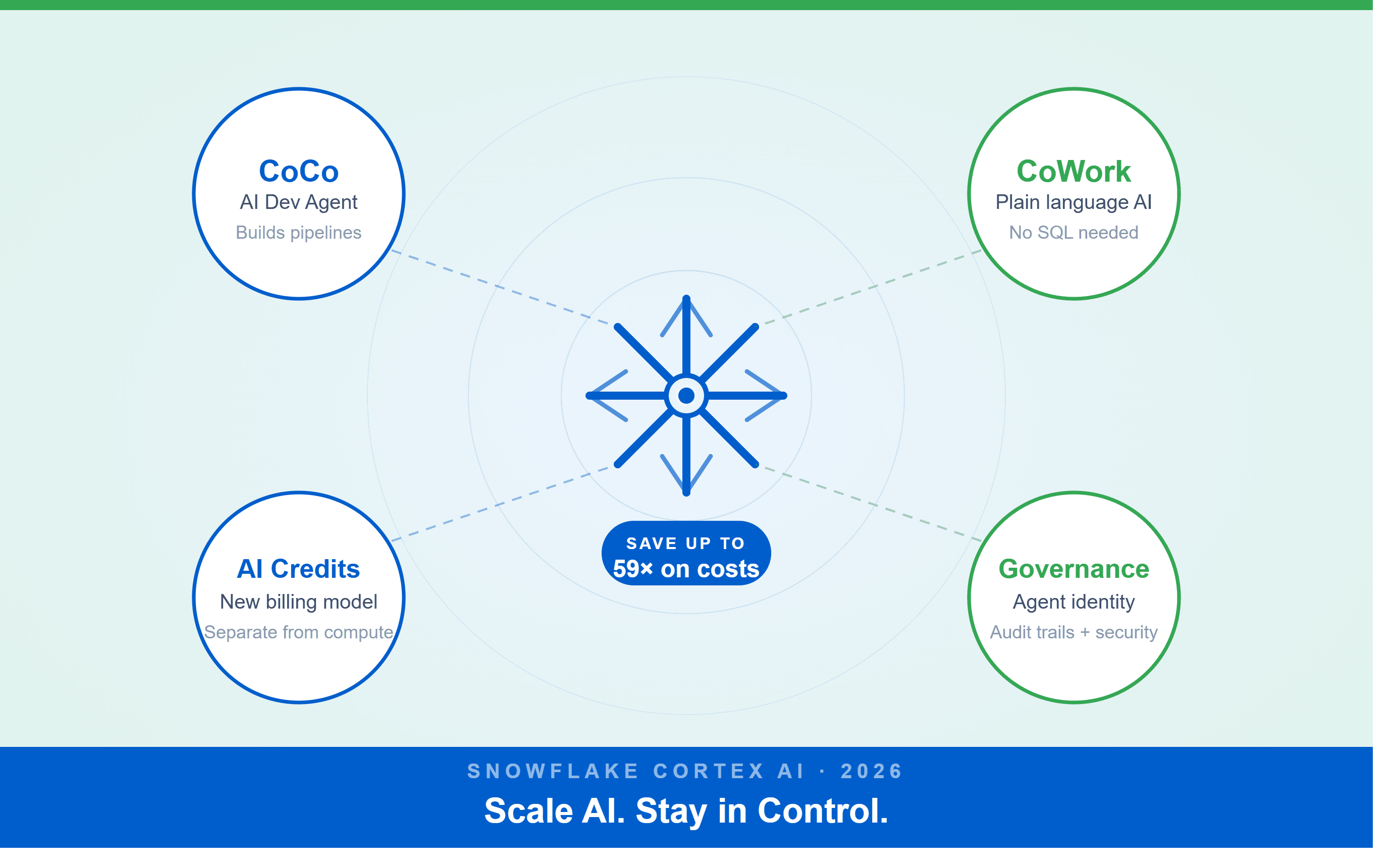
A Snowflake Summit 2026 benchmark revealed a 59x cost gap — open-source models at 440 credits vs. frontier models at 26,000 credits for identical workloads. Learn how CoCo, CoWork, AI Credits, and Cortex Training change enterprise AI strategy.
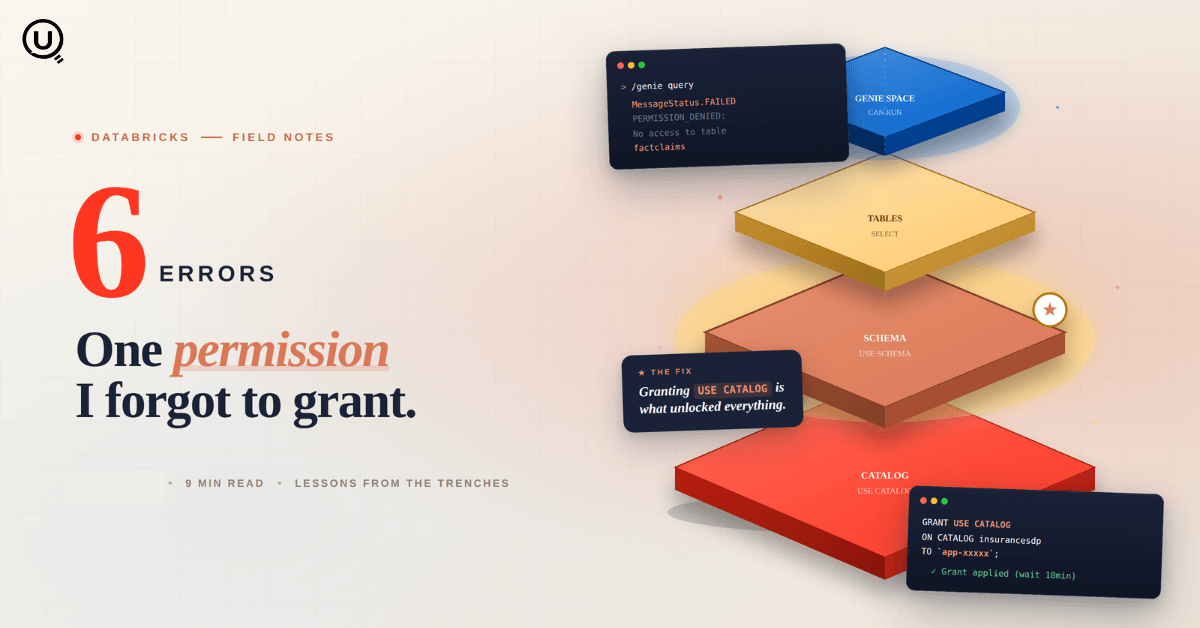
Six errors, 6 hours of debugging, and the permission checklist that finally made Databricks Apps + Genie work. The full lessons-learned guide.
Your Claude Code session isn't lost. It's on disk, in a folder /resume isn't scanning. Here's how to find any session in 30 seconds, with the exact commands.
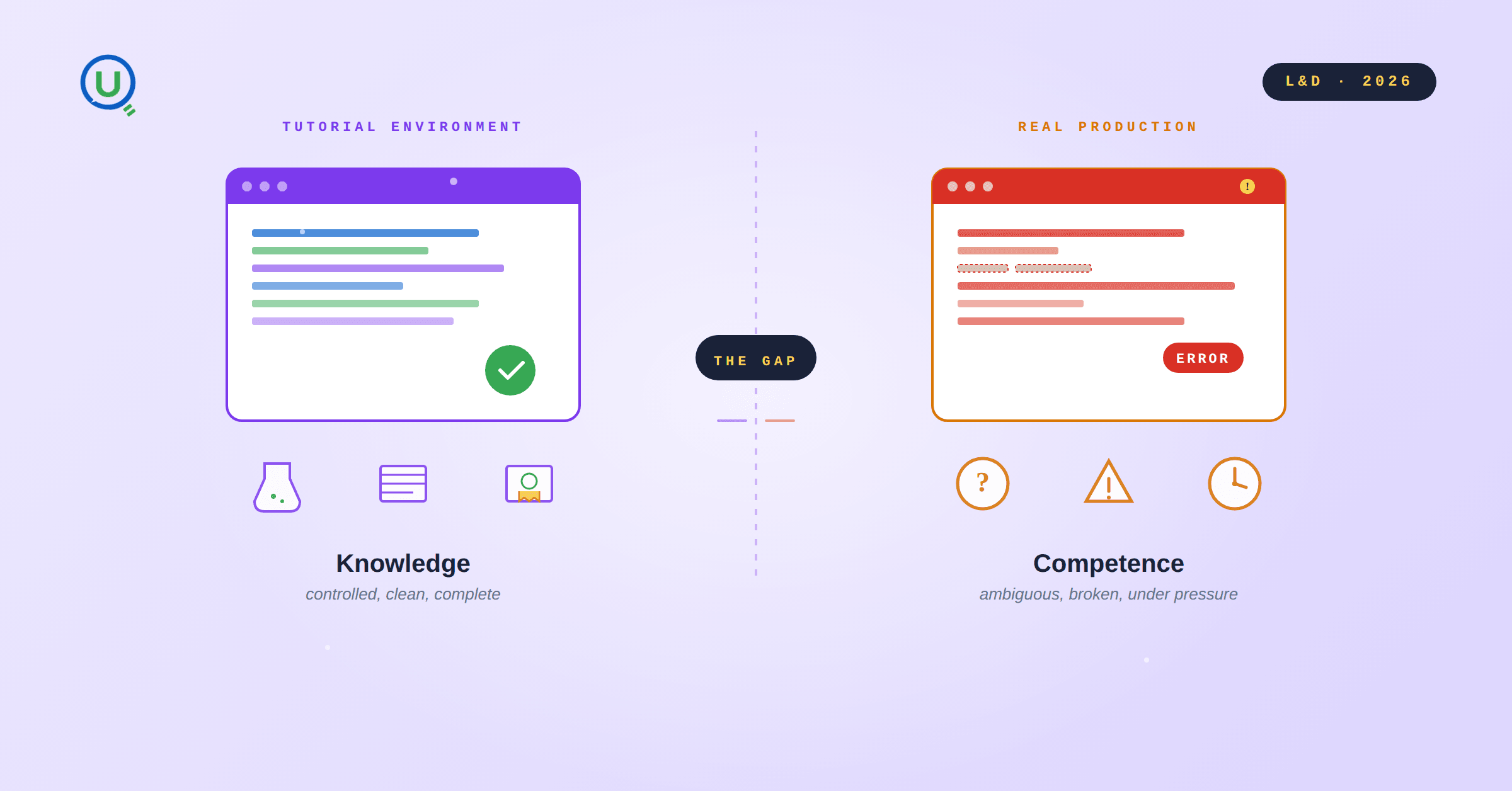
Scenario based learning replaces tutorials with realistic operational scenarios where engineers develop the hands on judgment classroom instruction cannot produce. How it works and why it matters.
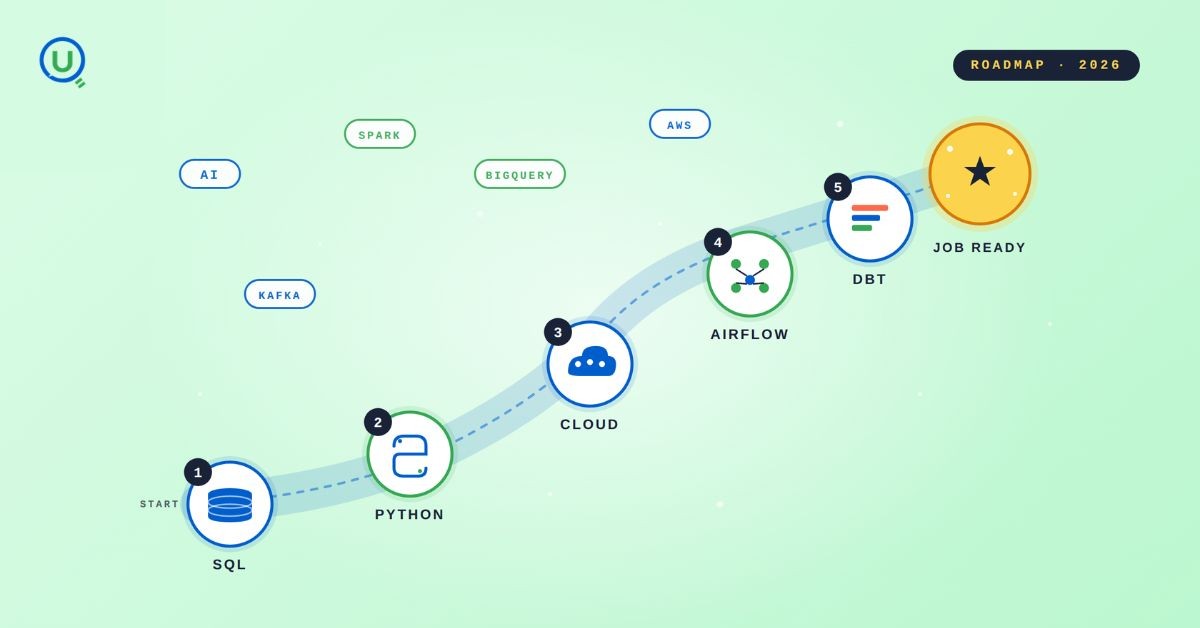
The 2026 data engineering roadmap. SQL, Python, cloud, Airflow, dbt, streaming. What companies actually hire for and how to build a portfolio that gets shortlisted.

Medallion Architecture splits your data pipeline into Bronze, Silver, and Gold layers so a small business change never forces a full rebuild. Here's why it works.

I was working on a large content repository on Windows, and I needed to version some new work — campaign assets, workshop content, LinkedIn job descriptions, and some file deletions. Simple enough, right? What followed was a two-day journey through some of Git's more obscure corners.
New engineers shouldn't learn Docker like they're defusing a bomb. Here's how we created a fear-free learning environment—and cut training time in half." (165 characters)

A complete beginner’s guide to data quality, covering key challenges, real-world examples, and best practices for building trustworthy data.
Explore the power of Databricks Lakehouse, Delta tables, and modern data engineering practices to build reliable, scalable, and high-quality data pipelines."
A real-world Terraform war story where a “simple” Azure SQL deployment spirals into seven hard-earned lessons, covering deprecated providers, breaking changes, hidden Azure policies, and why cloud tutorials age fast. A practical, honest read for anyone learning Infrastructure as Code the hard way.
Data doesn’t wait - and neither should your insights. This blog breaks down streaming vs batch processing and shows, step by step, how to process real-time data using Azure Databricks.

This blog talks about Databricks’ Unity Catalog upgrades -like Governed Tags, Automated Data Classification, and ABAC which make data governance smarter, faster, and more automated.

Tired of boring images? Meet the 'Jai & Veeru' of AI! See how combining Claude and Nano Banana Pro creates mind-blowing results for comics, diagrams, and more.
What I thought would be a simple RBAC implementation turned into a comprehensive lesson in Kubernetes deployment. Part 1: Fixing three critical deployment errors. Part 2: Implementing namespace-scoped RBAC security. Real terminal outputs and lessons learned included
This blog walks you through how Databricks Connect completely transforms PySpark development workflow by letting us run Databricks-backed Spark code directly from your local IDE. From setup to debugging to best practices this Blog covers it all.
A simple ETL job broke into a 5-hour Kubernetes DNS nightmare. This blog walks through the symptoms, the chase, and the surprisingly simple fix.
Master the bronze layer foundation of medallion architecture with COPY INTO - the command that handles incremental ingestion and schema evolution automatically. No more duplicate data, no more broken pipelines when new columns arrive. Your complete guide to production-ready raw data ingestion

This blog talks about the Power Law statistical distribution and how it explains content virality

This blog explains how Apache Airflow orchestrates tasks like a conductor leading an orchestra, ensuring smooth and efficient workflow management. Using a fun Romeo and Juliet analogy, it shows how Airflow handles timing, dependencies, and errors.
The blog contains the journey of ChatGPT, and what are the limitations of ChatGPT, due to which Langchain came into the picture to overcome the limitations and help us to create applications that can solve our real-time queries

An account of experience gained by Enqurious team as a result of guiding our key clients in achieving a 100% success rate at certifications

This blog delves into the capabilities of Calendar Events Automation using App Script.
Dive into the fundamental concepts and phases of ETL, learning how to extract valuable data, transform it into actionable insights, and load it seamlessly into your systems.