
Mounting ADLS in Databricks? Here's What You're Missing

Ready to transform your data strategy with cutting-edge solutions?
- Storage account keys and mount points give every user in a Databricks workspace the same shared access to ADLS, with no audit trail. Here's why teams are moving to Storage Credentials and External Locations instead.
The Problem
You’re building a data pipeline in Databricks. Before you write a single line of transformation logic, there’s one question you have to answer first: your source data sits in ADLS Gen2, so how does Databricks actually get access to it?
This sounds trivial, but it’s the first real design decision in any pipeline, and how you answer it decides whether your setup is secure and governable, or a liability waiting to be found in a security review.
There are three ways teams have solved this over time:
- Hardcoding storage account keys in Spark config
-
Mounting the storage account (
dbutils.fs.mount) - Storage Credentials + External Locations (Unity Catalog)
Let’s go through why the first two approaches don’t hold up, and why the third one is now the standard.
Way 1: Spark Config with Storage Account Key
The simplest way to give Databricks access to ADLS is to pass the storage account’s access key directly into the Spark session.
spark.conf.set(

    "fs.azure.account.key.<storage-account-name>.dfs.core.windows.net",

    "<storage-account-access-key>"

)

df = spark.read.format("csv").load("abfss://<container>@<storage-account-name>.dfs.core.windows.net/raw/sales/")
Why this isn’t the right way
- The key is plaintext. Anyone with access to the notebook, job config, or cluster environment variable can read it and use it outside Databricks entirely.
- The key doesn’t expire. If it leaks, whoever has it has full account-level access - read, write, delete - until someone manually rotates it.
- No per-user access control. Every user running this code gets the exact same access, regardless of what they actually need.
- Rotation breaks things. The moment the key is rotated for security hygiene, every notebook, job, and cluster referencing the old key fails, usually with something like:
Operation failed: "Server failed to authenticate the request." 403 (AuthenticationFailed)
This approach works for a five-minute demo. It does not belong in production.
Way 2: Mounting the Storage Account
Mounting was the next step up - instead of passing keys around in every notebook, you mount the storage account once, and everyone reads from a clean path like /mnt/sales-data/.
dbutils.fs.mount(

    source="wasbs://<container>@<storage-account-name>.blob.core.windows.net/",

    mount_point="/mnt/sales-data",

    extra_configs=configs

)

df = spark.read.format("csv").load("/mnt/sales-data/raw/sales/")
This was a genuine improvement; at least the secret is pulled from a secret scope instead of sitting in code. For a while, this was the recommended pattern.
Why teams are moving away from it
- Mounts are workspace-global, not user-scoped. Once someone mounts
/mnt/sales-data, it’s visible and usable by every user in the workspace - there’s no way to say “only the finance team can read this.” - The access behind the mount is still one identity. It’s a service principal instead of a raw key, but it’s still one broad credential shared by everyone who touches that mount. The blast radius problem from Way 1 hasn’t gone away - it’s just one layer deeper.
- No audit trail. You can’t tell, after the fact, which user read which file through the mount. For any regulated data (PII, financial records), that’s a compliance gap.
Operational fragility. Real errors teams run into:
com.databricks.backend.daemon.dbutils.FileInfo:

Directory already mounted: /mnt/sales-data
shaded.databricks.org.apache.hadoop.fs.azure.AzureException:

No credentials found for account <storage-account> in the configuration- Mounts silently breaking after secret rotation, two people trying to mount/unmount the same path and colliding, stale mounts pointing at credentials that no longer exist.
It doesn’t fit Unity Catalog’s governance model at all. Unity Catalog governs access at the catalog/schema/table level with fine-grained permissions; a workspace-global mount point bypasses that entirely. Databricks has officially marked mounting as legacy for this reason.
Mounting solved a convenience problem. It never solved the governance problem.
The Shift: Storage Credentials & External Locations
This is where Unity Catalog changes the model. Instead of a shared secret or a shared mount, access to ADLS is defined once, centrally, and governed like any other object in Unity Catalog.
Storage Credential - a UC object that wraps an Azure Access Connector’s managed identity. There’s no key or secret involved at all, Azure handles the identity, and UC references it.
External Location - a UC object that binds a specific ADLS path (container/folder) to a Storage Credential. Once this exists, access to that path is controlled with standard GRANT / REVOKE statements, just like a table.
%sql
-- Grant a team read access to a specific external location

GRANT READ FILES ON EXTERNAL LOCATION sales_raw_location TO data-engineering-team;

-- Revoke it just as easily

REVOKE READ FILES ON EXTERNAL LOCATION sales_raw_location FROM data-engineering-team;
Why this actually solves the business problem
Go back to the original problem statement: the business needs data ingested from ADLS reliably, but it also needs to know who can access what, be able to revoke access instantly, and prove that during an audit. None of the earlier approaches could do all three at once.
Setting It Up
1. Storage Credential in Unity Catalog
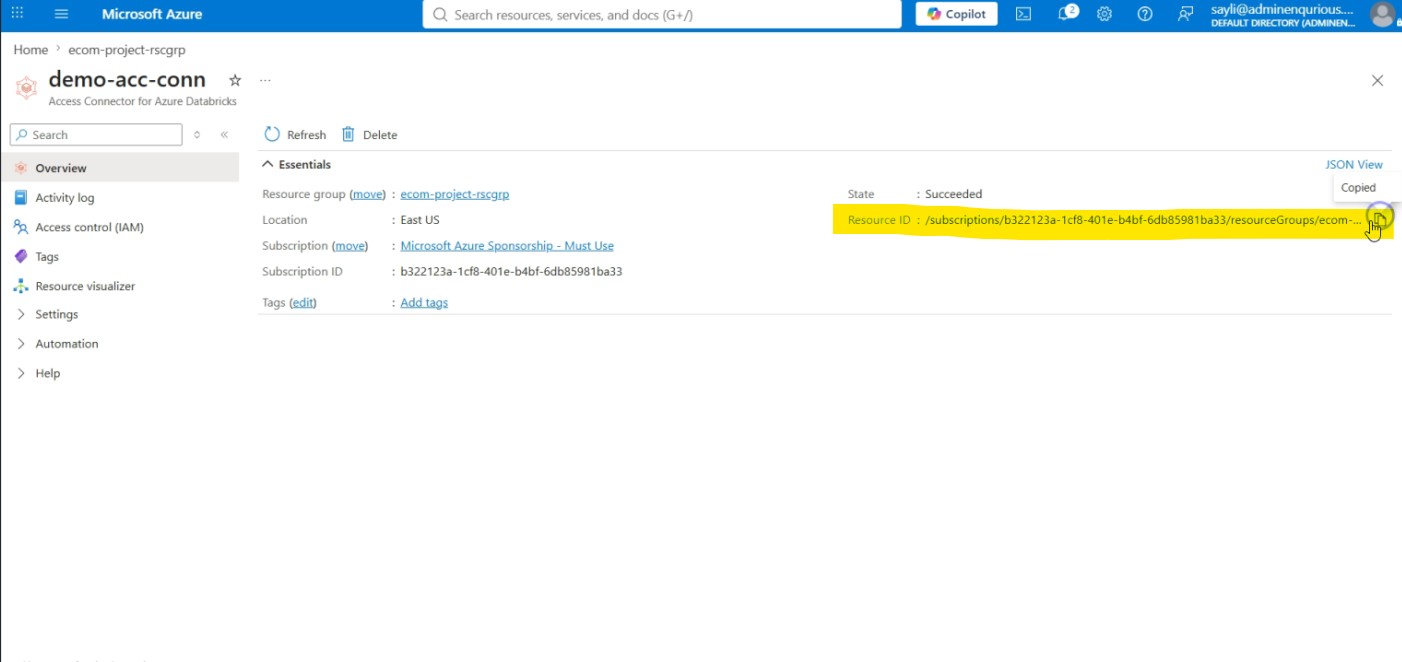
A Storage Credential doesn’t stand on its own; it needs an Access Connector behind it (the managed identity we walked through earlier). We’re not re-walking the connector creation here; assume it already exists. Here’s ours (demo-acc-conn), with its Resource ID copied, ready to hand to Databricks:
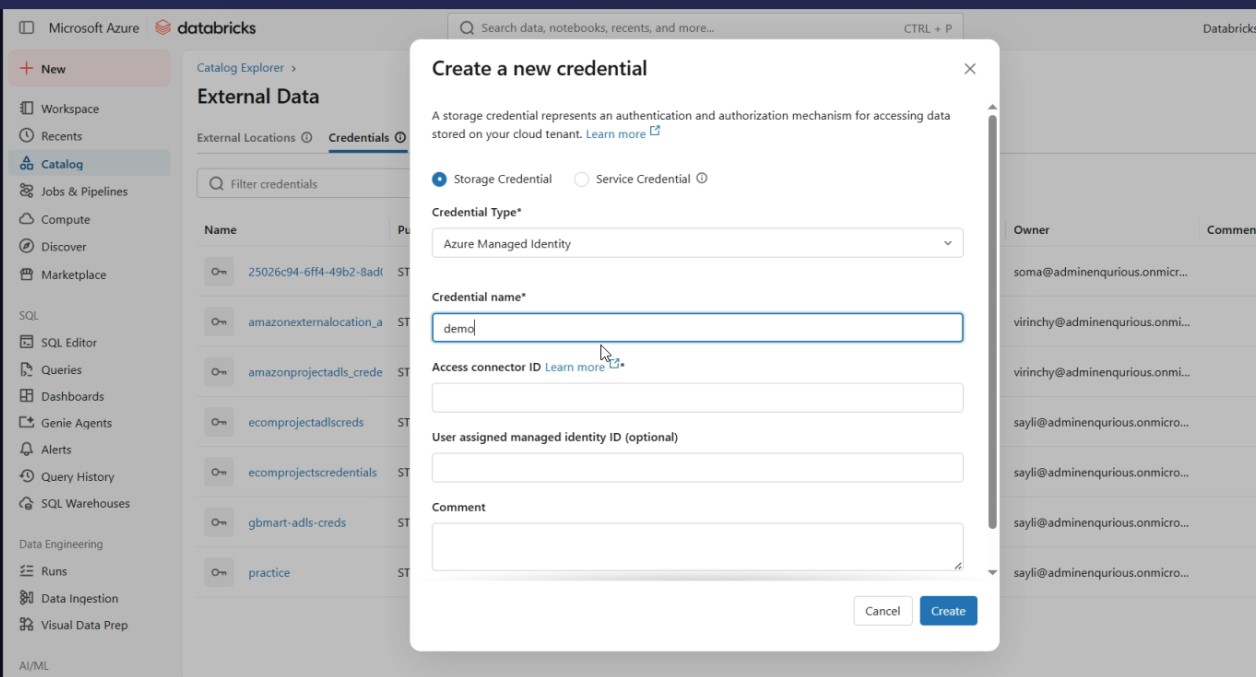
In Catalog Explorer, creating the Storage Credential is just pointing UC at that connector. Choose credential type Azure Managed Identity, give it a name:
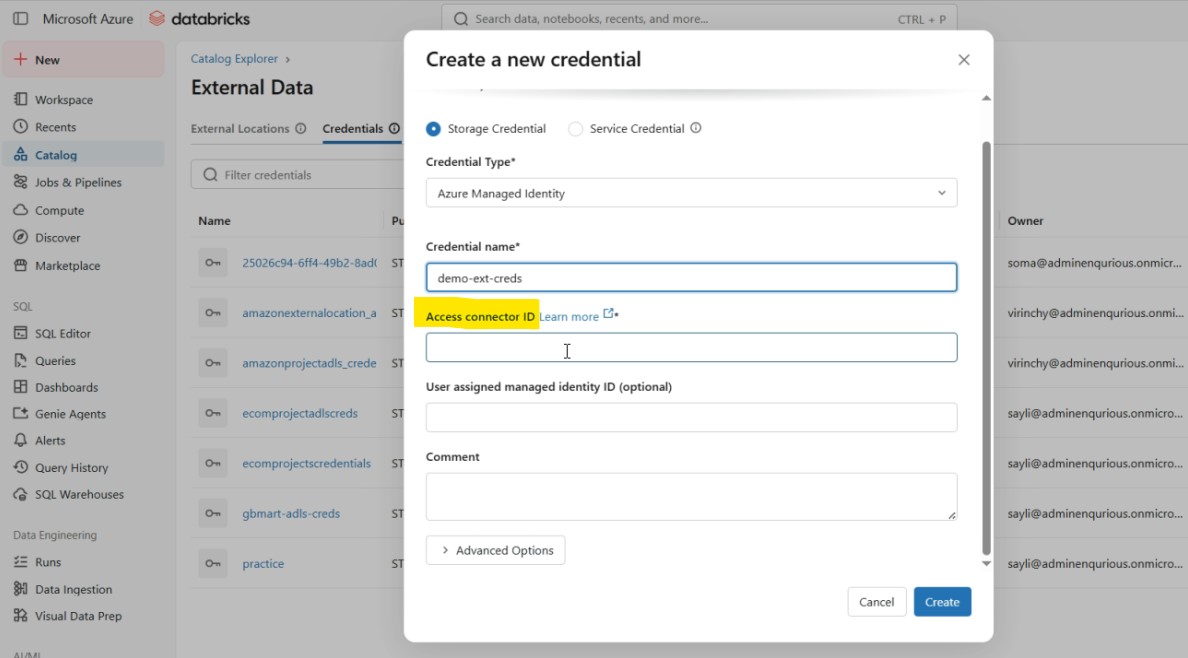
Scroll down and paste the connector’s Resource ID into Access Connector ID, this is the field that ties the two together:
Save it, and the credential is created, no key, no secret, just a reference to the managed identity:
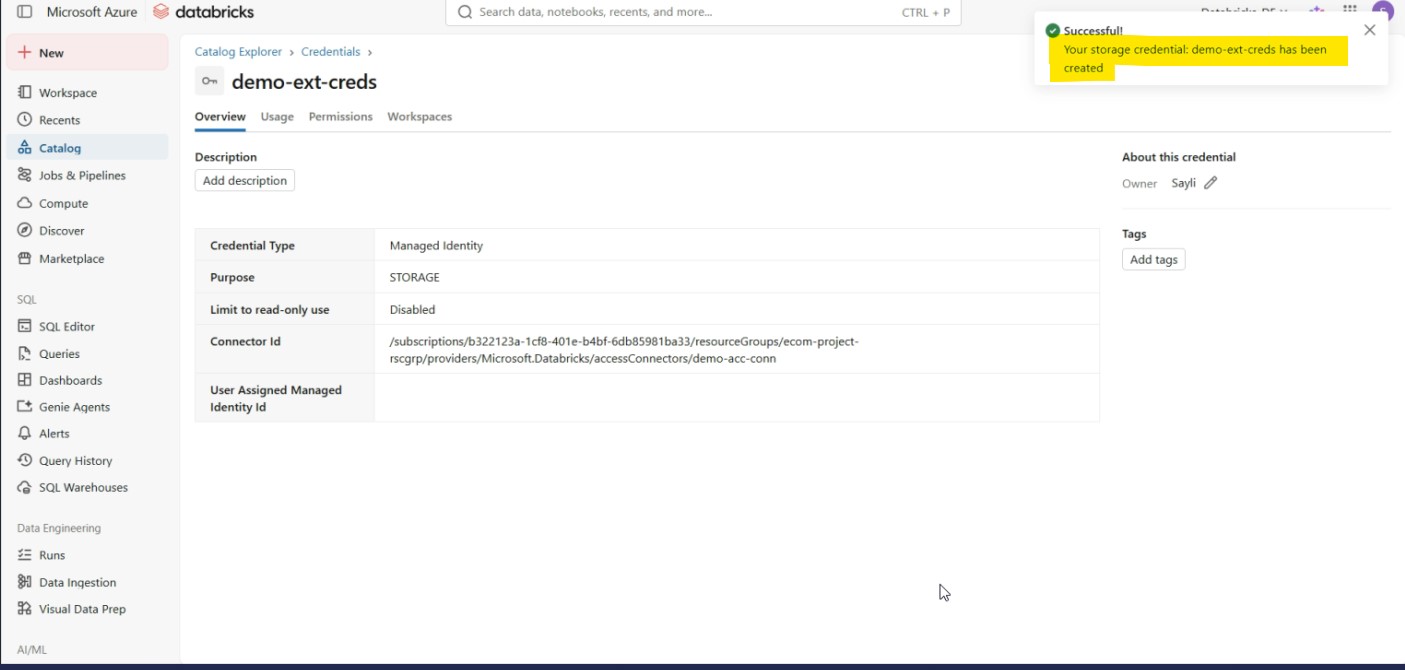
Notes:
- Creating this requires the
CREATE STORAGE CREDENTIALprivilege at the metastore level - At this point, Databricks hasn’t verified anything yet; it’s just recorded that this credential should point to that identity. Whether that identity can actually reach the storage account gets tested next.
2. External Location
This is where the permission requirements actually surface. Fill in the path and pick the Storage Credential you just created:
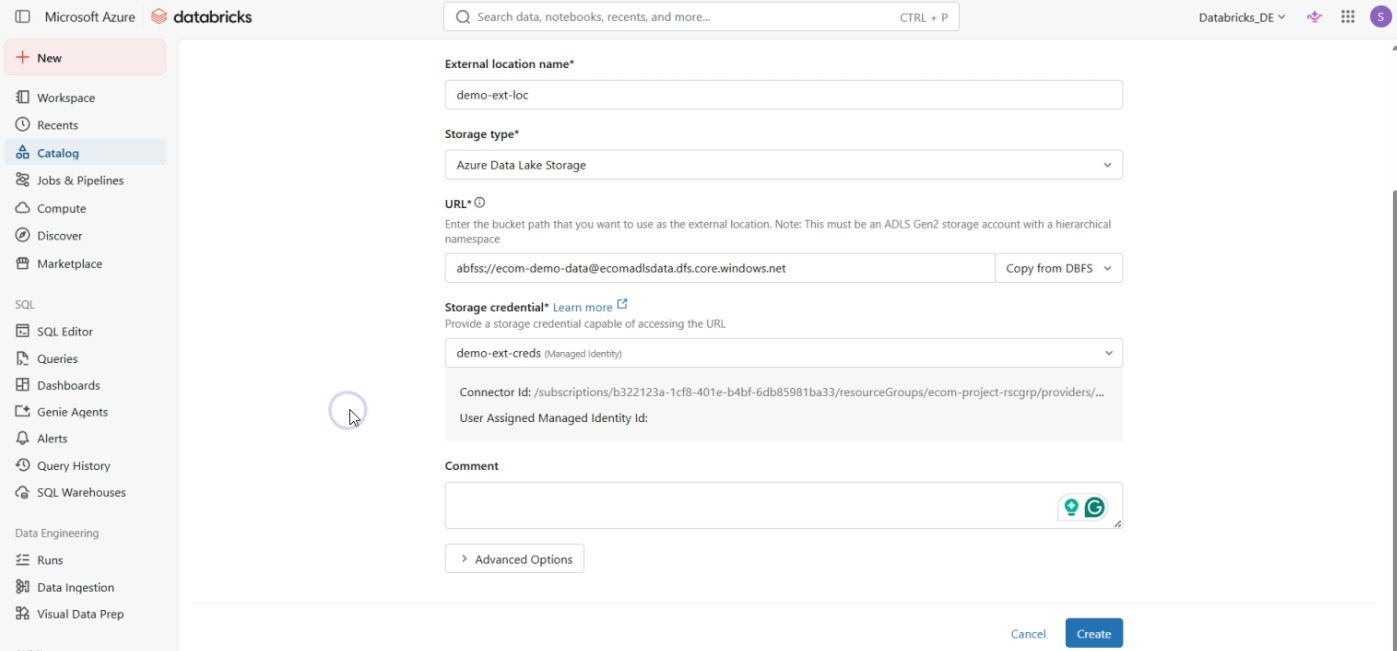
Hit Create, and Databricks immediately tests the connection, and it fails:
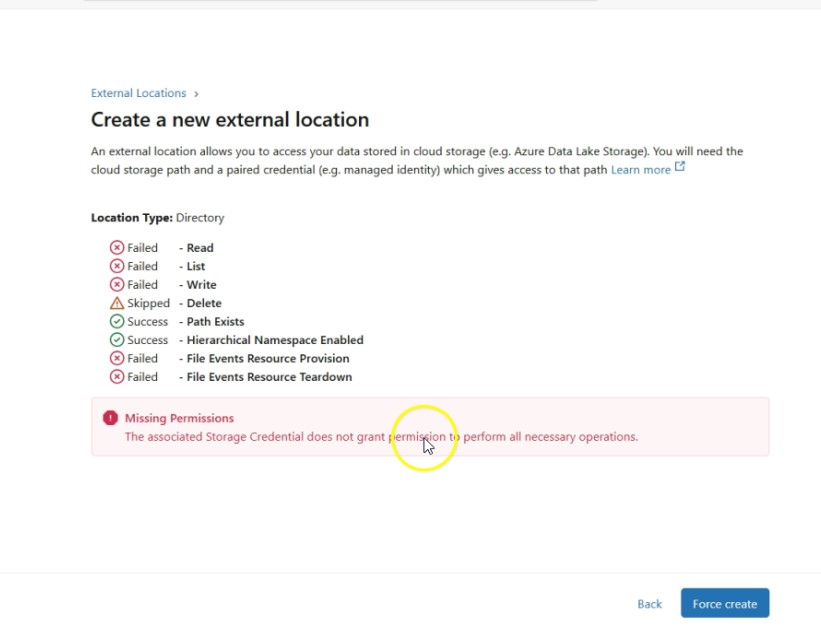
Read, List, and Write all fail. The error is blunt: “The associated Storage Credential does not grant permission to perform all necessary operations.” The credential exists, but the managed identity behind it has no role on the storage account yet - Unity Catalog can’t do anything until Azure IAM says it’s allowed to.
So we go to the storage account → Access Control (IAM) → Add role assignment → assign Storage Blob Data Contributor to the connector’s managed identity:
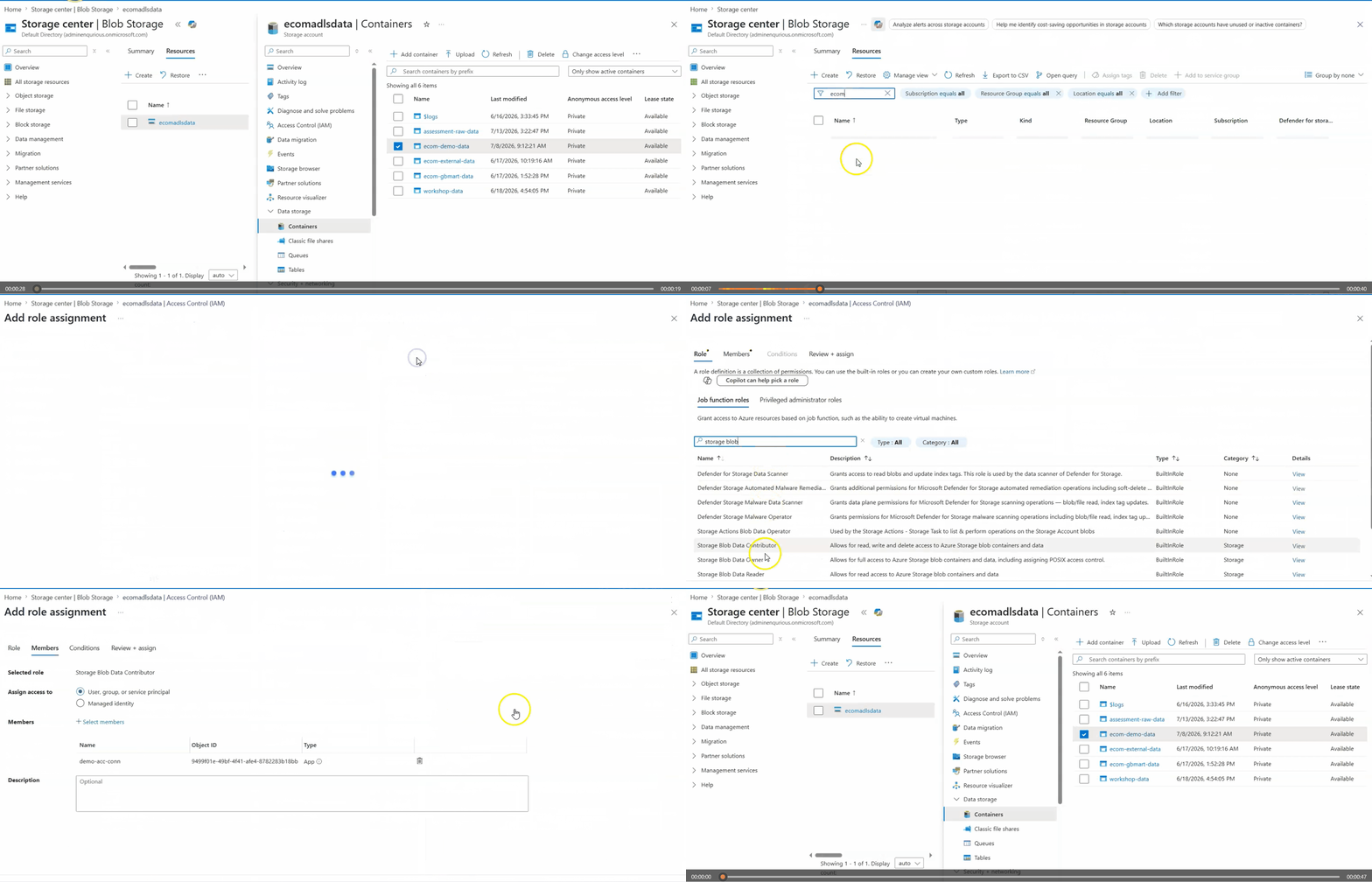
Test the connection again, and it’s still not fully working. The error now spells out exactly what’s missing:
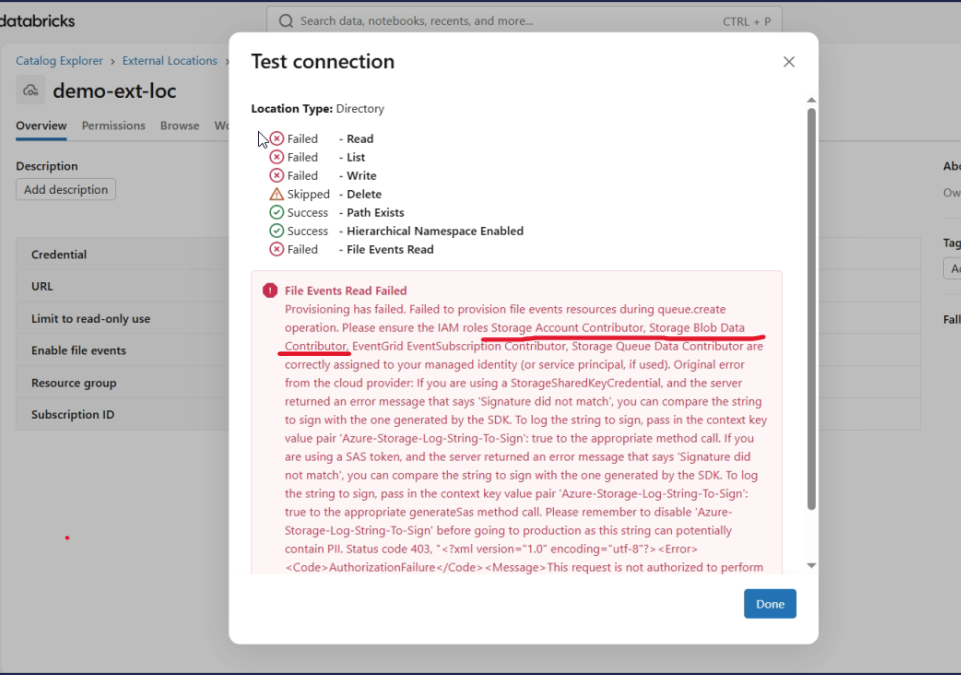
“Please ensure the IAM roles Storage Account Contributor, Storage Blob Data Contributor, EventGrid EventSubscription Contributor, Storage Queue Data Contributor are correctly assigned to your managed identity...”
This is the real-world gotcha: Storage Blob Data Contributor alone gets you basic data access, but Unity Catalog also needs Storage Account Contributor for management-plane operations (like provisioning file events). So we go back to IAM and assign that role too, the same way as above.
Test connection one more time - Read, List, Write, and Delete all pass:
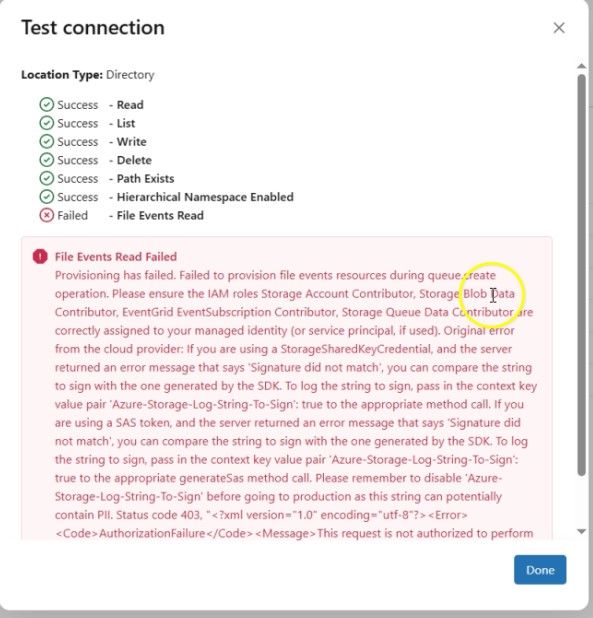
(File Events Read can still fail here if you didn’t assign the EventGrid/Queue roles - that’s only needed if you plan to use file notifications/Auto Loader with file events, not for basic reads.)
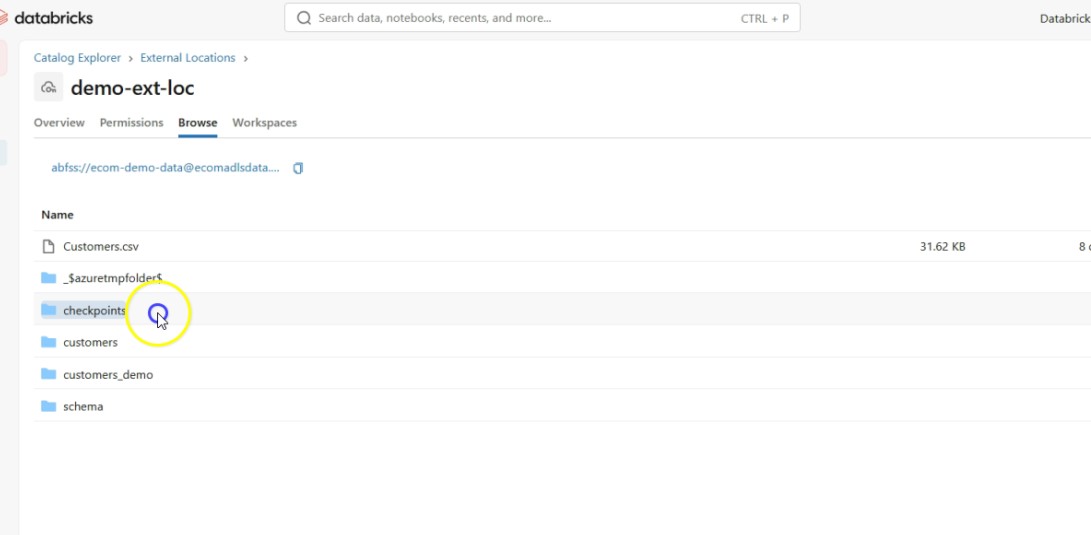
And now the External Location can actually browse the container - the ADLS files are visible right inside Databricks:
Notes:
- Creating an External Location requires the
CREATE EXTERNAL LOCATIONprivilege - Access after this point is controlled with
GRANT READ FILES/GRANT WRITE FILESon the external location, the IAM roles above are what let the connector reach storage; UC grants are what let specific users/teams use that external location
Closing
Mounting solved a convenience problem, one clean path instead of keys scattered across notebooks. Storage Credentials and External Locations solve the actual problem the business has: governed, auditable, revocable access to data. That’s what a production pipeline needs, and that’s why the shift is happening.
You Might Also Like
We broke a live app in our AI DevOps workshop and let an AI agent find and fix it. What that shows about how AI agents work and how to keep them safe.
AI agents now write most of the code, so what is an engineer for? We look at why developers trust AI less as they use it more, how one AI fix nearly took three systems down, when a team should skip AI altogether, and six habits that move engineers from writing code to owning the systems around it.
Retrieval-augmented generation (RAG) gives a language model current and private data at query time. What it fixes, what it costs, and the five ways it fails.
Generative AI in data engineering: what Gartner's Data Engineering 2.0 means, how AI agents now write pipeline code, and why data engineers matter more.
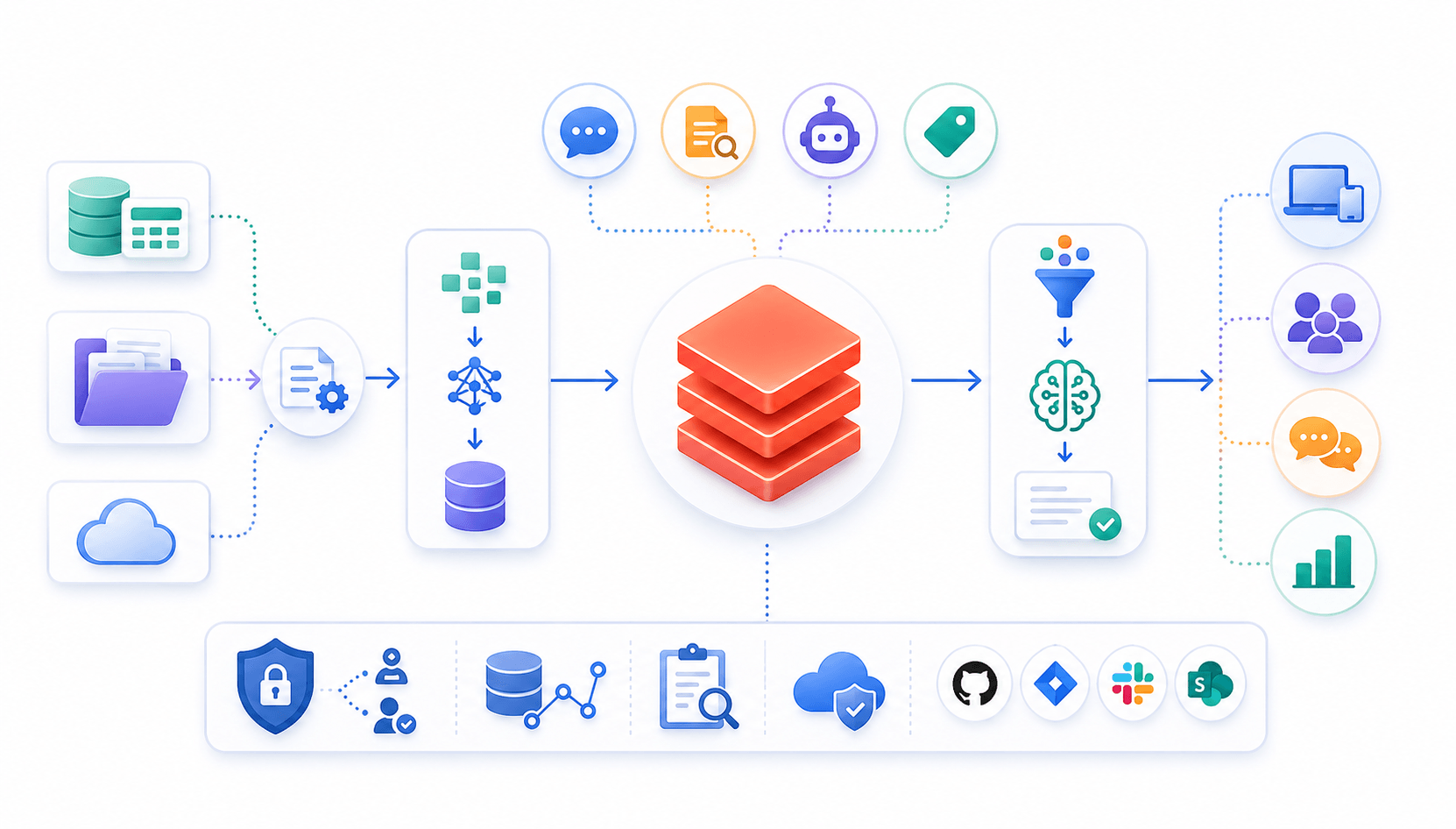
Learn to build governed RAG pipelines on Databricks using Agent Bricks and Unity Catalog. Discover the Knowledge Assistant, its 70% quality boost, and key limits.
89% of enterprise AI pilots never reach production. Data integration, governance gaps, and silos are why. See how Snowflake Cortex AI fixes the root cause.
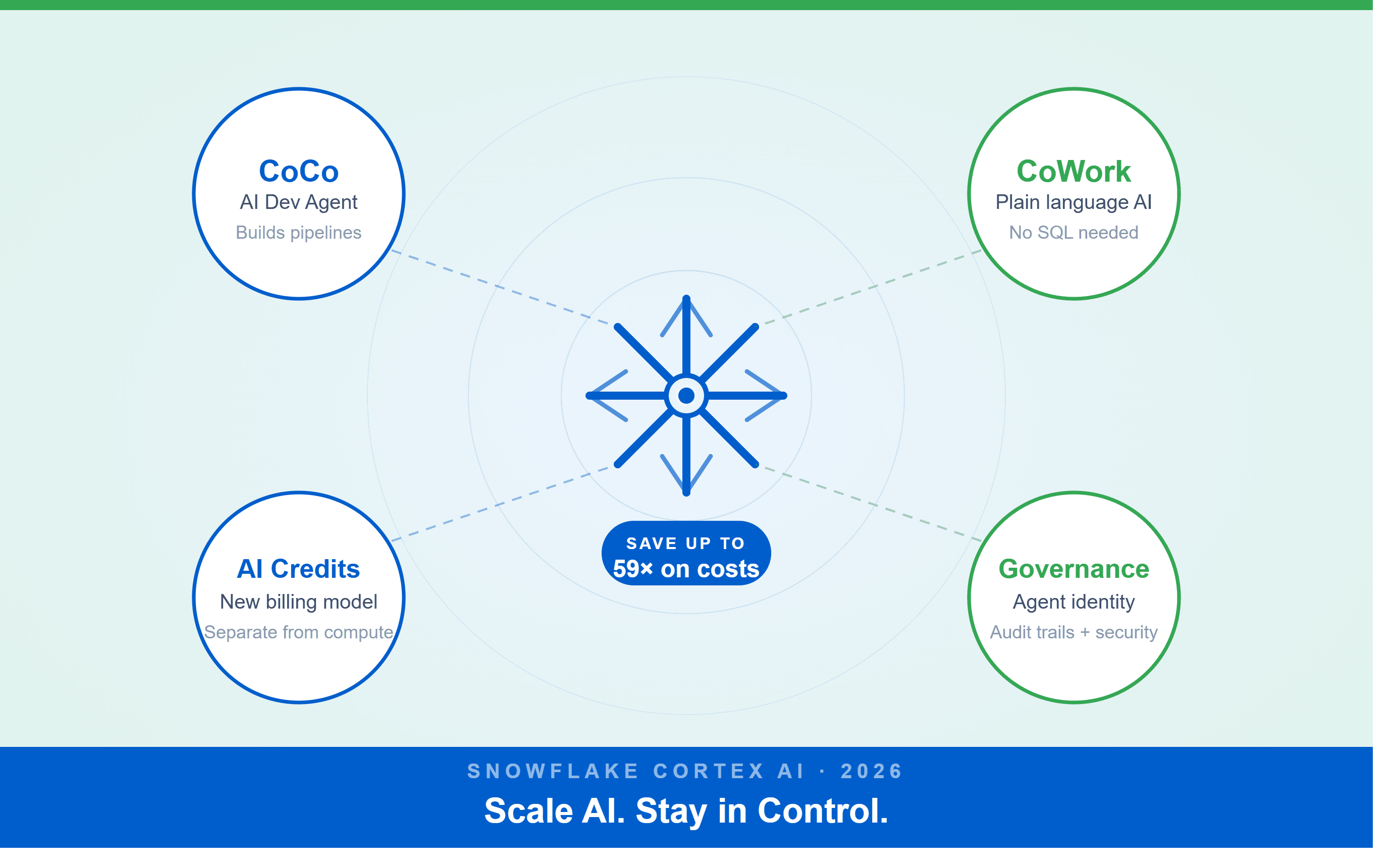
A Snowflake Summit 2026 benchmark revealed a 59x cost gap — open-source models at 440 credits vs. frontier models at 26,000 credits for identical workloads. Learn how CoCo, CoWork, AI Credits, and Cortex Training change enterprise AI strategy.
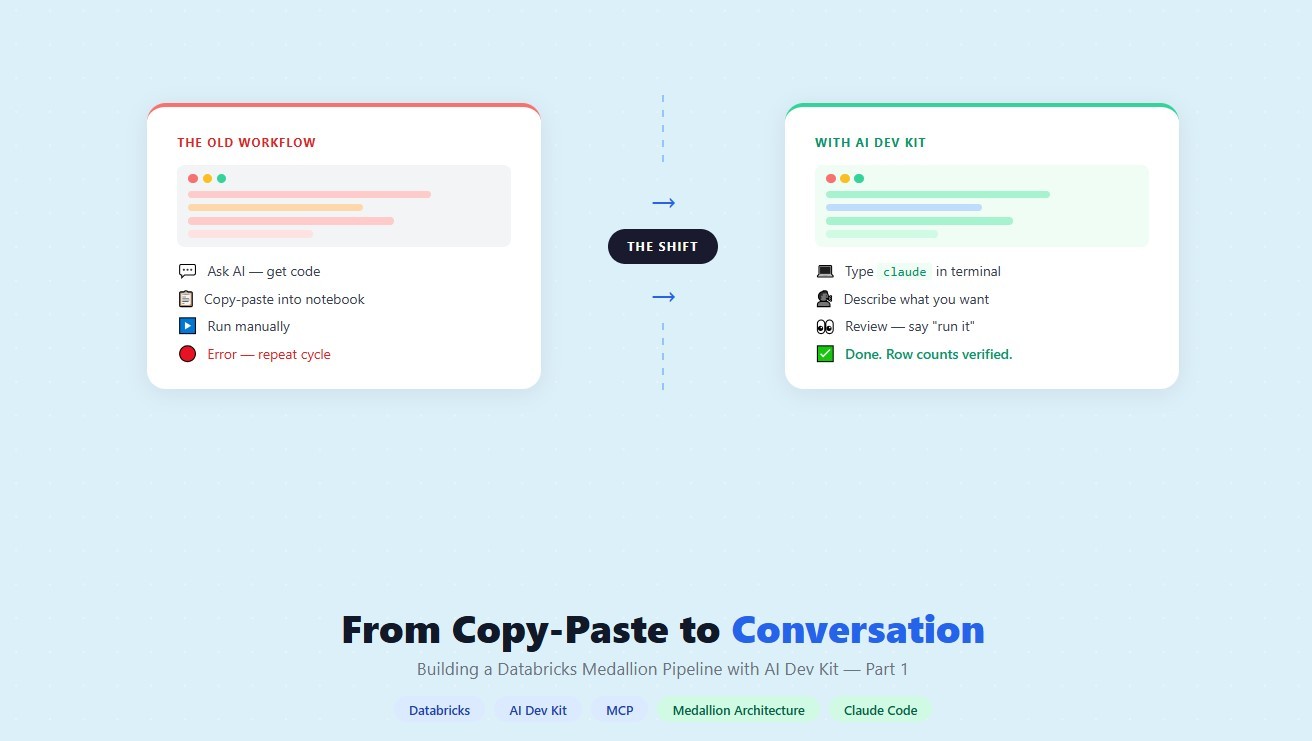
How a data engineering team replaced manual pipeline work with natural language prompts, using Claude Code and the Databricks AI Dev Kit.
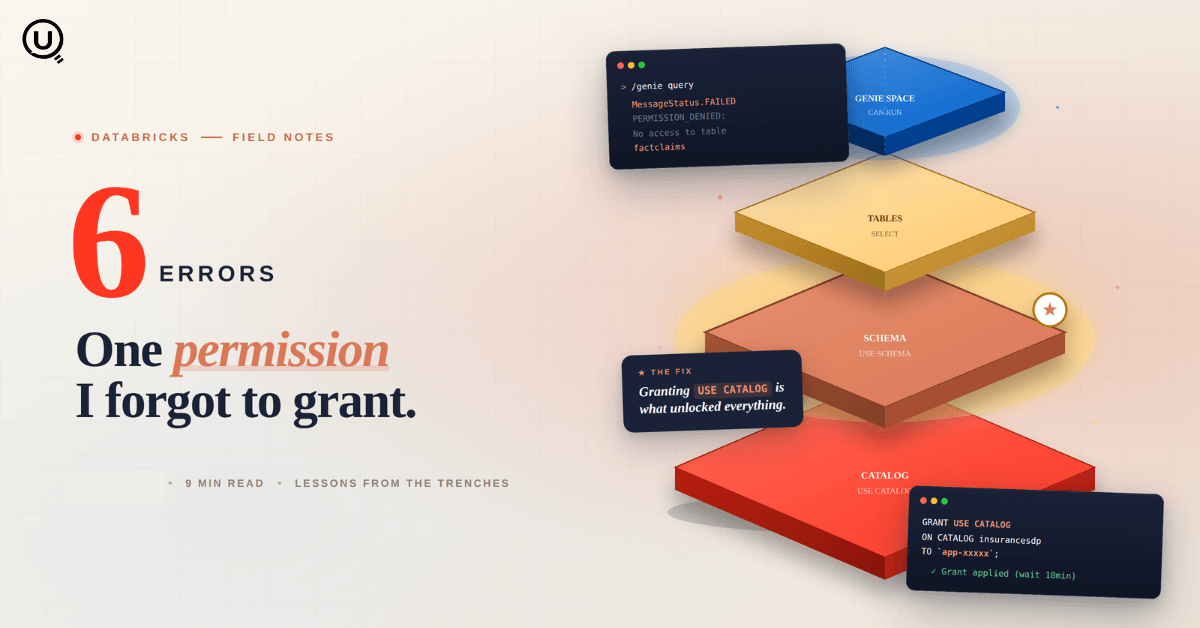
Six errors, 6 hours of debugging, and the permission checklist that finally made Databricks Apps + Genie work. The full lessons-learned guide.
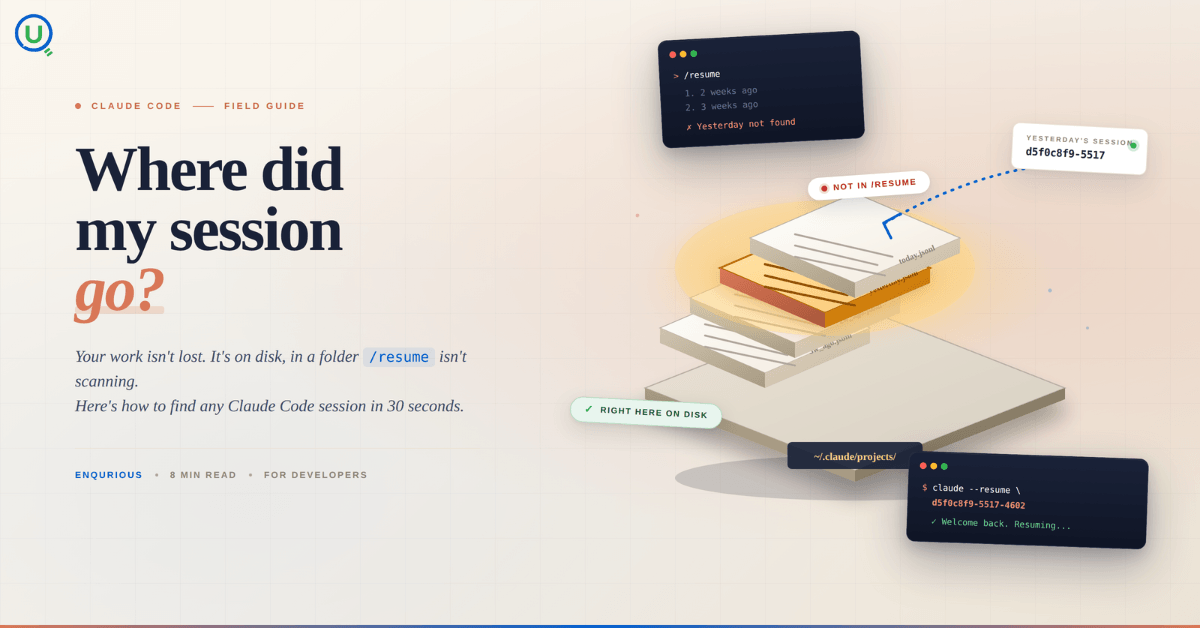
Your Claude Code session isn't lost. It's on disk, in a folder /resume isn't scanning. Here's how to find any session in 30 seconds, with the exact commands.
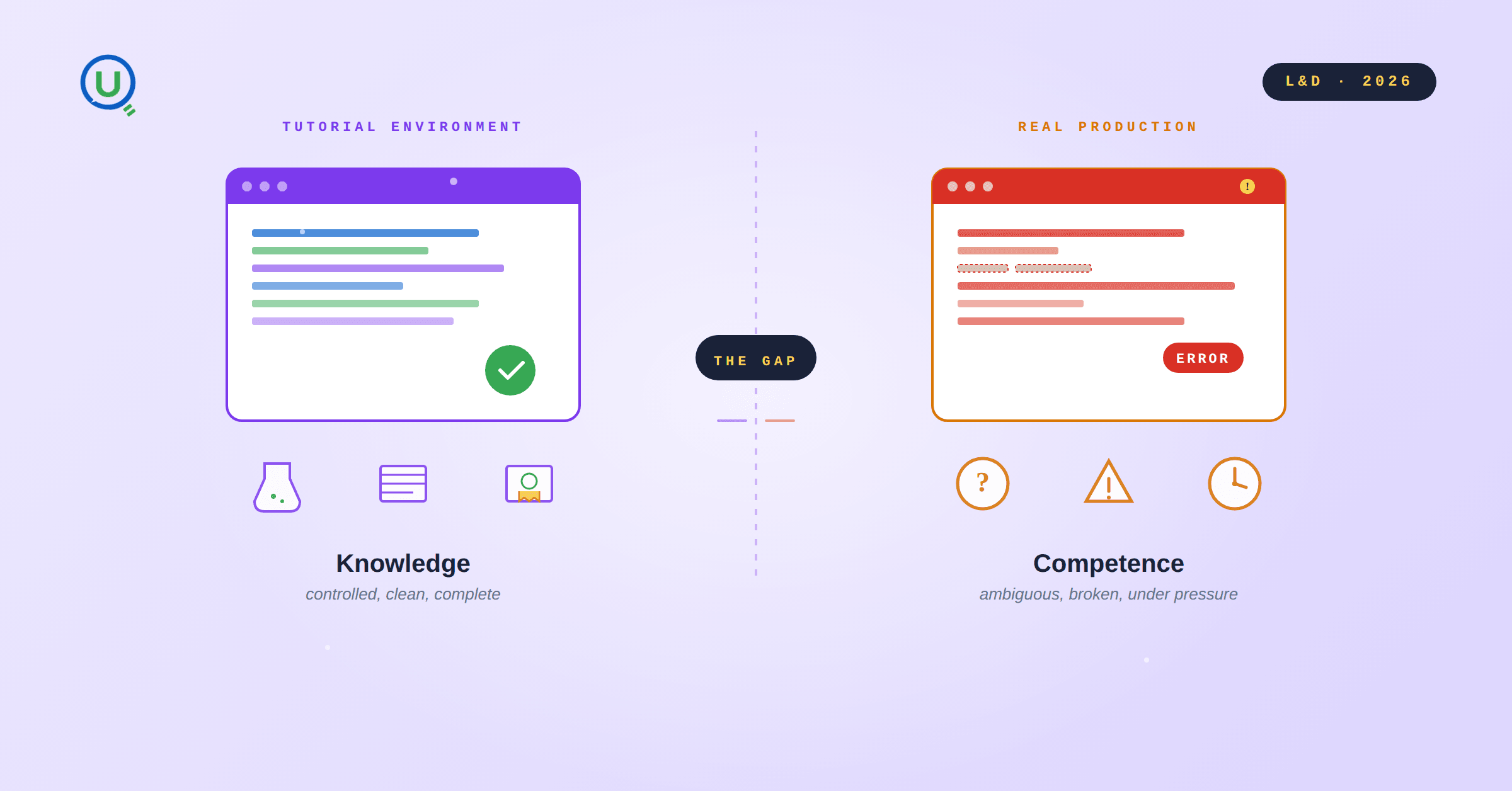
Scenario based learning replaces tutorials with realistic operational scenarios where engineers develop the hands on judgment classroom instruction cannot produce. How it works and why it matters.
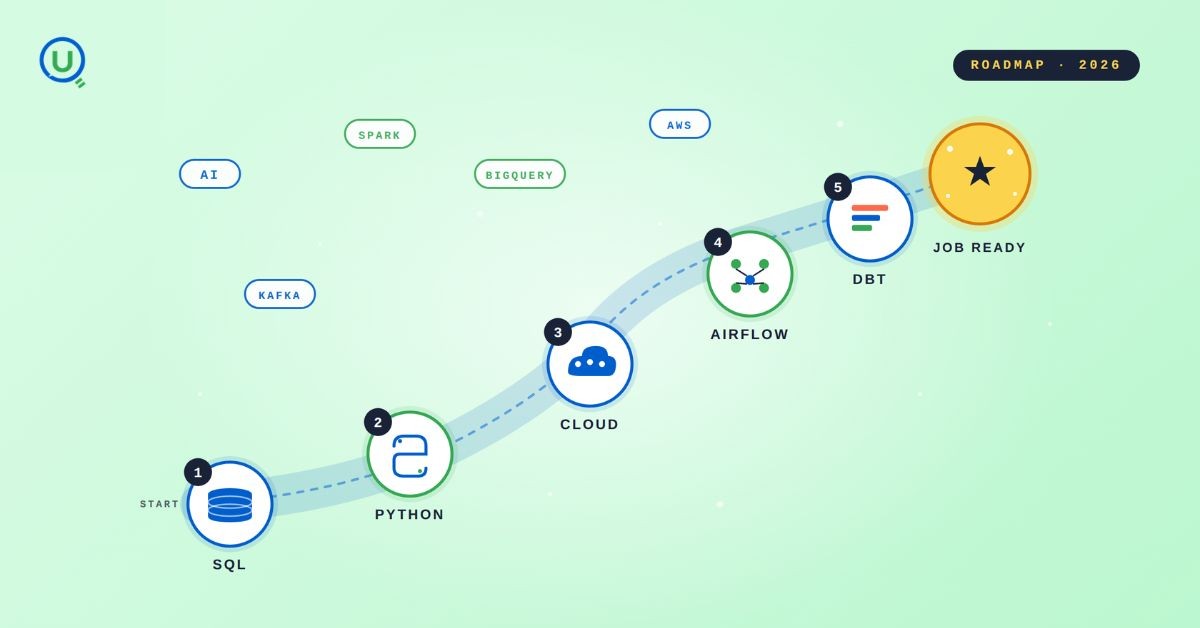
The 2026 data engineering roadmap. SQL, Python, cloud, Airflow, dbt, streaming. What companies actually hire for and how to build a portfolio that gets shortlisted.
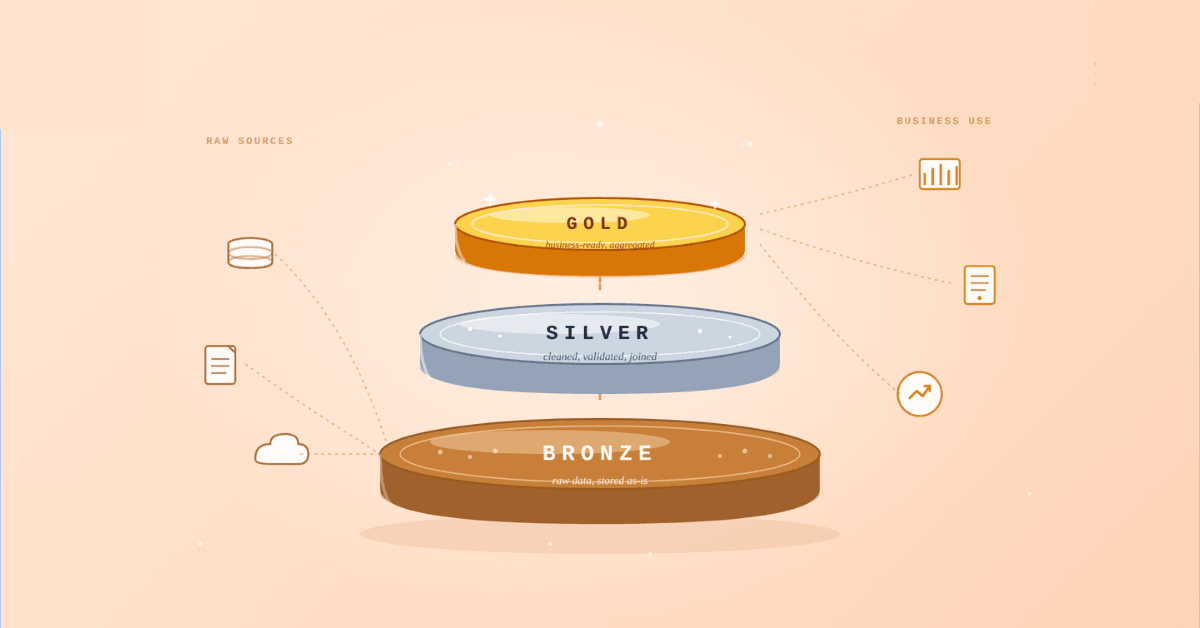
Medallion Architecture splits your data pipeline into Bronze, Silver, and Gold layers so a small business change never forces a full rebuild. Here's why it works.

I was working on a large content repository on Windows, and I needed to version some new work — campaign assets, workshop content, LinkedIn job descriptions, and some file deletions. Simple enough, right? What followed was a two-day journey through some of Git's more obscure corners.
New engineers shouldn't learn Docker like they're defusing a bomb. Here's how we created a fear-free learning environment—and cut training time in half." (165 characters)

A complete beginner’s guide to data quality, covering key challenges, real-world examples, and best practices for building trustworthy data.
Explore the power of Databricks Lakehouse, Delta tables, and modern data engineering practices to build reliable, scalable, and high-quality data pipelines."
A real-world Terraform war story where a “simple” Azure SQL deployment spirals into seven hard-earned lessons, covering deprecated providers, breaking changes, hidden Azure policies, and why cloud tutorials age fast. A practical, honest read for anyone learning Infrastructure as Code the hard way.

Data doesn’t wait - and neither should your insights. This blog breaks down streaming vs batch processing and shows, step by step, how to process real-time data using Azure Databricks.

This blog talks about Databricks’ Unity Catalog upgrades -like Governed Tags, Automated Data Classification, and ABAC which make data governance smarter, faster, and more automated.

Tired of boring images? Meet the 'Jai & Veeru' of AI! See how combining Claude and Nano Banana Pro creates mind-blowing results for comics, diagrams, and more.

What I thought would be a simple RBAC implementation turned into a comprehensive lesson in Kubernetes deployment. Part 1: Fixing three critical deployment errors. Part 2: Implementing namespace-scoped RBAC security. Real terminal outputs and lessons learned included
This blog walks you through how Databricks Connect completely transforms PySpark development workflow by letting us run Databricks-backed Spark code directly from your local IDE. From setup to debugging to best practices this Blog covers it all.

A simple ETL job broke into a 5-hour Kubernetes DNS nightmare. This blog walks through the symptoms, the chase, and the surprisingly simple fix.
Master the bronze layer foundation of medallion architecture with COPY INTO - the command that handles incremental ingestion and schema evolution automatically. No more duplicate data, no more broken pipelines when new columns arrive. Your complete guide to production-ready raw data ingestion

This blog talks about the Power Law statistical distribution and how it explains content virality

This blog explains how Apache Airflow orchestrates tasks like a conductor leading an orchestra, ensuring smooth and efficient workflow management. Using a fun Romeo and Juliet analogy, it shows how Airflow handles timing, dependencies, and errors.
The blog contains the journey of ChatGPT, and what are the limitations of ChatGPT, due to which Langchain came into the picture to overcome the limitations and help us to create applications that can solve our real-time queries

An account of experience gained by Enqurious team as a result of guiding our key clients in achieving a 100% success rate at certifications

This blog delves into the capabilities of Calendar Events Automation using App Script.
Dive into the fundamental concepts and phases of ETL, learning how to extract valuable data, transform it into actionable insights, and load it seamlessly into your systems.