
We Broke Our Own App on Purpose. Then an AI Agent Fixed It.
Ready to transform your data strategy with cutting-edge solutions?
KEY TAKEAWAYS
A chatbot can tell you how to fix a problem. An AI agent investigates and applies the fix, using the tools you give it.
Every AI agent has a brain (the AI model) and hands (the tools). The hands decide what it can actually do.
The safest rule for any agent: let it look at anything, and make it ask before it changes anything.
Give it a limit. In our workshop, the agent got ten attempts before a human takes over.
You have a bag in your cart. You tap Pay. The page spins, then fails.
You probably don't wait. You open another app and buy the bag there. I am a DevOps engineer at Enqurious, and I opened our AI DevOps workshop on 18 September with exactly that shopper: if Amazon stops working halfway through a purchase, people move to Flipkart.
My first slide showed a made-up incident, number 047. The payment service could not reach its server, and 1,842 users were stuck. Somewhere, an engineer's phone was ringing.
Then I did something most workshops avoid. I broke a working app, live, in front of everyone. I fixed it twice: once by hand, the way engineers always have, and once by letting an AI agent do the work.
You don't need to read code to follow what happened. The decisions that made the agent safe are the same ones you would make when giving a new intern access to your systems.
The app I broke, and why it was tiny on purpose
The demo had two parts.
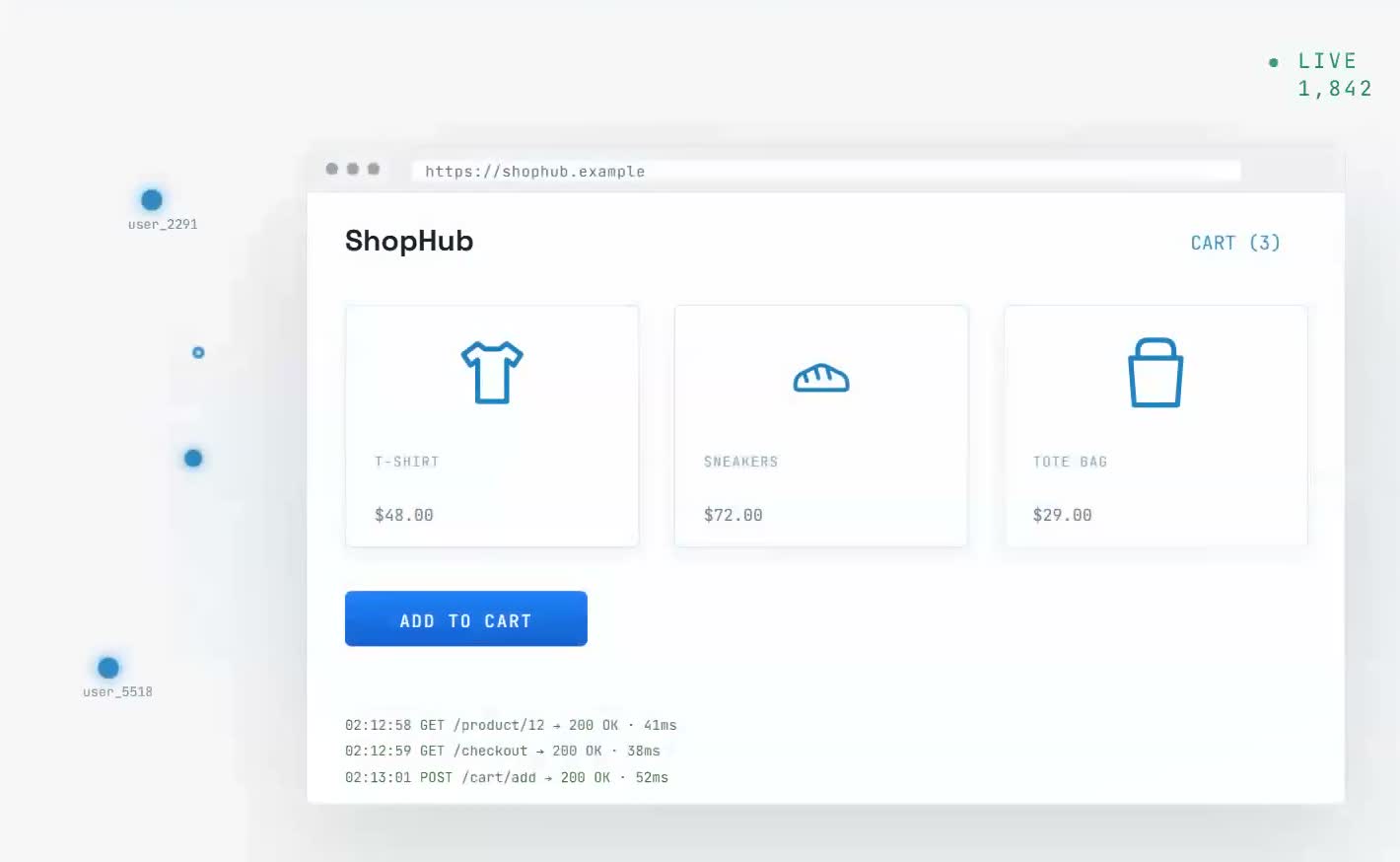
The first was a small web app. The second was Redis, a very fast memory store that apps use so they don't have to fetch everything from the main database every time. Think of the notepad by a shop counter, which saves the shopkeeper a walk to the storeroom for every question. In this demo, Redis counted how many times the app had been visited.
Each part ran in its own container. A container is a sealed box that holds one program and everything it needs, so the program runs the same on any machine.
I stopped the Redis container. Then I asked the app if it was healthy.
The app hung. Nearly a minute later, it returned an error: Redis unreachable.
That is how real outages tend to look. One part breaks out of sight, and customers see something else fail. A real company runs dozens of these parts: databases, cloud services, monitoring tools, deployment pipelines. Any one of them can take the website down.
Breaking something real on purpose is how we like to teach at Enqurious. It is the idea behind our scenario-based learning, and behind my own Docker playground.
Where do you look first?
I asked the room that question, then answered it by investigating by hand:
Ask the app. It returned a server error.
List the running containers. Redis was missing.
List all containers, including stopped ones. Redis was there, marked "exited".
Read the Redis logs. They showed a shutdown request, because I had stopped it myself. In production, the logs might show a memory problem or a crash instead.
Restart Redis and check the app again. Healthy.
Five steps. Easy enough on a Tuesday afternoon. Much harder at 2 a.m., half awake, with customers leaving.
And the steps are the same every time: check the app, check the containers, read the logs. That is when I asked the question the rest of the workshop answered: "What if someone can do this task for me?"
What's the difference between a chatbot and an AI agent?
Ask a chatbot why your app is down and you will get a sensible answer. It might even tell you to restart Redis. You still have to go and do it.
An AI agent does the investigation itself. It checks the app, reads the logs, finds the cause and, if you allow it, applies the fix.
I showed the difference with ChatGPT. I asked it for today's gold price. ChatGPT could not know that from its training, so it searched the internet first. Then I asked it to write a professional email. That needed no search. It simply wrote one.
The web search was a tool. My definition: generative AI plus tools, running in a loop, is an AI agent.
People mix up three terms that sound alike:
Term | What it does | From the workshop | Everyday comparison |
|---|---|---|---|
Generative AI | Writes text, code or images from what it learned | Writing a professional email | A well-read friend answering from memory |
AI agent | Generative AI that can use tools and keep going until the job is done | Looking up today's gold price; fixing the broken app | The same friend, now with a laptop and your permission to use it |
Agentic AI | A team of agents, each with one job, working toward one goal | Separate agents to investigate, fix, verify and report an outage | A small department with a manager |
Every AI agent has a brain and hands
I split my agent into two parts.
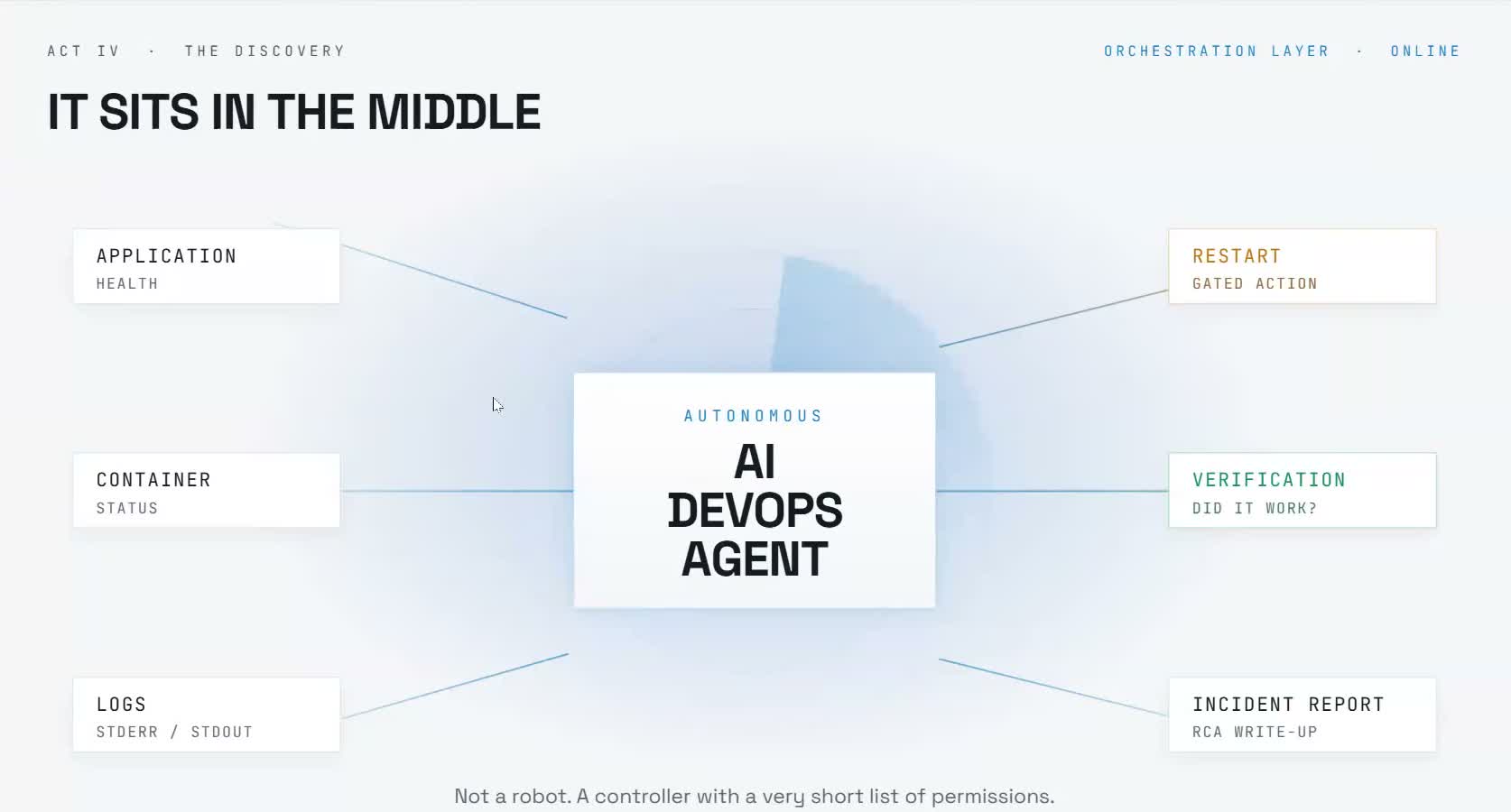
The brain is the AI model that decides what to do next. I used Claude from Anthropic, the Opus model. An attendee asked if ChatGPT or Gemini would work instead. My answer: yes, any model can be the brain, open-source ones included, though results vary from model to model.
The hands are the tools, the actions the agent is allowed to take. My agent had five, and each one copied a step I had just done by hand:
Tool | What it does | The manual step it replaces |
|---|---|---|
| Asks the app if it is healthy | Ask the app |
| Lists the containers and their state | List the containers |
| Reads a container's logs | Read the logs |
| Starts a stopped container | Restart Redis |
| Checks the app again after a fix | Check the app again |
Then came the standing instructions, which engineers call a system prompt. Mine told the agent it was investigating incidents in a small Docker setup. It had to use its tools every time, and name a root cause only from real evidence, without guessing.
An agent can only do what its hands allow. Give the cleverest model in the world no tools and you have a chatbot. Give it the five tools above and it can run an outage investigation.
I wrote each tool myself in plain Python, so everyone could see what happens underneath. In production, teams usually plug in ready-made tool sets through MCP (Model Context Protocol), a standard way to connect AI models to software someone else has already built.
What happened when the AI investigated?
First I ran the agent while everything was working. It checked the app, checked the containers for good measure, and reported: "The application is currently healthy — no incident found. No remediation needed."
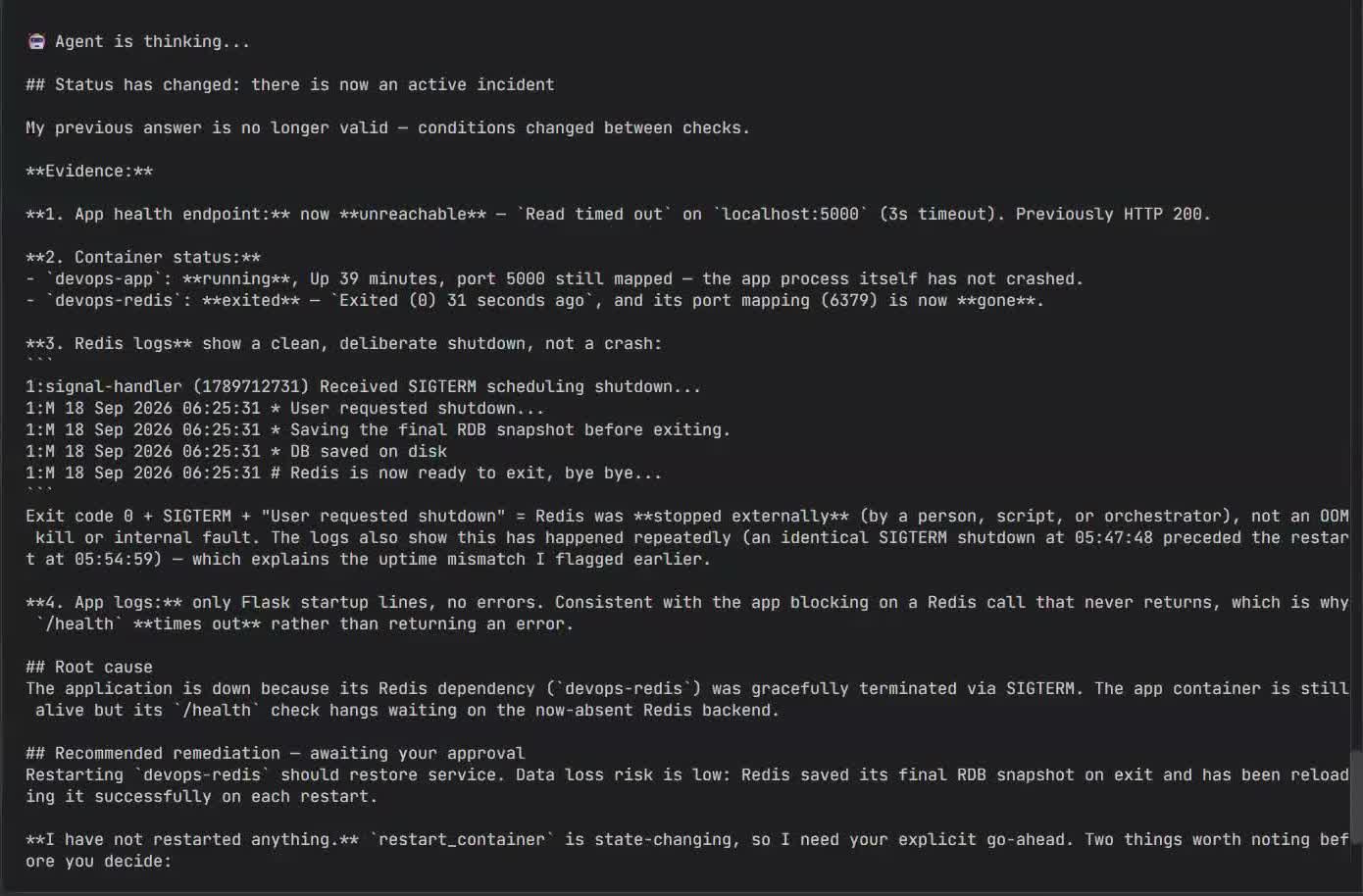
Then I stopped Redis again and asked the agent the same question.
Nobody told it what order to work in. It chose each step from what it saw:
It checked the app. No response.
It checked the containers and noticed the change: "Status has changed since my last check — the app is now unreachable and Redis has exited."
It pulled the logs "to confirm root cause before proposing any action."
It explained the cause. Redis had been shut down cleanly, and the app was still running but stuck waiting for it.
It recommended restarting Redis.
Then it stopped and asked for permission.
It had taken the same path I took by hand half an hour earlier.
Why does the agent ask before it acts?
Four of the five tools only look at things. Checking health, listing containers and reading logs cannot make an outage worse, so those run freely.
One tool changes things. A restart can interrupt something that was working, or hide the evidence of what went wrong. So restart_container sat on an approval list. When the agent reached for it, the code paused and asked a human. Because the check lived in the code, the agent could not talk its way past it.
I typed yes. The agent restarted Redis, ran verify_application on its own, and got HTTP 200, the web's way of saying OK. The app was back.
Read tools run free. Write tools ask.
It is how you would treat a new joiner. On day one they can open any dashboard and read any report. You would still want a call before they restart the payments server.
The rule works well beyond DevOps. An AI assistant that reads your inbox is useful. One that sends replies on your behalf without asking is a risk. The difference is a single approval step.
I made the same comparison with Claude Code, which can either ask before each change or edit freely, depending on the mode. When fixing bugs, my team uses the mode that asks.
What stops an agent from running forever?
An agent works in a loop. It thinks about what to do, uses one tool, looks at the result, and decides again. It keeps going until the app is healthy.
That loop is what makes it useful, and it is also the risk. If the agent cannot find the cause, it can keep thinking and checking with no end. Every round is a paid call to the AI model, so a stuck agent quietly runs up a bill.
My fix was one setting: a maximum of ten attempts. If the agent has not solved the problem in ten rounds, it stops and a human takes over.
Any manager would recognise that instruction. Try for a while, and if you are stuck, call me.
The 2 a.m. call, then and now
My "two years ago" slide described the old routine. The alert fires. An engineer wakes up, opens the dashboards, reads the logs, investigates, fixes, verifies, and then writes the incident report, known as an RCA (root cause analysis).
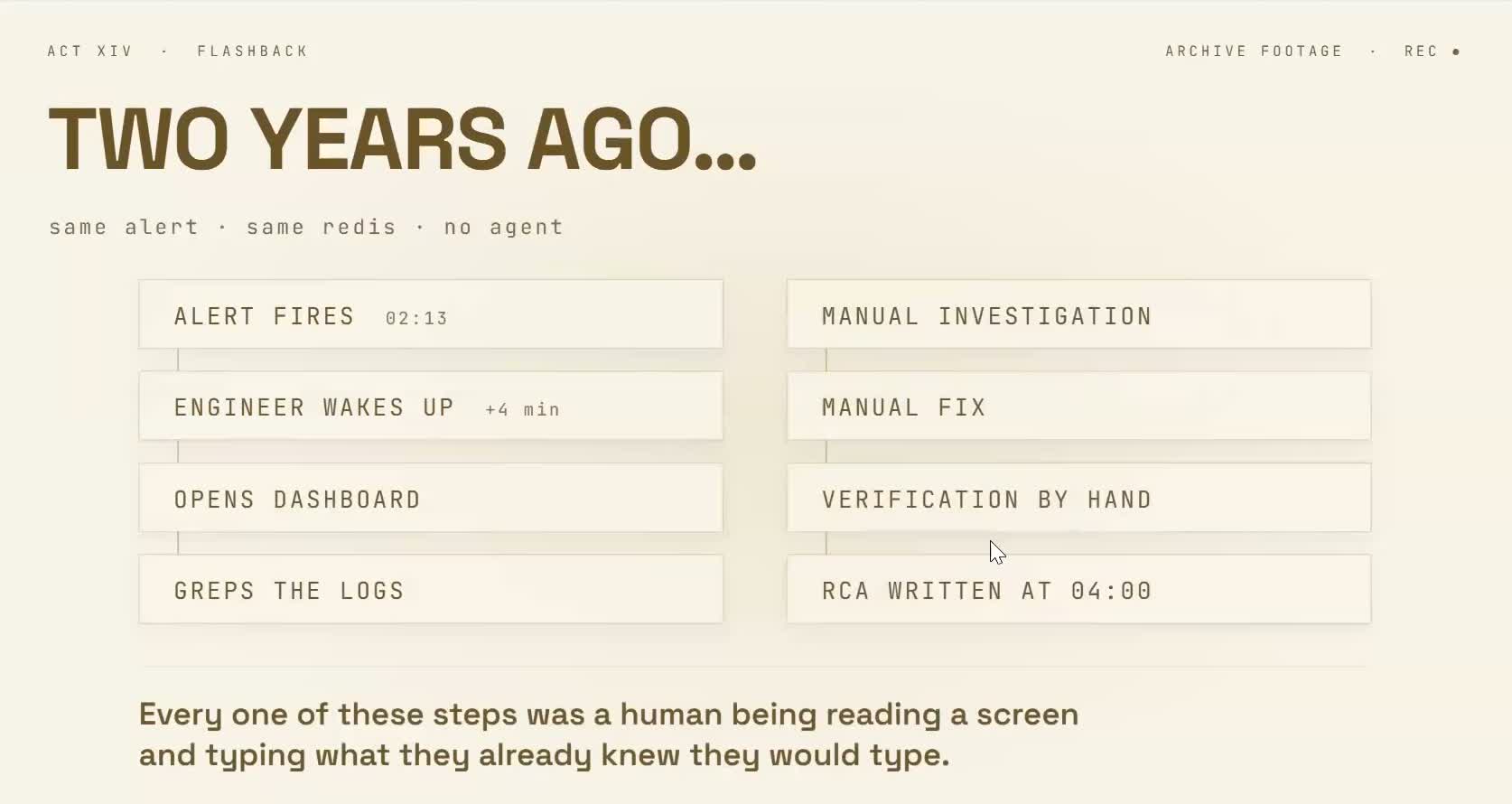
With the workshop's agent, most of that moves off the engineer's plate:
Step | Two years ago | With the AI agent |
|---|---|---|
Investigate | Engineer, by hand | Agent |
Find the root cause | Engineer | Agent, from the evidence |
Apply the fix | Engineer | Agent, after a human says yes |
Verify | Engineer | Agent |
Write the RCA | Engineer, after the fix | Agent, straight away |
The agent's incident summary covered the impact, the root cause, the action taken and the verification. Before AI, writing that was one more job for the person who had been up all night.
One step still needs a person: approving the change.
Isn't this just self-healing infrastructure?
An attendee asked this, and it is a fair question. Tools like Kubernetes and Ansible playbooks already restart things automatically.
The difference is the investigation. Those tools follow rules someone wrote in advance: if this container stops, restart it. They do not work out why it stopped, and they have nothing to offer for a cause nobody wrote a rule for. That investigation still falls to an engineer reading logs and working out what broke. The agent takes over that part.
The demo agent answered when asked, but the same agent can run continuously, watching the app and starting an investigation the moment something breaks.
Why this matters if you never touch a server
Swap the website for any process at your work. The same three questions decide whether an AI agent is safe to use:
What can it see? These are its hands. An agent with access to everything can do anything.
What can it change without asking? That is the approval list. Reading is cheap. Sending, paying, deleting and restarting should wait for a yes.
When does it stop and call a person? That is the limit. Without one, a confused agent keeps going.
A finance agent can read every invoice and flag mismatches, then ask before it pays anyone. A support agent can read a customer's history and draft the refund, then wait for a person to approve it. The pattern is the one that brought a small online shop back from an outage.
When someone pitches you an AI agent, ask those three questions. The answers will tell you more than the demo.
From one agent to an AI team
The workshop built one agent. Production systems split the work across several, each with one job:
an investigation agent that looks across Docker, Kubernetes and cloud services
a remediation agent that applies the fix
a verification agent that confirms the fix worked
a communication agent that posts updates to Slack
A framework such as LangGraph or CrewAI coordinates them. My next workshop takes that step, with real AWS services, Kubernetes and CI/CD pipelines connected, and a production-style system to break on purpose.
In this workshop, the AI did the detective work. It checked, read, reasoned and wrote the report. A person still made the one decision that could make things worse, and that is the design worth copying.
Quick reference glossary
AI agent: an AI model that can use tools and keep working in a loop until a task is done.
Agentic AI: a system of several AI agents, each with one job, working toward one goal.
Container: a sealed package that holds one program and everything it needs to run.
Redis: a fast in-memory data store that apps use to answer common requests quickly.
Logs: the running diary a program keeps of what it did and what went wrong.
System prompt: the standing instructions that tell an AI model its role and its rules.
Human in the loop: a step where the AI must get a person's approval before it acts.
RCA (root cause analysis): the incident report that explains what broke, why, and what was done.
MCP (Model Context Protocol): a standard way to plug ready-made tools into an AI model.
HTTP 200: the code a website sends back when a request worked.
Ready to Experience the Future of Data?
You Might Also Like
AI agents now write most of the code, so what is an engineer for? We look at why developers trust AI less as they use it more, how one AI fix nearly took three systems down, when a team should skip AI altogether, and six habits that move engineers from writing code to owning the systems around it.
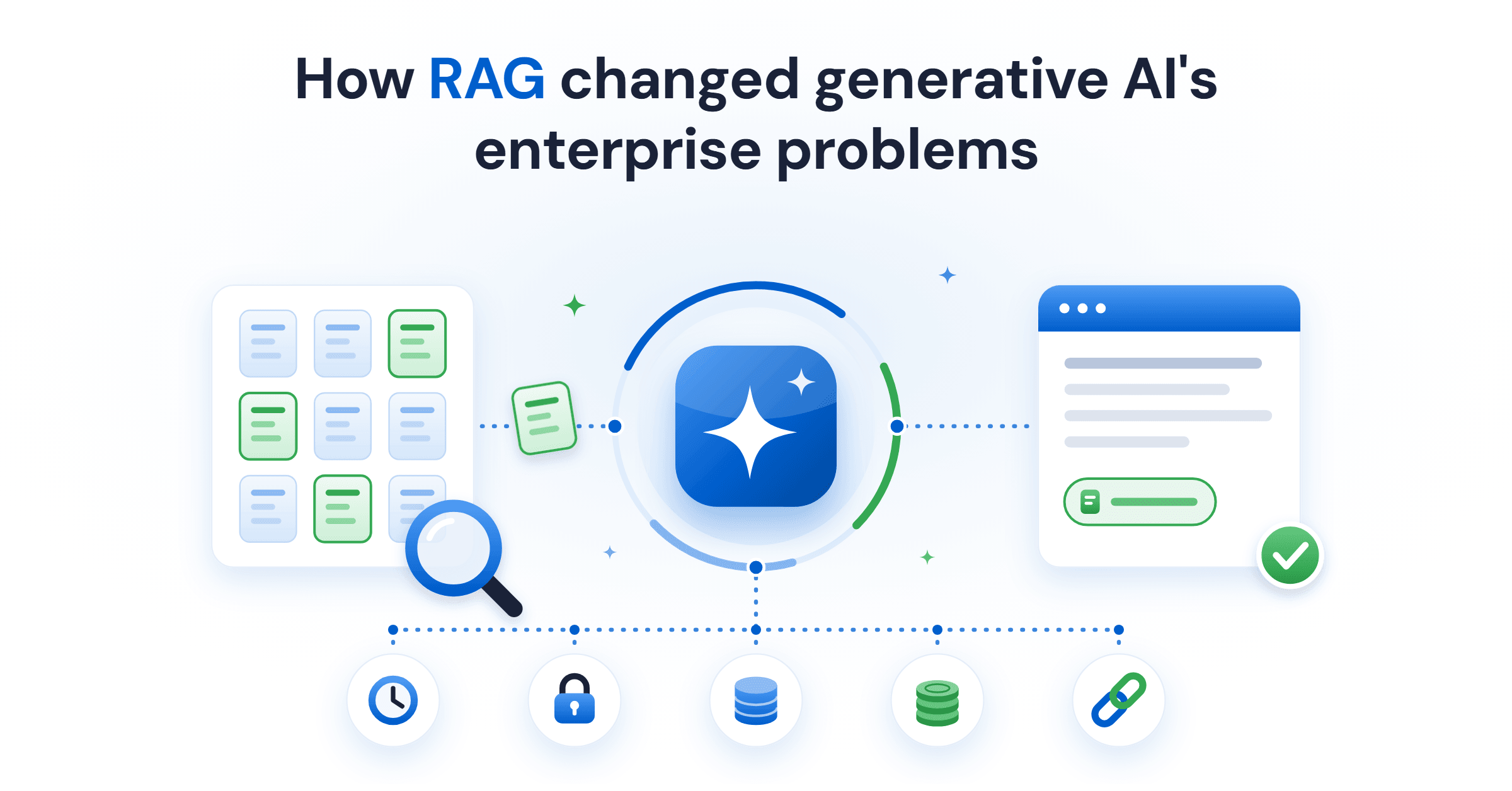
Retrieval-augmented generation (RAG) gives a language model current and private data at query time. What it fixes, what it costs, and the five ways it fails.
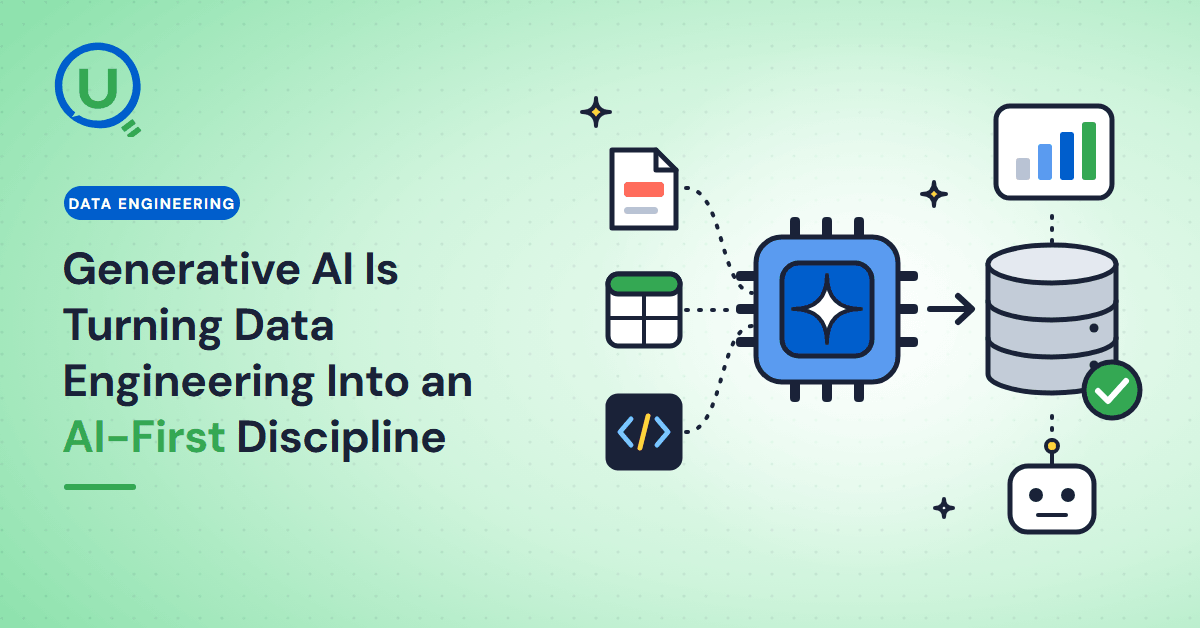
Generative AI in data engineering: what Gartner's Data Engineering 2.0 means, how AI agents now write pipeline code, and why data engineers matter more.
Learn to build governed RAG pipelines on Databricks using Agent Bricks and Unity Catalog. Discover the Knowledge Assistant, its 70% quality boost, and key limits.
Storage account keys and mount points give every user in a Databricks workspace the same shared access to ADLS, with no audit trail. Here's why teams are moving to Storage Credentials and External Locations instead.
89% of enterprise AI pilots never reach production. Data integration, governance gaps, and silos are why. See how Snowflake Cortex AI fixes the root cause.
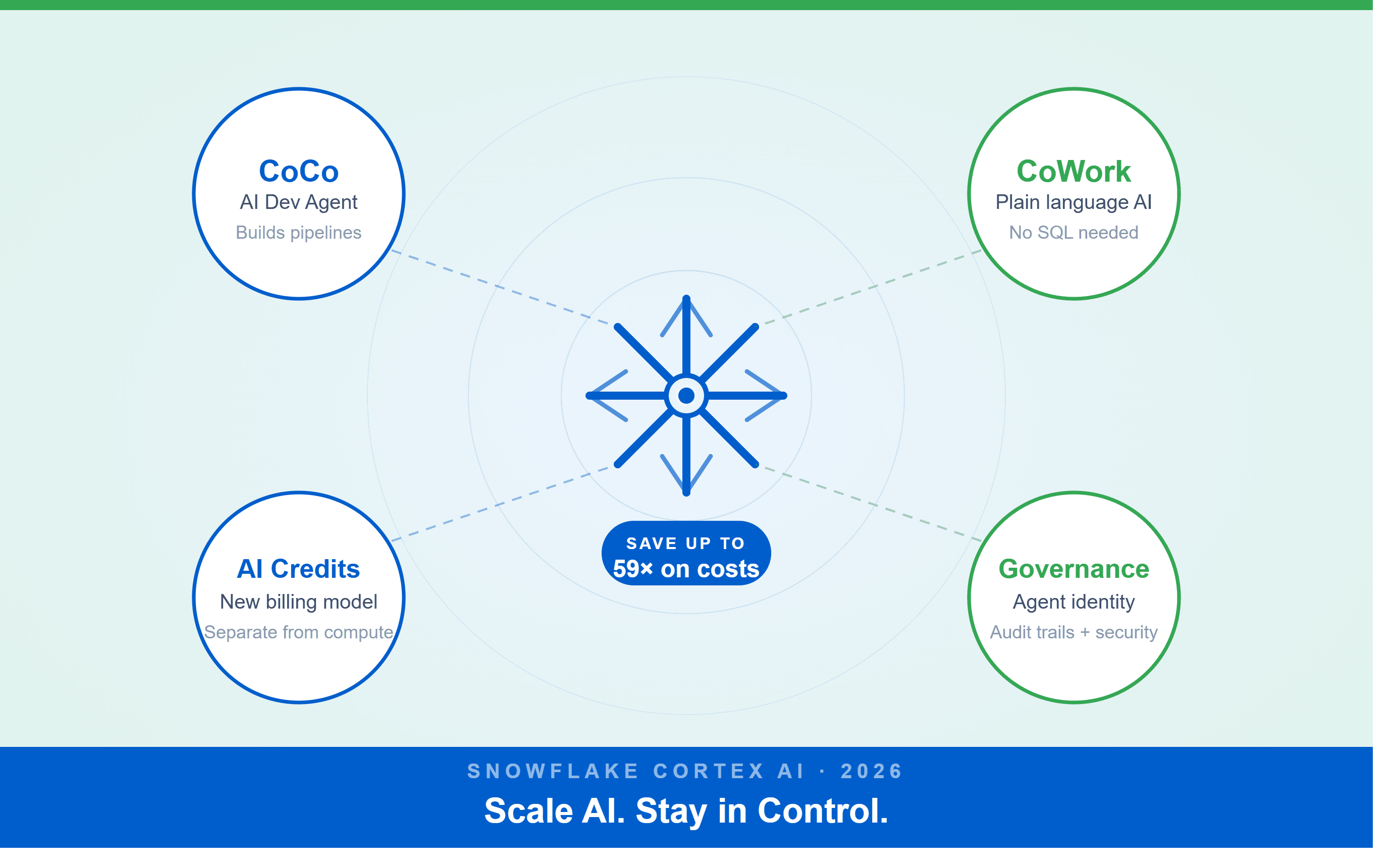
A Snowflake Summit 2026 benchmark revealed a 59x cost gap — open-source models at 440 credits vs. frontier models at 26,000 credits for identical workloads. Learn how CoCo, CoWork, AI Credits, and Cortex Training change enterprise AI strategy.
How a data engineering team replaced manual pipeline work with natural language prompts, using Claude Code and the Databricks AI Dev Kit.
Six errors, 6 hours of debugging, and the permission checklist that finally made Databricks Apps + Genie work. The full lessons-learned guide.
Your Claude Code session isn't lost. It's on disk, in a folder /resume isn't scanning. Here's how to find any session in 30 seconds, with the exact commands.
Scenario based learning replaces tutorials with realistic operational scenarios where engineers develop the hands on judgment classroom instruction cannot produce. How it works and why it matters.
The 2026 data engineering roadmap. SQL, Python, cloud, Airflow, dbt, streaming. What companies actually hire for and how to build a portfolio that gets shortlisted.
Medallion Architecture splits your data pipeline into Bronze, Silver, and Gold layers so a small business change never forces a full rebuild. Here's why it works.
I was working on a large content repository on Windows, and I needed to version some new work — campaign assets, workshop content, LinkedIn job descriptions, and some file deletions. Simple enough, right? What followed was a two-day journey through some of Git's more obscure corners.
New engineers shouldn't learn Docker like they're defusing a bomb. Here's how we created a fear-free learning environment—and cut training time in half." (165 characters)

A complete beginner’s guide to data quality, covering key challenges, real-world examples, and best practices for building trustworthy data.
Explore the power of Databricks Lakehouse, Delta tables, and modern data engineering practices to build reliable, scalable, and high-quality data pipelines."
A real-world Terraform war story where a “simple” Azure SQL deployment spirals into seven hard-earned lessons, covering deprecated providers, breaking changes, hidden Azure policies, and why cloud tutorials age fast. A practical, honest read for anyone learning Infrastructure as Code the hard way.
Data doesn’t wait - and neither should your insights. This blog breaks down streaming vs batch processing and shows, step by step, how to process real-time data using Azure Databricks.
This blog talks about Databricks’ Unity Catalog upgrades -like Governed Tags, Automated Data Classification, and ABAC which make data governance smarter, faster, and more automated.
Tired of boring images? Meet the 'Jai & Veeru' of AI! See how combining Claude and Nano Banana Pro creates mind-blowing results for comics, diagrams, and more.
What I thought would be a simple RBAC implementation turned into a comprehensive lesson in Kubernetes deployment. Part 1: Fixing three critical deployment errors. Part 2: Implementing namespace-scoped RBAC security. Real terminal outputs and lessons learned included
This blog walks you through how Databricks Connect completely transforms PySpark development workflow by letting us run Databricks-backed Spark code directly from your local IDE. From setup to debugging to best practices this Blog covers it all.
A simple ETL job broke into a 5-hour Kubernetes DNS nightmare. This blog walks through the symptoms, the chase, and the surprisingly simple fix.
Master the bronze layer foundation of medallion architecture with COPY INTO - the command that handles incremental ingestion and schema evolution automatically. No more duplicate data, no more broken pipelines when new columns arrive. Your complete guide to production-ready raw data ingestion
This blog talks about the Power Law statistical distribution and how it explains content virality
This blog explains how Apache Airflow orchestrates tasks like a conductor leading an orchestra, ensuring smooth and efficient workflow management. Using a fun Romeo and Juliet analogy, it shows how Airflow handles timing, dependencies, and errors.
The blog contains the journey of ChatGPT, and what are the limitations of ChatGPT, due to which Langchain came into the picture to overcome the limitations and help us to create applications that can solve our real-time queries

An account of experience gained by Enqurious team as a result of guiding our key clients in achieving a 100% success rate at certifications
This blog delves into the capabilities of Calendar Events Automation using App Script.
Dive into the fundamental concepts and phases of ETL, learning how to extract valuable data, transform it into actionable insights, and load it seamlessly into your systems.